
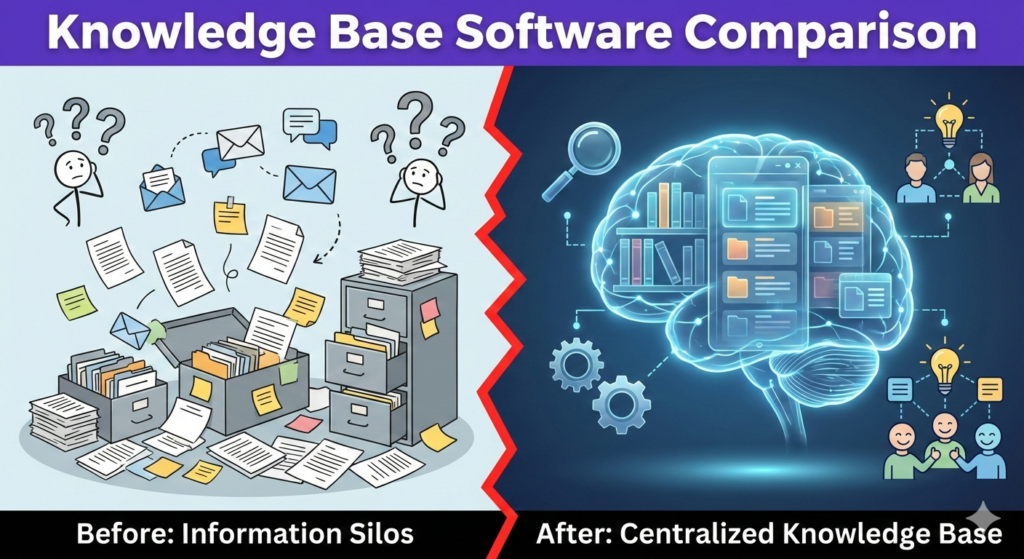



In today’s fast-paced digital environment, information is your most valuable asset.
Yet, many organizations struggle because this vital knowledge is scattered across emails, chat logs, and local drives.
This is where a robust knowledge base comes into play.
It acts as the central nervous system for your company’s information.
Finding the right tool, however, can be overwhelming given the crowded market. 🤯
Performing a thorough knowledge base software comparison is essential to ensure you select a platform that meets your specific needs.
Whether you need an internal wiki for employees or an external help center for customers, the right software transforms chaos into clarity.
Let’s dive deep into the top contenders and what makes them stand out. 🚀
Why You Need Dedicated Knowledge Base Software
You might be wondering if a shared Google Drive folder is enough.
Spoiler alert: it usually isn’t as you scale. 📉
Dedicated knowledge base software offers structured organization that simple file storage lacks.
It provides powerful search capabilities that understand context.
According to industry insights, an effective knowledge management strategy is crucial for operational efficiency. 💡
For external customers, a well-maintained knowledge base enables self-service.
This significantly reduces the volume of repetitive support tickets coming into your help desk.
For internal teams, it speeds up onboarding for new hires dramatically.
It ensures everyone is referencing the single source of truth, eliminating version control nightmares.
Quote on Knowledge –
“An investment in knowledge pays the best interest.”
— Benjamin Franklin
Key Features to Look For in Your Comparison
Before looking at specific tools, you need to define your criteria.
A successful knowledge base software comparison relies on understanding what features matter most to your workflow. 🧐
Not all platforms are created equal, and some lean heavily toward specific use cases.
- Intuitive Search Engine: The ability for users to find answers quickly using natural language is non-negotiable; if they can’t find it, it doesn’t exist to them. 🔍
- WYSIWYG Editor: Your team needs an easy-to-use editor to create rich content with images, videos, and code blocks without needing engineering support. ✍️
- Robust Analytics: You need data on what users are searching for and, crucially, what they are searching for but not finding, so you can fill content gaps.
- Understanding these metrics is the key to continuous improvement of your support content. 📈
- Access Controls & Permissions: You must be able to define who can view, edit, or publish content, especially if you are mixing internal and external documentation. 🔒
- Third-Party Integrations: The software should connect seamlessly with your existing tools like Slack, Microsoft Teams, or your CRM for a smooth workflow. 🤝
For a deeper understanding of what constitutes a modern knowledge base, Gartner provides excellent definitions of Knowledge Management strategies.
Quick Comparison Table: Top Contenders
Let’s look at a high-level overview of four leading platforms in the market today. 📊
| Software | Best Use Case | Key Strength | Pricing Tier Model |
|---|---|---|---|
| Notion | Internal Team Wiki & Collaboration | Flexibility and database structuring. | Freemium / Per User |
| Zendesk Guide | External Customer Support | Deep integration with ticketing. | Part of Suite / Per Agent |
| Document360 | Dedicated Standalone KB (Internal/External) | Specialized KB features and versioning. | Tiered Project Basis |
| Help Scout | Customer-Facing Teams | Simplicity and user experience. | Per User |
Deep Dive: Analyzing the Top Tools
Now, let’s expand on our knowledge base software comparison with more detail on each option.
1. Notion: The Flexible All-in-One Workspace
Notion has taken the productivity world by storm, and for good reason. 🌪️
It is not just a knowledge base; it is an all-encompassing workspace for notes, tasks, wikis, and databases.
Its primary strength lies in its incredible flexibility.
You can structure your internal documentation exactly how your team thinks using nested pages and linked databases.
However, because it does so much, it can sometimes feel overwhelming for new users.
It is generally better suited for internal team collaboration rather than a public-facing customer help center. 🏢
You can read more about how teams use it for documentation on Atlassian’s guide on knowledge management practices which often discusses similar wiki-style approaches.
2. Zendesk Guide: The Customer Support Powerhouse
If your primary goal is deflecting customer support tickets, Zendesk Guide is a heavyweight contender. 🥊
It is designed specifically as an external-facing help center.
Its biggest advantage is the seamless integration with the broader Zendesk support ecosystem.
When an agent is working on a ticket, the system automatically suggests relevant knowledge base articles to send to the customer.
Furthermore, it has powerful AI features, such as “Content Cues,” which analyze incoming tickets to tell you what articles you should be writing.
For more on their specific approach, check out the official Zendesk Guide product page.
The downside is that it can be expensive if you aren’t already bought into the Zendesk suite.
3. Document360: The Pure-Play Specialist
Document360 is what we call a “pure-play” knowledge base.
It doesn’t try to be a project management tool or a CRM; it just focuses on being an excellent knowledge base. 🎯
It is equally adept at handling private internal documentation and public external documentation.
One of its standout features is advanced version control, allowing you to manage multiple versions of the same article (e.g., for different software releases).
It also offers a very robust editorial review workflow, ensuring content is approved before going live.
It is highly rated on review sites; you can see user comparisons on G2’s Knowledge Base category page.
4. Help Scout: The User-Friendly Alternative
Help Scout is renowned for its beautiful interface and focus on the customer experience. ✨
Their knowledge base feature, called “Docs,” is clean, fast, and incredibly easy to set up.
Like Zendesk, it integrates well with their help desk ticketing system.
The “Beacon” feature allows you to embed search functionality directly onto any page of your website or inside your app.
This puts help right where the customer needs it most, reducing friction. ⚡
They often publish excellent advice on customer service capabilities, such as this post showcasing great knowledge base examples.
While perhaps less feature-dense than Document360 for complex technical docs, its ease of use is unrivaled for support teams.
How to Choose the Right One for You
Concluding your knowledge base software comparison requires mapping features to your specific goals.
Don’t just chase the tool with the most features; chase the one that solves your biggest pain point. 🤕
If you are a small startup needing internal organization, Notion might be your best bet.
If you are a large enterprise drowning in customer support tickets, Zendesk Guide or Help Scout will likely offer the best ROI.
If you need complex technical documentation with versioning, consider Document360. 📚
Remember that the software is just the container; the quality of your content is what ultimately determines success.
Ensure you have a plan for who will write, maintain, and update the content regularly.
Quote on Implementation –
“Knowing is not enough; we must apply. Willing is not enough; we must do.”
— Johann Wolfgang von Goethe
Conclusion
Implementing the right knowledge base software is a transformative step for any business. 🚀
It moves you away from reliance on tribal knowledge held by a few individuals and toward a scalable, accessible information architecture.
By conducting a thoughtful comparison based on your unique needs, you can select a tool that empowers both your employees and your customers.
Start by identifying your primary audience—internal or external—and let that guide your decision. 🤔
The effort you put into organizing your knowledge today will pay massive dividends in efficiency tomorrow.