
🤓
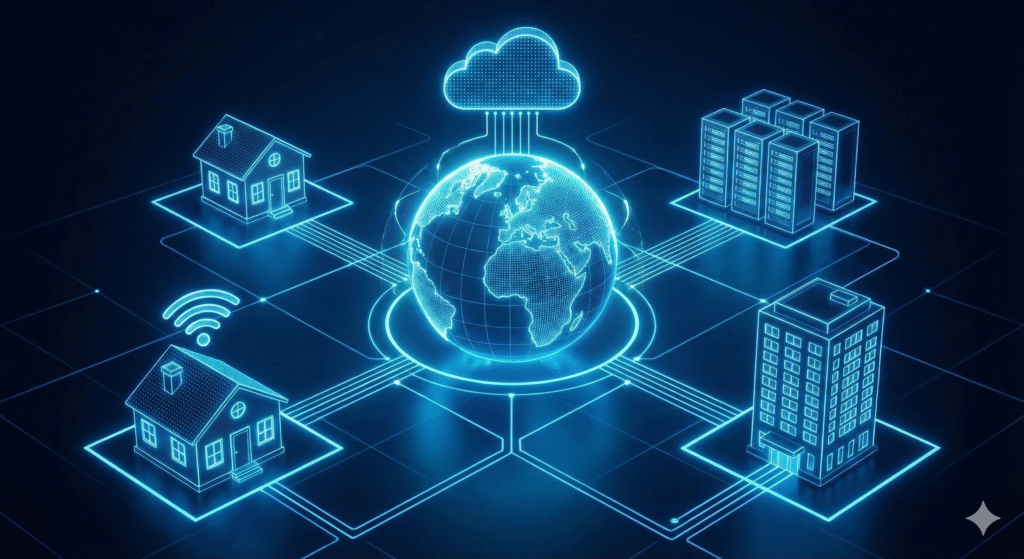
Networking is the backbone of the modern digital world, connecting everything from our personal smartphones to global data centers.
Understanding the fundamental concepts, from the hardware that transmits signals to the protocols that govern data flow, is essential for anyone looking to optimize their connectivity or build robust digital infrastructure.
This comprehensive guide will demystify four critical areas of networking: optimizing your Wi-Fi with proper channel selection, understanding the different network topology types, simplifying the Dynamic Host Configuration Protocol (DHCP), and comparing the revolutionary shift from traditional to cloud networking.
Wi-Fi Channel Selection Guide: Optimizing Your Wireless Performance
The airwaves around us are crowded, especially in dense residential or office areas.
Your Wi-Fi router operates on specific channels, and if your channel overlaps with your neighbor’s, the resulting interference can drastically slow down your connection.
Selecting the right Wi-Fi channel is one of the simplest yet most effective ways to boost your wireless performance [1].
The 2.4 GHz Band: The Non-Overlapping Three
The 2.4 GHz band, while offering greater range, is highly susceptible to interference from other devices like microwaves and Bluetooth.
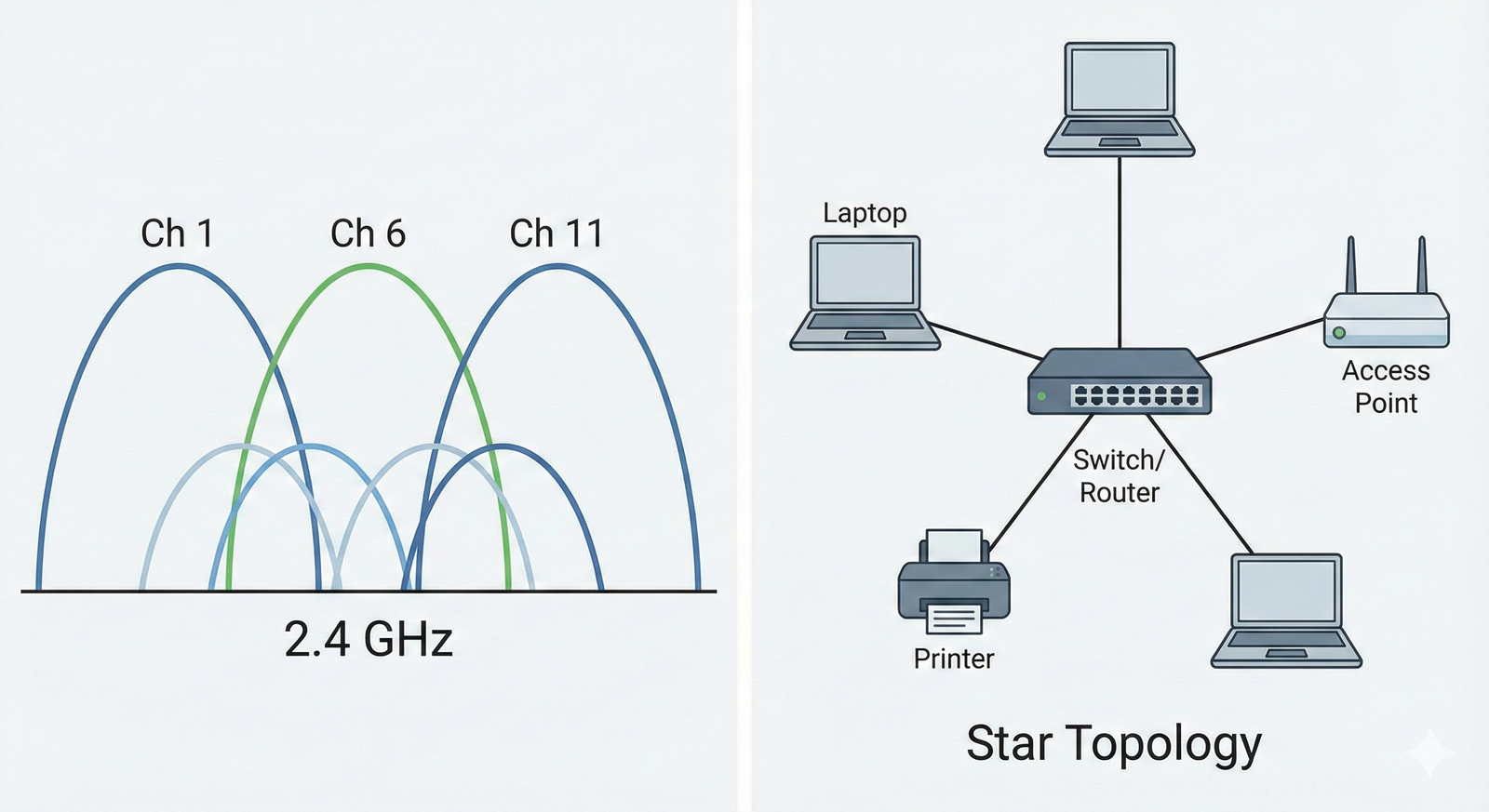
It has 11 channels in North America, but only three of them are truly non-overlapping: Channels 1, 6, and 11 [2].
| Channel | Frequency Range (MHz) | Overlap with Other Channels |
|---|---|---|
| 1 | 2401 – 2423 | Overlaps with 2, 3, 4, 5 |
| 6 | 2426 – 2448 | Overlaps with 3, 4, 5, 7, 8, 9 |
| 11 | 2451 – 2473 | Overlaps with 7, 8, 9, 10 |
When setting up your 2.4 GHz network, you should always aim to use one of these three channels.
If you find that Channel 6 is heavily used by your neighbors, switching to Channel 1 or 11 can provide a significant performance improvement.
The 5 GHz Band: More Channels, Less Interference
The 5 GHz band offers much faster speeds and has a shorter range, but its primary advantage is the sheer number of available channels.
Most of these channels are non-overlapping, which means interference is far less of a concern [3].
The 5 GHz band is the preferred choice for high-bandwidth activities like 4K streaming and online gaming because of its cleaner spectrum.
Modern routers often have an “Auto” channel selection feature, but this is not always optimal.
Using a Wi-Fi analyzer tool (available on most smartphones and computers) to manually check the channel usage in your area is the best practice for finding the least congested channel and ensuring maximum throughput.
https://www.youtube-nocookie.com/embed/3Qh8j0v0_t0
Network Topology Types Explained: The Blueprint of a Network
Network topology refers to the arrangement of the various elements (links, nodes, etc.) of a computer network.
It is essentially the geometric representation of the relationship between the communicating devices.
There are two main types: Physical Topology (the actual layout of cables and devices) and Logical Topology (how data flows through the network) [4].
Key Physical Topologies
Understanding these structures is crucial for network design, troubleshooting, and scalability.
Star Topology
In a Star topology, every node is connected to a central hub, switch, or server.
This is the most common topology in modern Local Area Networks (LANs).
- Pros: Easy to install and manage; failure of one node does not affect the rest of the network; easy to detect faults.
- Cons: Requires more cable than some other topologies; the entire network fails if the central device fails.
Bus Topology
A Bus topology connects all devices to a single communication line, or backbone.
Data is transmitted in one direction from one end to the other.
- Pros: Simple to implement; requires the least amount of cable.
- Cons: Difficult to troubleshoot; a break in the main cable stops all transmission; limited number of devices can be connected.
Ring Topology
In a Ring topology, each node is connected to exactly two other nodes, forming a single continuous pathway for signals.
Data travels from node to node until it reaches its destination.
- Pros: Data transmission is relatively simple as packets travel in one direction; high-speed data transfer is possible.
- Cons: Failure of a single link can break the entire ring; adding or removing devices disrupts the network.
Mesh Topology
A Mesh topology is a point-to-point connection to every other device in the network.
This provides high redundancy and fault tolerance.
- Pros: Extremely reliable and robust; fault diagnosis is easy; provides high traffic capacity.
- Cons: Very expensive to implement due to the large number of cables required; complex installation and configuration.
https://www.youtube-nocookie.com/embed/7hK94y1qf7I
DHCP Protocol Explained Simply: The Network’s Traffic Cop
The Dynamic Host Configuration Protocol (DHCP) is a network management protocol used on Internet Protocol (IP) networks for automatically assigning IP addresses and other communication parameters to devices connected to the network [5].
Without DHCP, a network administrator would have to manually assign an IP address to every new device, which is time-consuming and prone to error.
The DHCP Process: DORA
The entire process of a client obtaining an IP address from a DHCP server is often summarized by the acronym DORA: Discover, Offer, Request, Acknowledge.
- Discover: A newly connected client broadcasts a DHCP Discover message to the network to find any available DHCP servers.
- Offer: All DHCP servers that receive the Discover message respond with a DHCP Offer message, proposing an IP address and other configuration details (like subnet mask and default gateway).
- Request: The client receives the offers and broadcasts a DHCP Request message, formally requesting the offered IP address from one of the servers.
- Acknowledge: The selected DHCP server sends a final DHCP Acknowledge (ACK) message, confirming the IP address lease and completing the configuration process.
DHCP is a fundamental protocol that ensures every device on a network has a unique, valid address, allowing for seamless communication.
Cloud Networking vs Traditional Networking: A Paradigm Shift
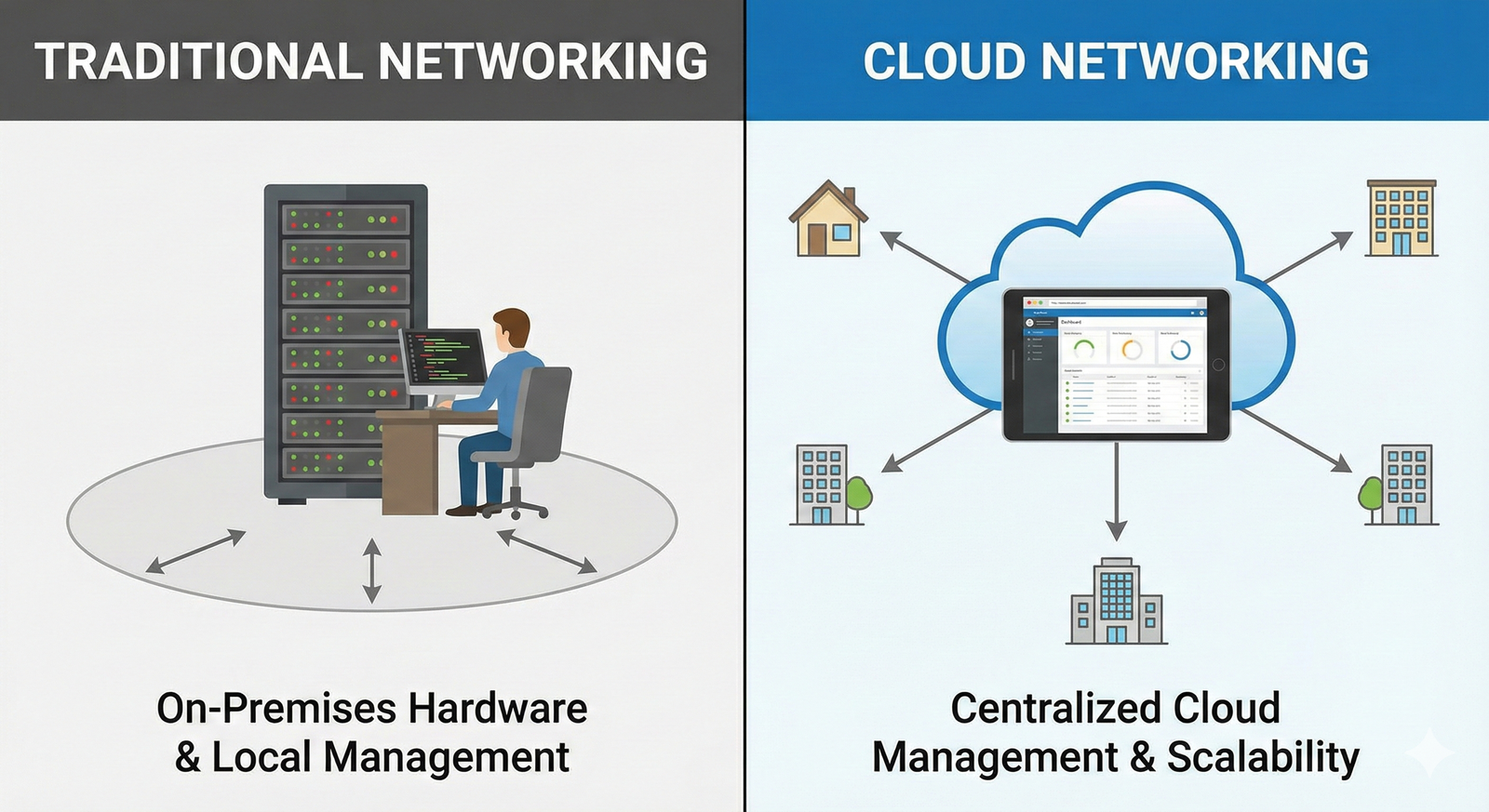
The shift from traditional, on-premises networking to cloud networking represents a fundamental change in how network resources are managed, scaled, and consumed.
Traditional networking relies on physical hardware, while cloud networking leverages virtualization and software-defined principles [6].
Key Differences and Advantages
| Feature | Traditional Networking | Cloud Networking |
|---|---|---|
| Infrastructure | Physical, on-premises hardware (routers, switches, firewalls) that you own and manage. | Virtualized, software-defined resources hosted by a third-party provider (e.g., AWS, Azure). |
| Scalability | Fixed capacity; scaling requires purchasing, installing, and configuring new physical hardware. | Highly elastic; resources can be scaled up or down instantly and automatically based on demand. |
| Cost Structure | High upfront Capital Expenditure (CapEx) for hardware; ongoing Operational Expenditure (OpEx) for power, cooling, and maintenance. | Primarily Operational Expenditure (OpEx) with a pay-as-you-go model, reducing initial investment. |
| Management | Manual, labor-intensive configuration and maintenance by in-house IT staff. | Automated, centralized management via software interfaces; provider handles physical infrastructure. |
| Disaster Recovery | Requires manual setup of redundant hardware and complex backup procedures. | Built-in redundancy and automated failover across multiple availability zones, simplifying recovery. |
Cloud networking offers unparalleled agility and cost efficiency, making it the dominant model for modern, dynamic business environments.
https://www.youtube-nocookie.com/embed/0h59gY0t4sI
Conclusion
From the simple act of choosing the best Wi-Fi channel to the complex architecture of cloud-based networks, the world of networking is constantly evolving.
By mastering these core concepts—optimizing your wireless signal, understanding the physical and logical blueprints of a network, appreciating the automation provided by DHCP, and recognizing the transformative power of cloud networking—you are well-equipped to navigate and build the digital future.
Embracing these principles is the first step toward a faster, more reliable, and more scalable digital experience.
https://www.youtube-nocookie.com/embed/v5g9t31343E
References
[1] Wi-Fi Channels: Complete Guide with Tips to Boost Signal – Data Alliance
[2] Why Channels 1, 6 and 11? – MetaGeek
[3] Guide to Configure Wi-Fi Channels and Channel Widths – Intel
[4] Types of Network Topology – GeeksforGeeks
[5] What is DHCP? and Why is it important? – EfficientIP
[6] Traditional Vs Cloud Networking: Key Differences – Larus