




The modern threat landscape transforms peripherals from benign accessories into critical attack vectors. 💀
Advanced threats exploit inherent hardware trust relationships for espionage and system compromise.
Keyboards, mice, and external drives become sophisticated tools for malicious activities.
Troubleshooting shifts from performance optimization to threat detection and mitigation strategies.
This technical guide diagnoses critical security vulnerabilities in peripheral devices.
Focus areas include firmware integrity, DMA attacks, and sophisticated supply chain threats.
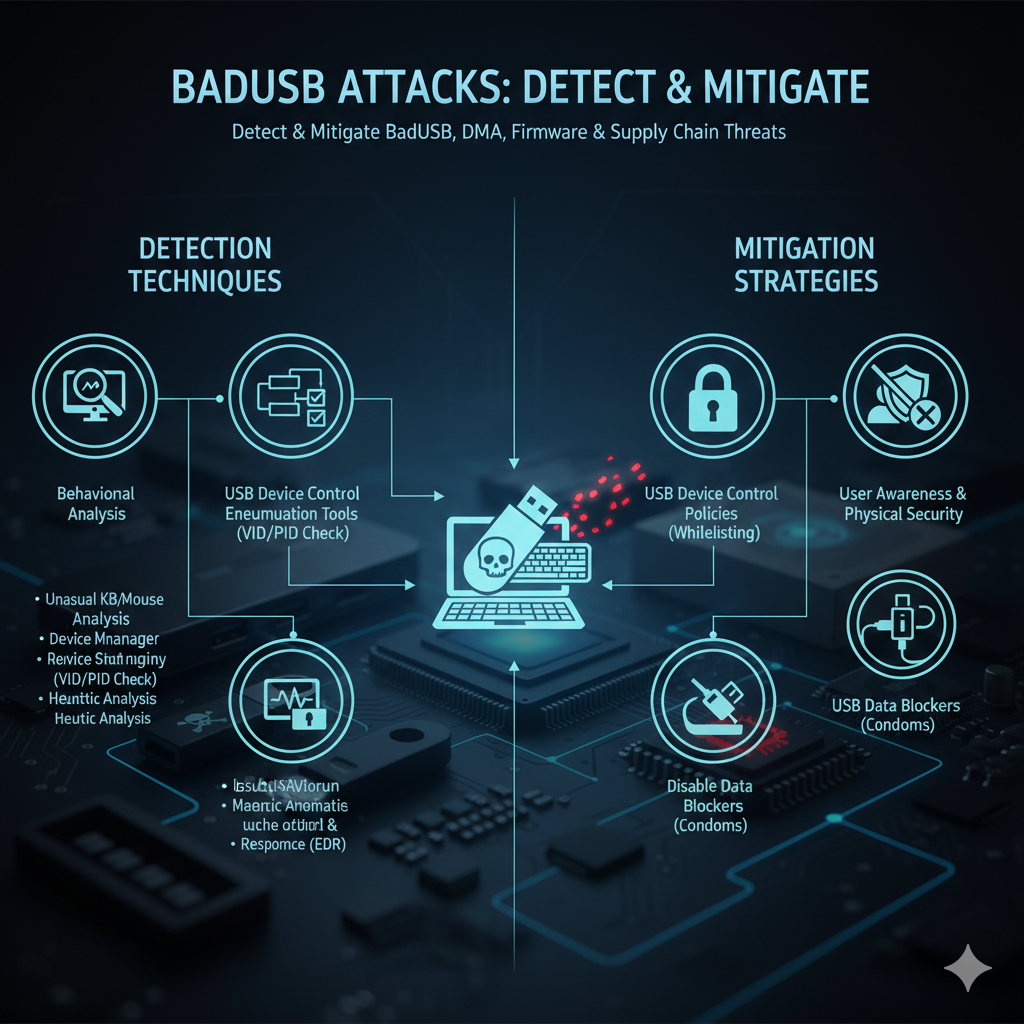
Phase 1: Diagnosing and Mitigating Firmware-Based Attacks (BadUSB) 🔌
BadUSB attacks exploit reprogrammable firmware to impersonate trusted device categories.
Malicious devices can execute automated commands faster than human reaction times.
The BadUSB Mechanism and Symptoms ⚡
Compromised USB devices emulate keyboards to execute malicious payloads automatically.
These attacks bypass traditional security measures through hardware trust exploitation.
| Symptom | Description | Risk Level |
|---|---|---|
| Automated System Activity | Windows/commands opening automatically | Critical |
| Multiple Device Enumeration | Storage device showing as HID keyboard | High |
| Rapid Keystroke Execution | Faster-than-human command input | Critical |
Legitimate flash drives should only display Mass Storage Class interfaces in device descriptors.
Advanced Diagnostic Procedures 🔍
Low-level USB analysis tools reveal device impersonation and malicious enumeration patterns.
Firmware attestation provides cryptographic verification of device integrity.
- USB Device Descriptor Analysis: Inspect interface classes using USBView or lsusb. 🔌
- HID Interface Detection: Identify unauthorized keyboard/mouse emulation. ⌨️
- Firmware Signature Verification: Challenge-response verification with trusted hosts. 🔐
- Behavioral Monitoring: Track unusual device activity patterns. 📊
Cryptographic signature mismatches indicate definite firmware compromise.
Mitigation Strategies for BadUSB Attacks 🛡️
Comprehensive protection requires policy enforcement and physical security measures.
Layered defenses prevent both accidental and malicious device connections.
| Strategy | Implementation | Effectiveness |
|---|---|---|
| USB Device Whitelisting | Group Policy or endpoint security | High |
| HID Installation Control | OS configuration for unknown devices | Medium |
| Physical Port Security | BIOS disable or physical blockers | Very High |
VID and PID whitelisting ensures only approved manufacturer devices can connect.
Physical port blockers provide absolute protection against unauthorized connections.
Phase 2: Troubleshooting Direct Memory Access (DMA) Attacks ⚡
DMA attacks exploit high-speed interfaces to bypass operating system security controls.
Thunderbolt and FireWire connections enable direct memory access without CPU intervention.
The DMA Attack Mechanism (Thunderclap) 🌩️
Malicious peripherals use DMA to read/write system memory directly and invisibly.
These attacks can steal encryption keys or inject kernel-level malware undetected.
- System Crashes: Blue screens following high-speed peripheral connection. 💻
- Memory Corruption: Unexplained system instability and data loss. 🗃️
- Performance Issues: System slowdowns during peripheral operation. 🐢
- Security Alerts: Endpoint protection flags unusual memory access. 🚨
Immediate system crashes after Thunderbolt connection indicate potential DMA attacks.
Advanced DMA Protection Configuration 🔧
Input/Output Memory Management Units provide hardware-level DMA protection.
Proper BIOS/UEFI configuration enables essential security features.
| Security Feature | Configuration Location | Protection Level |
|---|---|---|
| IOMMU/VT-d/AMD-Vi | BIOS/UEFI Settings | Hardware Isolation |
| Kernel DMA Protection | Windows Security Settings | OS-Level Enforcement |
| Thunderbolt Security | BIOS Thunderbolt Config | Connection Authorization |
Kernel DMA Protection requires user authentication before granting memory access.
Thunderbolt security levels should be set to “User Authorization” for maximum protection.
Phase 3: Firmware Integrity and Secure Boot 🔐
Peripheral firmware integrity ensures persistent security and prevents undetectable compromises.
Secure Boot principles extend to peripheral firmware validation and update processes.
Secure Boot and Peripheral Firmware Compatibility 🔄
Firmware signature validation prevents malicious code execution during boot processes.
Cryptographic verification ensures only authorized firmware versions can load.
| Symptom | Root Cause | Troubleshooting Action |
|---|---|---|
| Firmware Update Failures | Cryptographic signature errors | Verify manufacturer certificates |
| Boot Process Failure | Unsigned Option ROM | Temporary Secure Boot disable |
| Driver Installation Blocks | Untrusted publisher certificates | Driver signature policy review |
Temporary Secure Boot disablement confirms peripheral firmware compatibility issues.
Supply Chain Vulnerability Management 🏭
Manufacturing and distribution compromises introduce pre-infected peripheral devices.
Brand-new equipment can contain malicious firmware from untrustworthy supply chains.
- Suspicious Network Activity: New devices communicating with external servers. 🌐
- Unexpected Data Packets: Network traffic inconsistent with device function. 📦
- Behavioral Anomalies: Factory devices exhibiting unusual operations. 🔄
- Firmware Verification Failures: Cryptographic validation rejections. ❌
Network segmentation isolates new peripherals until behavioral verification completes.
Phase 4: Advanced Detection Tools and Techniques 🛠️
Sophisticated security monitoring requires specialized hardware and software tools.
These solutions provide visibility into low-level peripheral operations and communications.
| Tool/Technique | Primary Purpose | Threats Diagnosed |
|---|---|---|
| USB Protocol Analyzer | Raw USB stream monitoring | BadUSB, device impersonation |
| IOMMU/VT-d Hardware | Peripheral memory isolation | DMA attacks, memory access |
| EDR Solutions | Behavioral anomaly detection | Payload execution, unusual activity |
| Firmware Attestation | Cryptographic verification | Supply chain compromise |
Endpoint Detection and Response systems flag peripheral attempts to access sensitive areas.
Mouse devices attempting system file access trigger immediate security alerts.
Implementation Checklist for Enterprise Security ✅
Comprehensive peripheral security requires systematic policy implementation and enforcement.
This checklist ensures layered protection across all vulnerability categories.
| Security Layer | Implementation Steps | Verification Method |
|---|---|---|
| Physical Security | Disable unused USB ports | Physical inspection and testing |
| Device Control | Implement USB whitelisting | Attempt unauthorized device connection |
| DMA Protection | Enable IOMMU and Kernel DMA Protection | BIOS verification and Windows Security check |
| Firmware Security | Deploy firmware attestation | Signature validation testing |
Regular security audits ensure continued protection against evolving peripheral threats.
Conclusion: Building a Hardware-Trust Security Model 🏗️
Modern computing security requires fundamental mindset shifts regarding peripheral trust.
Every hardware connection represents potential risk requiring verification and validation.
Advanced BadUSB diagnostics prevent device impersonation and automated payload execution.
Hardware-level DMA protection through IOMMU blocks direct memory access attacks.
Rigorous firmware integrity checks transform peripherals from attack vectors into trusted extensions.
Proactive hardware-centric security ensures long-term protection in evolving threat landscapes.
Comprehensive peripheral security creates foundation for trustworthy computing environments.
These advanced techniques establish necessary defenses against sophisticated hardware exploits.