


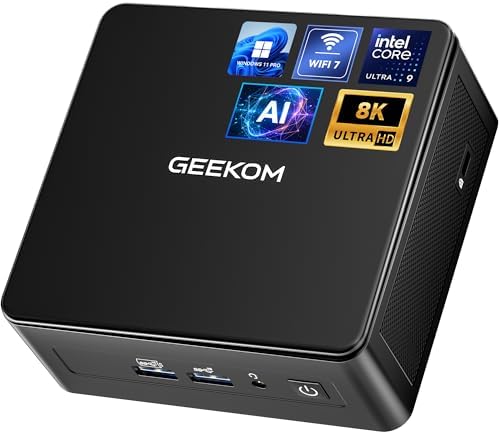
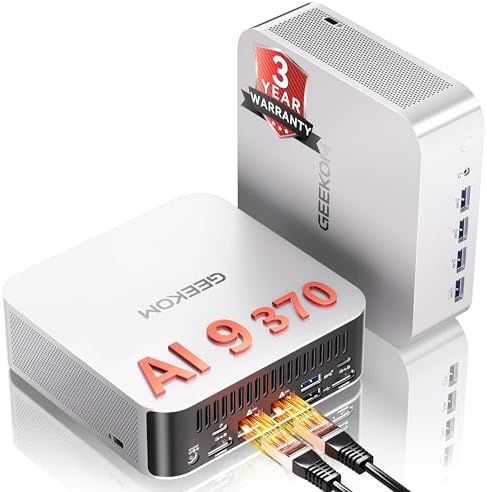
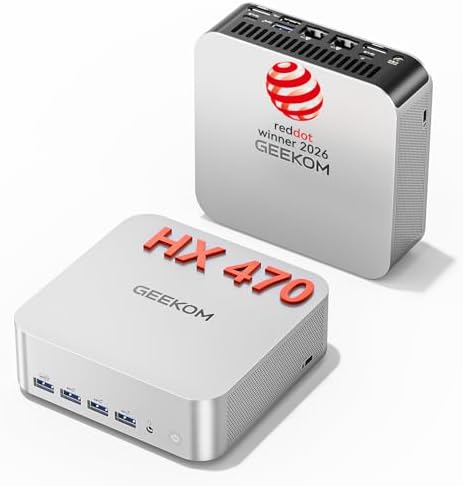


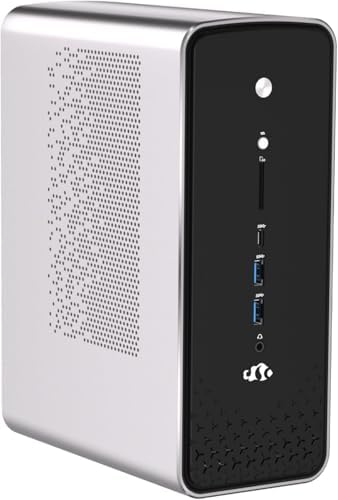

When it comes to TrueNAS ZFS ARC cache memory allocation guide for Proxmox, getting the right details matters. GEEKOM A9 Max Mini PC (AMD Ryzen™ AI 9 HX 370, 128 GB DDR5)
Fortinet FortiGate 60F Next-Gen Firewall (with FIPS-SEAL-RED Kit)
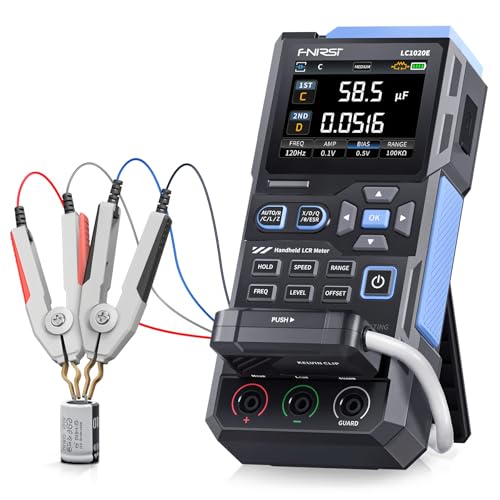
FNIRSI LCR-ST1 Smart LCR Tweezers (0.3V Low-Voltage Mode)
The Technical Reality / The Failure Point: Eradicating the ZFS ARC “Black Hole” and KVM Ballooning Conflicts
This guide provides the engineering blueprint for stabilizing virtualized storage environments where OpenZFS memory behavior conflicts with hypervisor resource management. You will learn how to configure physical RAM allocation, enforce kernel-level caching limits, and select hardware that eliminates the volatility associated with legacy enterprise gear.
The following sections detail the failure mechanics of unmanaged ARC, the specific hardware pivot required for compliance, and the exact configuration parameters needed to secure your DevOps homelab edge.
The “ZFS ARC Black Hole”: Why Default 50%-100% RAM Consumption Destroys Guest-Host Boundaries
OpenZFS Adaptive Replacement Cache default memory allocation behavior aggressively consumes up to 50% of available system RAM on Linux-based systems and up to 100% on FreeBSD/TrueNAS CORE. This occurs because the filesystem prioritizes metadata and file data caching within the guest OS memory space to maximize read performance.
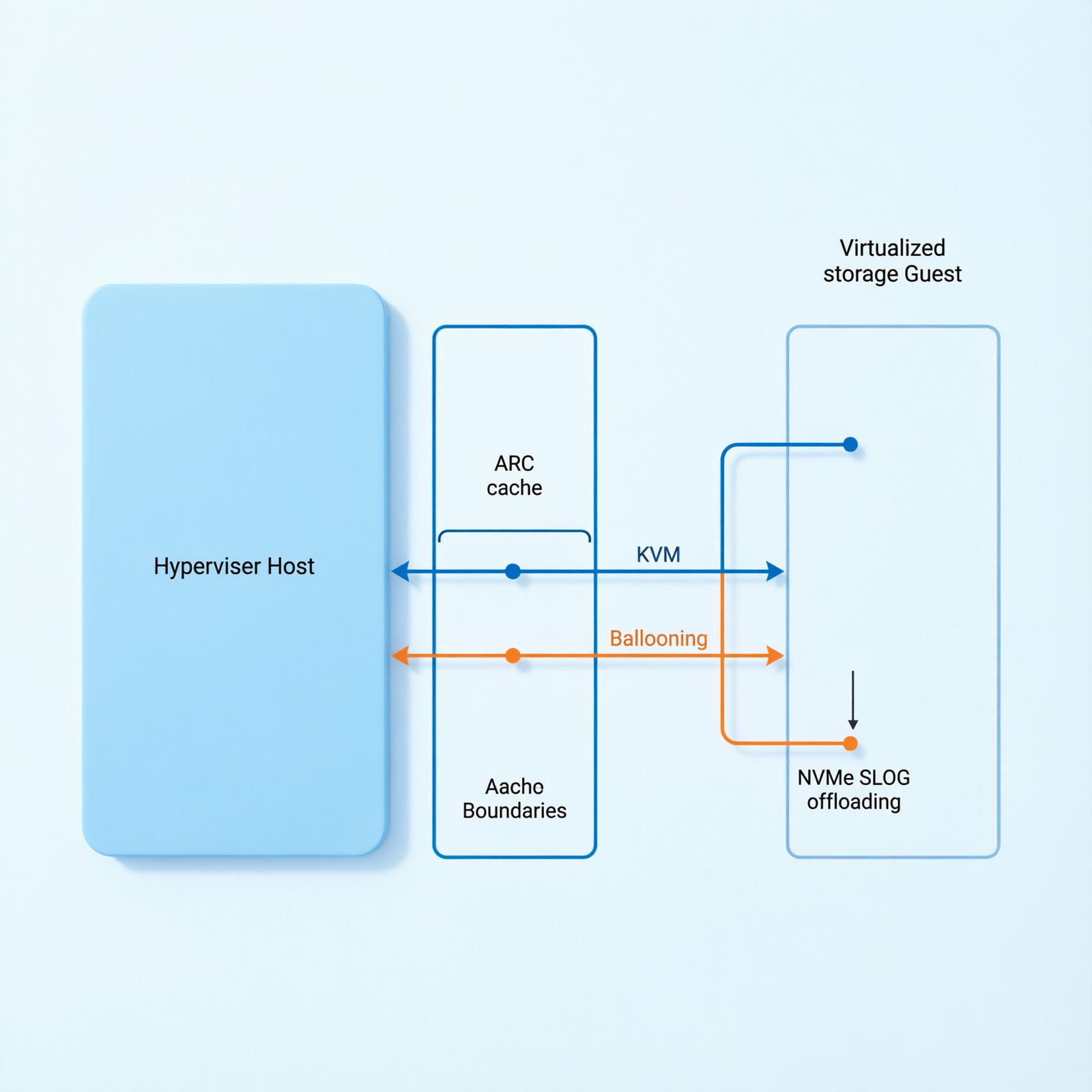
When deployed as a Virtual Machine within Proxmox VE, the ZFS ARC operates inside the guest allocation, meaning if you assign 32 GB to the VM, the ARC will attempt to consume 16 GB to 32 GB of that block. This creates a hard boundary where the host cannot reclaim resources dynamically, leading to immediate contention when other services require memory.
KVM Memory Ballooning Incompatibility: The Fatal Flaw in Reclaiming ARC Cache Under Pressure
Proxmox VE utilizes KVM memory ballooning to dynamically reclaim unused RAM from guest VMs for the host. However, ZFS ARC is notoriously resistant to memory ballooning and does not release cached memory back to the host OS quickly enough under pressure.
Forum-validated friction confirms that enabling ballooning on a TrueNAS VM results in unpredictable performance drops because the ARC refuses to yield memory to the balloon driver during high-load scenarios. This incompatibility forces the hypervisor to treat the allocated RAM as permanently committed, negating the efficiency benefits of virtualization.
Host-Level Starvation and the Linux OOM Killer Cascade
If the physical host lacks sufficient total RAM or if multiple VMs are deployed without strict limits, the host OS experiences severe memory starvation. The Linux Out-Of-Memory killer triggers when physical RAM is exhausted, terminating critical Proxmox host processes or adjacent VMs to preserve kernel stability.
This cascade effect means a single storage VM can destabilize the entire hypervisor, causing unexpected shutdowns of Kubernetes nodes, monitoring agents, and management interfaces simultaneously.
I/O Bottleneck and Storage Array Thrashing: The Microseconds-to-Milliseconds Latency Shift
When physical RAM is exhausted, the Proxmox host begins swapping memory to disk, shifting storage latency from microseconds to milliseconds. This catastrophic performance degradation causes severe I/O bottlenecks and storage array thrashing.
The result is a complete degradation of TrueNAS SMB/NFS/iSCSI share performance, where file operations stall indefinitely as the system struggles to page memory out to slower storage tiers instead of serving data from the fast ARC cache.
The Enterprise Rack Server Trap: Acoustic Noise, 150W+ Idle Draw, and Footprint Inefficiency
To achieve the 128 GB+ RAM required for stable ZFS ARC, users historically purchase decommissioned enterprise rack servers like the Dell PowerEdge R730. Community consensus heavily criticizes these units for excessive acoustic noise due to fan spin-up, high idle power draw exceeding 150W, and physical footprint inefficiencies.
These factors make traditional enterprise gear unsuitable for residential or office environments where noise pollution and electricity costs are significant operational constraints.
The Core Gear Architecture: The Modern Mini PC and Perimeter Security Stack
Check out TECH Collection Amazon Products
The Modern Mini PC Pivot: GEEKOM A9 Max (Sub-2L Chassis, <30W Idle Draw)
The GEEKOM A9 Max serves as the physical resolution to memory starvation by eliminating memory constraints through massive, expandable physical RAM capacity in a sub-2-liter chassis. This device draws less than 30W at idle, bypassing the need for aggressive ballooning strategies entirely.
By providing ample physical headroom, the system ensures that the Proxmox host and TrueNAS guest operate within stable thermal and electrical envelopes without the acoustic overhead of legacy rack-mounted hardware.
Compute & Memory Density: AMD Ryzen™ AI 9 HX 370 and 128 GB DDR5 Mandate
In modern deployments, DDR4 memory is obsolete for enterprise-grade ZFS, making DDR5 SODIMM the mandatory baseline for high-throughput memory channels. The GEEKOM A9 Max features an AMD Ryzen™ AI 9 HX 370 processor with 12 Cores, 24 Threads, and 4nm TSMC architecture.
Crucially, it supports 128 GB Physical DDR5 SODIMM RAM (Dual Channel, non-soldered). This capacity allows a TrueNAS VM to be allocated 64 GB of dedicated RAM, providing 32 GB for ZFS ARC, while leaving 64 GB for the Proxmox host and additional Kubernetes/DevOps worker nodes.
| Component Category | Specification | Operational Impact |
|---|---|---|
| Chassis & Power | Sub-2L Form Factor, <30W Idle Draw | Eliminates rack server noise and reduces electricity overhead |
| CPU Architecture | AMD Ryzen™ AI 9 HX 370 (12C/24T, 4nm) | Delivers high single-thread performance for hypervisor scheduling |
| Memory Capacity | 128 GB DDR5 SODIMM (Dual Channel) | Enables 64 GB guest allocation with zero host starvation |
| Storage Expansion | 2x M.2 PCIe Gen 4×4 NVMe (Up to 8 TB) | Optimized for ZFS SLOG write-ahead logs and L2ARC caching |
| Network Interfaces | Dual 2.5G RJ45 LAN + Wi-Fi 7 Ready | Supports traffic segmentation and high-throughput replication |
| AI Acceleration | AMD XDNA 2 NPU (55 TOPS) + CPU/GPU | Enables on-device inference without cloud offloading |
Storage & Network Interfaces: Dual M.2 PCIe Gen 4×4 NVMe Slots and Dual 2.5G RJ45 LAN
The system includes 2 x M.2 PCIe Gen 4×4 NVMe SSD slots supporting up to 8 TB Total, utilized for boot, SLOG, and L2ARC configurations. This setup offloads ARC memory pressure by dedicating high-speed flash storage for write-ahead logs and secondary caching.
Additionally, the unit features Dual 2.5G RJ45 LAN ports and Wi-Fi 7 readiness, ensuring modern homelab/edge clusters have the bandwidth necessary for node-to-node replication and high-throughput storage traffic without congestion.
Recommended Insights From Our Guide Library:
- ZFS ARC vs. Proxmox: The Hardware & Math That Prevents Total System Collapse » Z A D A
- The Silent Killers of Your Homelab: How to Engineer Unbreakable Proxmox Nodes with Dual NVMe Isolation and Zero-Compromise ZFS Tuning » Z A D A
- Master Network Isolation: Dual 2.5G Architecture for Bulletproof Proxmox K3s Clusters » Z A D A
AI Compute Overhead: 80 Total TOPS via AMD XDNA 2 NPU
The integrated AMD XDNA 2 NPU delivers 55 NPU TOPS, contributing to a total system AI performance calculated using the formula: Total TOPS = NPU TOPS + GPU TOPS + CPU TOPS. This yields up to 80 TOPS for local machine learning execution directly on the hypervisor node.
This compute density allows for on-device inference tasks, such as media transcoding or security analysis, without offloading processing to external cloud services.
Perimeter Security Stack: Fortinet FortiGate 60F (FIPS 140-3 Mandate) vs. Netgate 1100
With recent CMVP transitions moving older certificates to Historical status, new deployments mandate FIPS 140-3 validation. The Fortinet FortiGate 60F offers 10 x GE RJ45 Ports and 10 Gbps Firewall Throughput, requiring the FIPS-SEAL-RED tamper-evident seal kit to satisfy CMMC Level 2 and DFARS physical security controls.
Alternatively, the Netgate 1100 running pfSense Plus utilizes an endpoint-level encryption bypass strategy to avoid FIPS-validated firewall hardware costs, relying on FIPS-validated endpoint storage for CUI cryptographic scope removal.
Micro-Electronics Diagnostic Suite: FNIRSI LCR-ST1 and Andonstar AD246S-M
For hardware maintenance, the FNIRSI LCR-ST1 Smart LCR Tweezers provide selectable test frequencies (100 Hz, 1 kHz, 10 kHz) and dual test voltage modes (0.3V vs 0.6V). The 0.3V low-voltage mode is strictly required for in-circuit testing of ZFS controller board SMD capacitors to prevent forward-biasing parallel semiconductor junctions.
Visual inspection is handled by the Andonstar AD246S-M Digital HDMI Microscope, which features a 30cm high bracket providing vertical clearance for hot-air rework of multi-layer NAS controller PCBs and dual-screen HDMI output for zero-latency visual diagnostics of severed copper traces.
The Technical Setup Blueprint: Proxmox VE, TrueNAS SCALE, and Network/Storage Zoning
Hypervisor & VM Allocation: Proxmox VE Host and 64 GB TrueNAS SCALE VM Partitioning
Define the exact deployment topology by running Proxmox VE on the GEEKOM A9 Max with the TrueNAS SCALE VM explicitly allocated 64 GB DDR5. This partitioning ensures that the guest operating system has sufficient dedicated memory to function without competing with the host for resources.
By physically separating the memory pools, you prevent the hypervisor from starving its own management daemons while the storage VM performs heavy I/O operations.
ZFS ARC Tuning Parameter: Enforcing `zfs_arc_max` to Prevent Host Starvation
To prevent host starvation, the `zfs_arc_max` kernel parameter must be explicitly defined in the TrueNAS guest. The mathematical allocation follows the formula: zfs_arc_max (bytes) = Target_ARC_RAM (GB) × 1024^3.
Implementation requires setting `vfs.zfs.arc.max=17179869184` (16 GB) in the TrueNAS `/etc/modprobe.d/zfs.conf` file. This restriction limits the ARC to a predictable memory boundary, ensuring the Proxmox host retains sufficient RAM for scheduling and network stack operations even under peak load.
Network Segmentation Strategy: Linux Bridges (`vmbr0` and `vmbr1`)
Map the utilization of the Dual 2.5G RJ45 ports via Linux bridges to isolate traffic types. Port 1 (`vmbr0`) handles Proxmox management, API traffic, and control plane communications, keeping administrative access secure and separate from data flows.
Port 2 (`vmbr1`) handles TrueNAS storage traffic (SMB/NFS/iSCSI) and node-to-node replication, isolating heavy I/O from management overhead. This segmentation prevents storage bursts from saturating the management interface, ensuring remote access remains responsive during large transfers.
Check out TECH Collection Amazon Products
Storage Topology & SLOG Offloading: M.2 PCIe Gen 4×4 ZFS Mirror and Write-Ahead Logs
Configure M.2 PCIe Gen 4×4 NVMe drives in a ZFS mirror for the Proxmox root filesystem to ensure high availability for the hypervisor itself. Explain the dedicated partition passthrough to the TrueNAS VM for the ZFS SLOG (using high-endurance NVMe) to absorb synchronous write latency and offload ARC memory pressure.
By dedicating fast flash storage for write logs, you reduce the dependency on system RAM for write consistency, improving overall throughput and reducing the risk of data corruption during power events.
Cybersecurity & SIEM Integration: Wazuh Agent for CMMC Continuous Monitoring
Deploy the Wazuh agent on the Proxmox host to aggregate TrueNAS ZFS event logs, Proxmox auth logs, and firewall traffic for continuous CMMC monitoring. This integration specifically addresses control SC.L1-3.13.1 by centralizing security telemetry across the virtualized infrastructure.
Real-time log analysis allows for immediate detection of unauthorized access attempts or configuration drift, maintaining compliance posture without manual intervention.
Field Verdict & Operational ROI: Securing the DevOps Homelab Edge and Compliance Mandates
Eliminating the Ballooning Tax: Predictable Memory Boundaries and Zero Thrashing
Summarize the operational ROI of the 128 GB DDR5 physical capacity by framing the elimination of KVM ballooning reliance as the ultimate fix for unpredictable performance drops. Ensuring stable, thrash-free I/O means that applications relying on storage shares experience consistent latency regardless of host load.
This predictability is essential for production workloads where sporadic slowdowns can trigger timeout errors or service failures in dependent microservices.
The Modern Compliance & Hardware ROI: FIPS 140-3 Readiness and Sub-30W Idle Power Economics
Highlight the financial and compliance advantages of the GEEKOM A9 Max (<30W idle vs 150W+ enterprise gear) and the Fortinet FortiGate 60F FIPS-SEAL-RED kit. Frame this stack as a future-proof investment that satisfies strict DFARS/CMMC mandates without the acoustic and electrical overhead of legacy rack servers.
Lower power consumption reduces long-term operational costs, while FIPS 140-3 readiness ensures the infrastructure remains audit-compliant for government or defense-related contracts.
Final Architecture Validation: Securing the DevOps Homelab Edge
Community Reference & Authority Resources:
Combining the GEEKOM A9 Max‘s massive DDR5 density, precise `zfs_arc_max` tuning, and segmented 2.5G networking creates an unbreakable, enterprise-grade DevOps homelab edge. This architecture resolves the core conflict between aggressive filesystem caching and hypervisor resource management through physical capacity and software enforcement.
Implementing this blueprint guarantees a resilient environment capable of handling complex virtualized storage workloads while maintaining strict security and compliance standards.
🔍 Explore More: See all tech guides and tutorials for TrueNAS ZFS ARC cache memory allocation guide for Proxmox.
Check out TECH Collection Amazon Products