



When it comes to how to configure dual 2.5G ports for Proxmox K3s cluster, getting the right details matters.
How to Configure Dual 2.5G Ports for a Proxmox K3s Cluster: A Segmentation Blueprint for Stable Control-Plane Traffic
If you are running Proxmox VE with a K3s cluster on a single 1 GbE uplink, you have already seen the symptoms. etcd leader changes. Worker nodes flipping to `NotReady`. Image pulls that stall the API. Storage replication that kills your control plane.
This guide shows you how to configure dual 2.5G ports for a Proxmox K3s cluster so that management, control-plane, CNI, and storage traffic each have their own lane. You will learn the exact hardware stack, the Proxmox network configuration, the K3s binding flags, and the validation commands that keep the cluster stable under load.
1. The Technical Reality / The Failure Point
1.1 Single-Path Congestion on a Shared 1 GbE Uplink
In a typical Proxmox + K3s build, the Kubernetes API server, etcd consensus traffic, Flannel or Calico overlay, VM vSwitch traffic, and storage replication all share one physical NIC. That single 1 GbE path becomes a choke point.
The result is bandwidth starvation, latency spikes, and cluster behavior that is hard to predict or reproduce. One pipe cannot carry management, containers, VMs, and storage at the same time without collisions, so dual 2.5G ports split those workloads onto separate physical paths.
1.2 etcd Latency and Leader Election Timeouts
etcd is extremely sensitive to network jitter and latency. When a backup, image pull, or Ceph/TrueNAS replication job saturates the shared uplink, etcd heartbeat deadlines expire.
You see `etcdserver: leader changed` and `context deadline exceeded` errors. The K3s control plane becomes unstable, worker nodes drop to `NotReady`, and services restart even though the hardware is fine. etcd needs a quiet, low-latency path; if you do not give it one, any burst traffic can trigger a leadership change and a control-plane outage.
1.3 VXLAN/CNI Head-of-Line Blocking
Flannel VXLAN uses UDP/8472 and Calico VXLAN uses a similar overlay. By default, this traffic shares the same Linux bridge as VM and host management traffic.
Bursty pod-to-pod traffic creates bufferbloat and packet loss on the management path. Your container network can crowd out your SSH and Proxmox web UI access, so segregating CNI traffic onto a second NIC keeps the management path responsive.
1.4 Realtek 2.5G NIC Driver Instability Under Proxmox
Low-cost mini PCs often ship with Realtek RTL8125B/BG controllers. Under Proxmox VE 8.x, operators report `NETDEV WATCHDOG timeouts`, `tx ring full errors`, and `auto-negotiation failures`.
These problems get worse with jumbo frames or VLAN tagging enabled. A cheap 2.5G NIC that works on a desktop may drop under Proxmox load, making Intel i226-V class controllers the stable baseline for this use case.
1.5 USB 2.5G Adapter Failures
USB 2.5G adapters add CPU interrupt overhead, lack SR-IOV, and throttle under sustained throughput.
They are not suitable for control-plane or storage-network roles. Do not use a USB adapter for K3s control-plane nodes; the connection is fine for a laptop but is not cluster-grade.
1.6 Unmanaged 1 GbE Switch Downgrade
A 2.5G NIC plugged into an unmanaged 1 GbE switch negotiates down to 1 Gbps. You lose the bandwidth advantage entirely.
NBASE-T auto-negotiation support is mandatory on the switch. Without a managed NBASE-T switch, your 2.5G ports will run at 1 Gbps and you will not know why.
1.7 ZFS ARC Memory Exhaustion
Proxmox defaults to ZFS. The ARC can consume up to 50% of host RAM.
In a K3s cluster with memory-hungry VMs, unconstrained ARC causes OOM kills and I/O stalls. You must cap ZFS ARC; otherwise, the hypervisor will steal RAM from your K3s workloads.
1.8 Jumbo-Frame Mismatch
MTU 9000 for CNI or storage requires end-to-end support across the NIC, bridge, switch, and target.
A partial configuration causes silent fragmentation or dropped large frames. Jumbo frames either work everywhere or fail silently, so enable them on every hop or leave them off entirely.
2. The Core Gear Architecture
2.1 Primary Compute Node
| Specification | Detail | Model | GEEKOM A9 Max | CPU | AMD Ryzen AI 9 HX 370 (12 cores / 24 threads, 4 nm TSMC) | RAM | Up to 128 GB dual-channel DDR5 SODIMM (non-soldered) | Networking | Dual 2.5G RJ45 LAN ports (Intel i226-V class controllers preferred) | Storage | 2 × M.2 2280 PCIe Gen4 x4 NVMe slots (up to 8 TB total) | Wireless | Wi-Fi 7 ready (not used for cluster traffic) | AI/NPU | Up to 55 NPU TOPS (XDNA 2), up to 80 TOPS combined system AI performance | Use Case | Proxmox VE hypervisor host running K3s control-plane and worker VMs with dedicated network segmentation |
|---|
The GEEKOM A9 Max gives you two independent 2.5G paths, expandable DDR5, and fast NVMe storage in a compact node. That is the foundation of the segmentation strategy.
2.2 Network Switch
Check out TECH Collection Amazon Products
| Specification | Detail | Model | TP-Link TL-SG3210XMP-M2 | Type | Managed 2.5G switch | Ports | 8 × 2.5G RJ45 (PoE+), 2 × 10G SFP+ | Features | VLAN, LACP, jumbo frames, NBASE-T auto-negotiation | Use Case | Isolated VLANs for management, K3s control plane, CNI, and storage/VM traffic at full 2.5G speed |
|---|
This switch enforces the VLAN boundaries and jumbo-frame support that make dual-port segmentation meaningful.
2.3 Storage
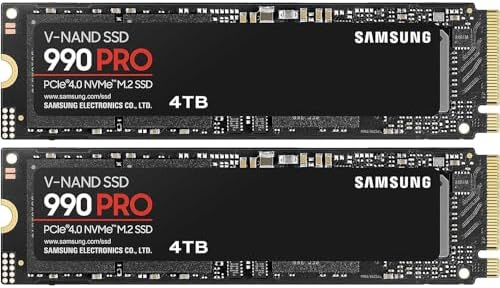
| Specification | Detail | Model | Samsung 990 PRO 4TB PCIe 4.0 NVMe M.2 SSD | Sequential Read | Up to 7,450 MB/s | Use Case | Proxmox VM boot disks and K3s persistent volumes |
|---|
Fast NVMe storage removes the I/O bottleneck behind etcd and container image pulls. Slow storage would undo the benefit of dual 2.5G networking.
2.4 Cabling
| Specification | Detail | Product | Cable Matters Snagless Cat 6a Ethernet Patch Cable | Capability | Supports 2.5G/5G/10G over copper up to 100 m | Use Case | Ensures NBASE-T link stability between A9 Max nodes and the managed switch |
|---|
Cat 6a handles the higher signaling rates of multi-gigabit Ethernet without introducing link flaps or renegotiation.
2.5 Why Intel i226-V Over Realtek / USB
Forum consensus from r/homelab and Proxmox forums is clear: the Intel i226-V is the stable baseline for 2.5G Proxmox hosts. Realtek controllers require manual r8168/r8169 driver fixes and still drop under load.
USB adapters lack the reliability for control-plane or storage-network roles. Buy the right NIC once; driver stability under Proxmox is not negotiable.
3. The Technical Setup Blueprint
3.1 Physical Node Layout & Port Mapping
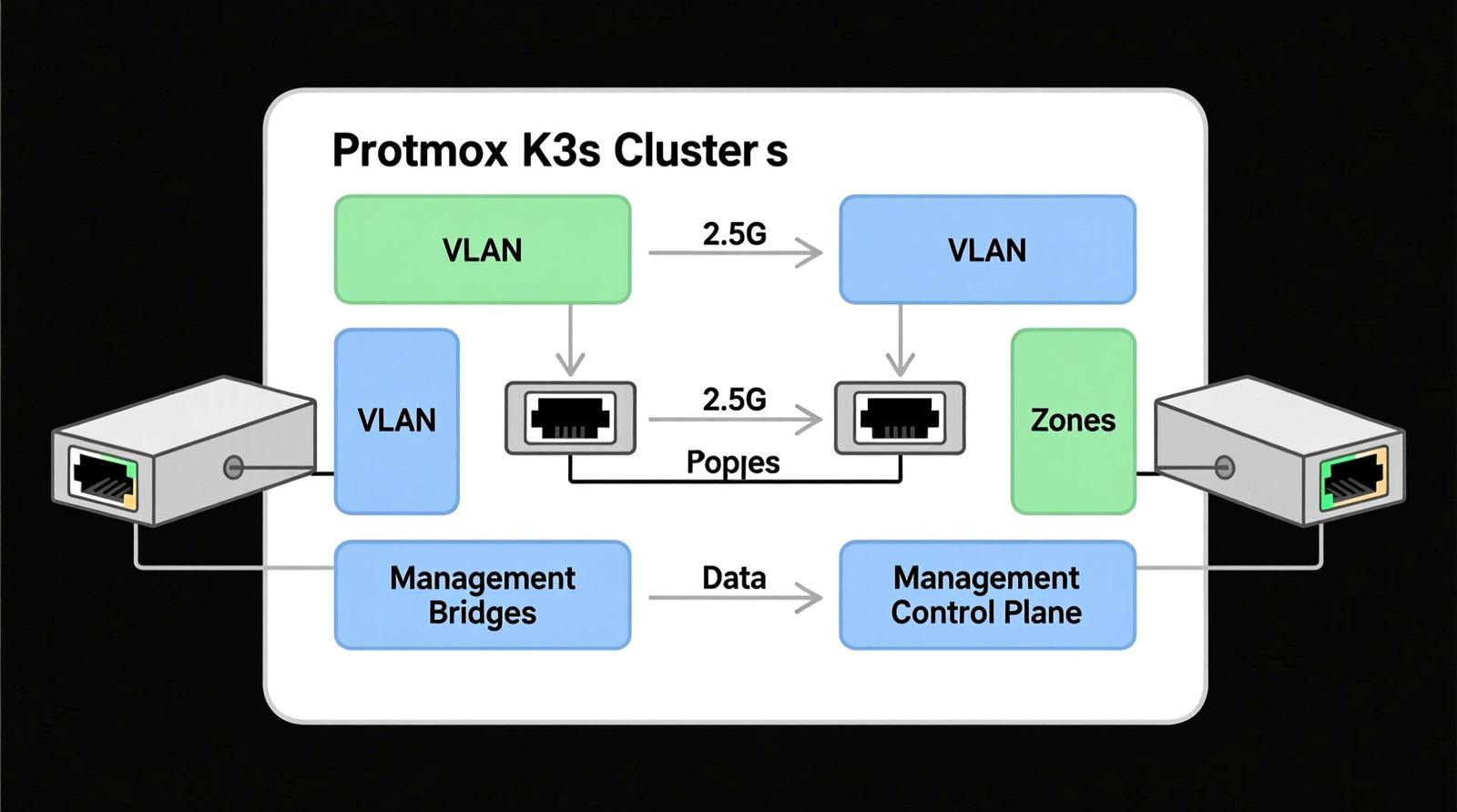
Map the two 2.5G ports to separate Linux bridges:
| Interface | Bridge | Role | enp1s0 | vmbr0 | Management + VM public traffic | enp2s0 | vmbr1 | K3s control plane / CNI / storage traffic |
|---|
Aggregate node bandwidth: `B_node = 2 × 2.5 Gbps = 5 Gbps`. Full-duplex per node. Unidirectional throughput per port is 2.5 Gbps. Each port has a dedicated job; you are not bonding them for speed, you are isolating traffic types.
3.2 Proxmox VE `/etc/network/interfaces` Configuration
Configure `vmbr0` for management and VM public traffic on `enp1s0`:
“`
auto vmbr0
iface vmbr0 inet static
address 192.168.10.10/24
gateway 192.168.10.1
bridge-ports enp1s0
bridge-stp off
bridge-fd 0
bridge-vlan-aware yes
bridge-vids 2-4094
“`
Configure `vmbr1` for K3s control-plane, CNI, and storage traffic on `enp2s0`, using a separate subnet such as `10.0.0.0/24`. `vmbr0` is your everyday management path. `vmbr1` is the quiet lane for etcd and cluster traffic.
3.3 Switch VLAN Zoning & Jumbo Frames
Assign VLANs on the TP-Link TL-SG3210XMP-M2:
| VLAN ID | Purpose | 10 | Management / Proxmox web UI | 20 | K3s control-plane traffic | 30 | CNI / pod overlay | 40 | Ceph / TrueNAS storage |
|---|
Enable MTU 9000 on every port in the storage/CNI path. LACP across the two 2.5G ports is optional for redundancy. For strict isolation, keep the ports on separate VLANs and subnets. VLANs enforce separation at the switch level. Jumbo frames reduce overhead for storage and CNI traffic, but only if every device in the path agrees.
3.4 K3s VM Layout
| VM Role | vCPUs | RAM | vNIC 1 | vNIC 2 | Control-plane | 4 | 16 GB DDR5 | vmbr0 (management) | vmbr1 (cluster/control-plane) | Worker | 8 | 32 GB DDR5 | vmbr0 (management) | vmbr1 (CNI/pod) | Storage (TrueNAS/Ceph) | – | 32 GB DDR5 | – | vmbr1 (storage network) |
|---|
Each VM touches both bridges, but only the second NIC carries cluster traffic. That is how you protect etcd from noisy neighbors.
3.5 K3s Installation Flags for Interface Binding
Bind K3s to the dedicated cluster interface:
“`
–node-ip 10.0.0.10
–flannel-iface eth1
“`
For Calico:
“`
IP_AUTODETECTION_METHOD=interface=eth1
“`
These flags tell K3s to use `eth1` (the `vmbr1` interface) for cluster traffic. Without them, K3s may default to the management interface and defeat the entire design.
3.6 NIC Link Verification & Forced NBASE-T
Force 2.5 Gbps link if needed:
“`
ethtool -s enp1s0 speed 2500 duplex full autoneg off
“`
Verify NBASE-T negotiation:
“`
ethtool enp1s0 | grep -i speed
“`
These commands confirm the port is actually running at 2.5 Gbps. Do not assume the link lights tell the whole story.
3.7 Storage & Memory Tuning
Cap OpenZFS ARC to prevent memory pressure:
“`
Check out TECH Collection Amazon Products
M_ARC ≤ 0.5 × M_DRAM
“`
Example `/etc/modprobe.d/zfs.conf`:
“`
options zfs zfs_arc_max=68719476736
“`
NVMe throughput target: up to 7,450 MB/s sequential read (Samsung 990 PRO 4TB). Capping ARC leaves RAM for K3s and VMs. Fast NVMe gives etcd and image pulls the IOPS they need.
3.8 Security & Network Perimeter Considerations
For Controlled Unclassified Information (CUI) workloads, endpoint-level FIPS 140-3 validated cryptography is required by upcoming compliance deadlines. Dual 2.5G segmentation supports boundary protection but does not replace endpoint encryption.
| Perimeter Option | Compliance Status | Notes | Fortinet FortiGate 60F | FIPS-SEAL-RED tamper-evident kit | Suitable for CMMC Level 2 / NIST SP 800-171 boundary | Netgate 1100 (pfSense Plus) | TAA compliant | Lacks active CMVP FIPS validation; requires endpoint encryption bypass architecture |
|---|
Network segmentation aligns with SC.L2-3.13.11 boundary protection when combined with a FIPS-validated endpoint encryption layer. Segmentation is part of the compliance story, not the whole story. Pair the network design with validated endpoint encryption for CUI.
4. Field Verdict & Operational ROI
4.1 What the Dual-Port Segmentation Actually Prevents
This design eliminates etcd leader changes and `context deadline exceeded` events. It stops worker nodes from flipping to `NotReady` during image pulls or storage replication.
It removes VXLAN/CNI head-of-line blocking from the management path. The cluster stops flinching every time a backup or large image transfer runs.
4.2 Total Cost of Ownership vs. Downtime
The hardware investment in dual 2.5G nodes and a managed NBASE-T switch is paid back by the hours you do not spend debugging cluster instability, data loss, or downtime.
Cheap hardware is expensive when it costs you sleep and production stability. This stack is insurance against self-inflicted outages.
4.3 Who This Build Is For
This build is for Proxmox + K3s homelab operators moving beyond single-NIC setups. It is for small DevOps teams needing reliable control-plane separation.
It is also for CMMC-adjacent environments that require boundary protection. If you have outgrown a single 1 GbE path and need your cluster to behave like production, this is your next step.
4.4 Final Recommendation
The recommended baseline stack is:
– GEEKOM A9 Max
– TP-Link TL-SG3210XMP-M2
– Samsung 990 PRO 4TB
– Cable Matters Cat 6a
Configure `vmbr0` for management and `vmbr1` for K3s control/CNI/storage. Enforce end-to-end jumbo frames. Cap ZFS ARC. Verify 2.5G NBASE-T link negotiation on every node. Bind K3s to the dedicated cluster interface. Do that, and your Proxmox K3s cluster will finally behave like the production platform you intended.
Conclusion
Configuring dual 2.5G ports for a Proxmox K3s cluster is not about raw bandwidth. It is about isolation.
Community Reference & Authority Resources:
By giving management, control-plane, CNI, and storage traffic their own physical and logical paths, you remove the contention that causes etcd timeouts, worker `NotReady` events, and control-plane instability. The GEEKOM A9 Max provides the right hardware foundation with Intel i226-V class dual 2.5G ports. The TP-Link TL-SG3210XMP-M2 enforces VLAN and jumbo-frame support.
Fast Samsung 990 PRO 4TB NVMe storage and Cat 6a cabling complete the physical layer. Follow the port mapping, bridge configuration, K3s binding flags, and validation commands in this guide, and your cluster will stay stable under load. That is the practical payoff: a homelab or small production cluster that just works.
🔍 Explore More: See all tech guides and tutorials for how to configure dual 2.5G ports for Proxmox K3s cluster.
Check out TECH Collection Amazon Products