

Supercharge Your Dell: The 2026 Guide to High-Capacity Battery Replacement
Is your Dell laptop’s battery life a constant source of frustration? 😩 You’re not alone. Many users find their once-powerful machines chained to the charging cable, hindering their productivity and mobility. But what if we told you there’s a simple solution? A high-capacity battery replacement can breathe new life into your Dell, giving you the freedom to work, create, and play for longer. This comprehensive guide will walk you through everything you need to know about upgrading your Dell laptop’s battery in 2026.
From understanding battery specifications to the nitty-gritty of the replacement process, we’ve got you covered. 💡
Why Settle for Standard? The Power of a High-Capacity Upgrade
Most Dell laptops come with a standard battery that offers a decent, but not exceptional, lifespan. Over time, as the battery degrades, you’ll notice a significant drop in performance. A high-capacity battery, on the other hand, is designed to provide extended run times, often offering a significant boost over the original battery. This means more time unplugged and less time searching for a power outlet. 🔋
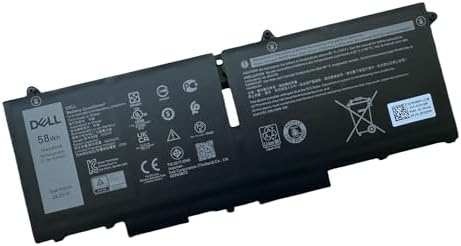
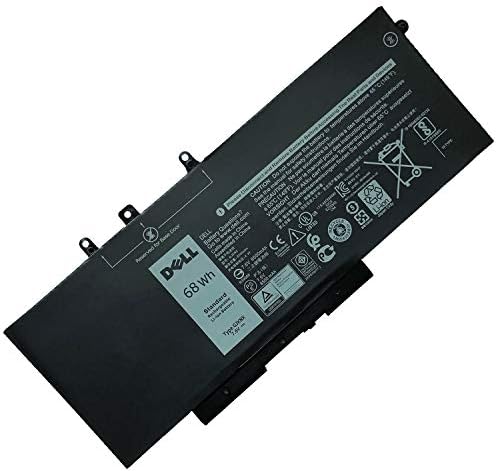
Recent advancements in battery technology have made high-capacity replacements more accessible and affordable than ever. With options ranging from 68Wh to a whopping 97Wh, you can find a battery that perfectly suits your needs and usage patterns. Upgrading to a higher-capacity battery can be a game-changer, especially for professionals, students, and anyone who relies on their laptop for on-the-go productivity.
“The only way to do great work is to love what you do.” – Steve Jobs
Decoding Battery Specs: What You Need to Know 🧐
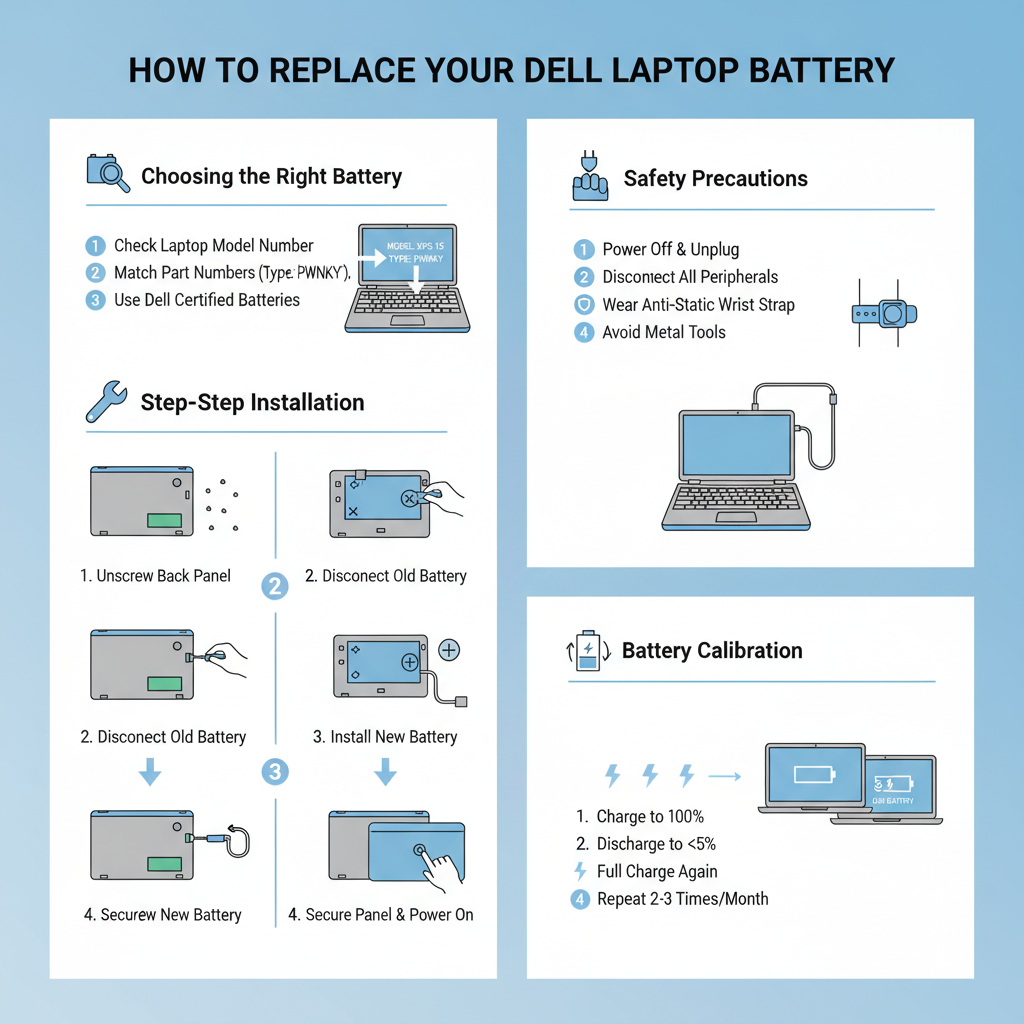
Before you rush to buy a new battery, it’s crucial to understand the key specifications. This will ensure you choose a compatible and high-performing battery for your Dell laptop. Here are the most important factors to consider:
- Capacity (Wh): Watt-hour (Wh) is the most important indicator of a battery’s capacity. The higher the Wh, the longer the battery will last on a single charge.
- Voltage (V): It’s essential to match the voltage of the replacement battery with your laptop’s original battery. Using a battery with the wrong voltage can damage your device.
- Cell Count: Batteries are made up of individual cells. A higher cell count generally means a higher capacity and longer lifespan.
- Compatibility: Always check the battery’s compatibility with your specific Dell laptop model. You can usually find this information on the battery itself or on the manufacturer’s website.
Finding the Perfect Fit: Where to Buy Your High-Capacity Dell Battery
When it comes to purchasing a replacement battery, you have several options. You can buy directly from Dell, which guarantees an original and compatible battery. However, you can also find high-quality third-party batteries from reputable online retailers like Amazon or specialized battery stores. These third-party options are often more affordable and can offer even higher capacities than the original Dell batteries.
Before making a purchase, be sure to read reviews from other users to ensure you’re getting a reliable and high-performing product. 🌟
Top-Rated High-Capacity Dell Batteries on Amazon
Here are some of the best-selling and highest-rated high-capacity Dell replacement batteries available on Amazon in 2026:
| Battery Model | Capacity | Compatibility | Rating |
|---|---|---|---|
| DTK 9-Cell High-Performance Battery | 85Wh | Dell Inspiron, Latitude, Vostro Series | 4.5/5 Stars |
| NinjaBatt Pro 6-Cell Battery | 65Wh | Dell XPS and Precision Series | 4.7/5 Stars |
| ZTHY 97Wh High-Capacity Battery | 97Wh | Dell Alienware Series | 4.8/5 Stars |
https://youtube.com/watch?v=S2GTCvVv9sU
The Installation Process: A Step-by-Step Guide 🛠️
Replacing your Dell laptop’s battery is a relatively straightforward process, but it’s important to take the necessary precautions to avoid damaging your device. Here’s a step-by-step guide to help you through the process:
- Power Down and Unplug: Before you begin, make sure your laptop is completely turned off and unplugged from the charger.
- Remove the Back Cover: Use a Phillips-head screwdriver to remove the screws holding the back cover in place. Carefully pry open the cover to access the internal components.
- Disconnect the Old Battery: Locate the battery and disconnect it from the motherboard. This is usually a simple connector that you can unplug by hand.
- Remove the Old Battery: Unscrew the screws holding the battery in place and carefully lift it out of the laptop.
- Install the New Battery: Place the new battery in the same position as the old one and secure it with the screws. Reconnect the battery to the motherboard.
- Replace the Back Cover: Snap the back cover back into place and secure it with the screws.
“The future belongs to those who believe in the beauty of their dreams.” – Eleanor Roosevelt
For a visual guide, check out the YouTube videos embedded in this post. They provide a clear and detailed demonstration of the battery replacement process for various Dell laptop models. 📌
https://youtube.com/watch?v=8-3g-a-tT3Q
Battery Calibration: The Key to Optimal Performance
After installing your new high-capacity battery, it’s essential to calibrate it to ensure optimal performance and accuracy. Battery calibration is the process of resetting the battery’s power management system, which helps the operating system accurately display the remaining battery life.
Here’s how to calibrate your new Dell battery:
- Charge to 100%: Charge your new battery to 100% and leave it plugged in for at least two more hours.
- Discharge Completely: Unplug the charger and use your laptop until it automatically shuts down due to low battery.
- Recharge to 100%: Recharge the battery to 100% without interruption.
By following these steps, you’ll ensure your new battery is properly calibrated and ready to deliver its full potential. 🚀
External Links for Further Reading 📚
For more in-depth information on laptop batteries and related topics, check out these high-authority technology sites:
🔍 Explore More: See all Related Blog Posts for High-capacity Dell laptop battery replacement.