



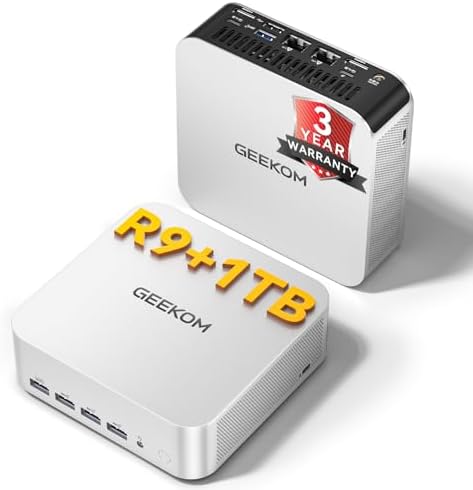




When it comes to how to prevent ZFS ARC memory leaks on Proxmox VE TrueNAS VM, getting the right details matters. GEEKOM A9 Max Mini PC
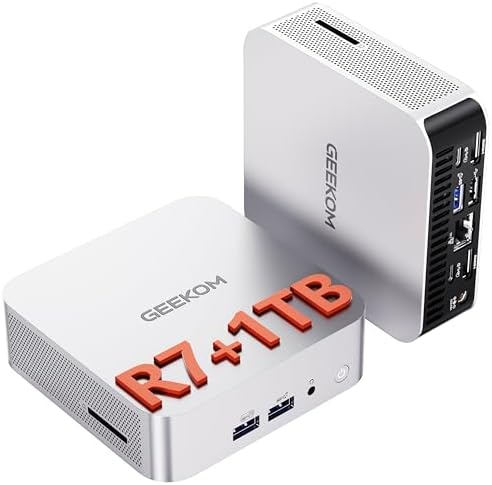
GEEKOM A8 Mini PC
GEEKOM A6 Mini PC
How to Stop the TrueNAS VM Memory “Leak” on Proxmox: Capping ZFS ARC Before It Caps Your Homelab
If your TrueNAS VM on Proxmox VE is “using all the RAM you gave it” even when idle, you are not looking at a memory leak. You are watching OpenZFS do exactly what it was designed to do: treat every spare byte of guest RAM as a read cache.
The fix is not reinstalling TrueNAS, adding more swap, or chasing application bugs. The fix is capping the ZFS Adaptive Replacement Cache (ARC), sizing your Proxmox host with enough DDR5 headroom, and using a compute node that can actually support both the VM and the rest of your homelab.
In this guide, you will learn why ARC behaves like a leak, how Proxmox ballooning collides with TrueNAS, the exact tuning parameters that stop the runaway cache, and which mini-PC hardware gives you the stable foundation to run a virtualized TrueNAS without constant memory pressure.
The Technical Reality — Why ZFS ARC Is Not a Leak
ARC by Design
OpenZFS uses the Adaptive Replacement Cache, or ARC, to keep recently read data and metadata in memory.
In a TrueNAS VM, the default vfs.zfs.arc_max is roughly 50% of the guest’s detected physical RAM, allowing the cache to expand toward almost all unallocated guest memory under read-heavy workloads.
That is intentional. ZFS wants unused RAM to be working for you as cache. The problem starts when that guest lives inside Proxmox VE and the host expects memory to be returned on demand.
The Ballooning Friction with Proxmox
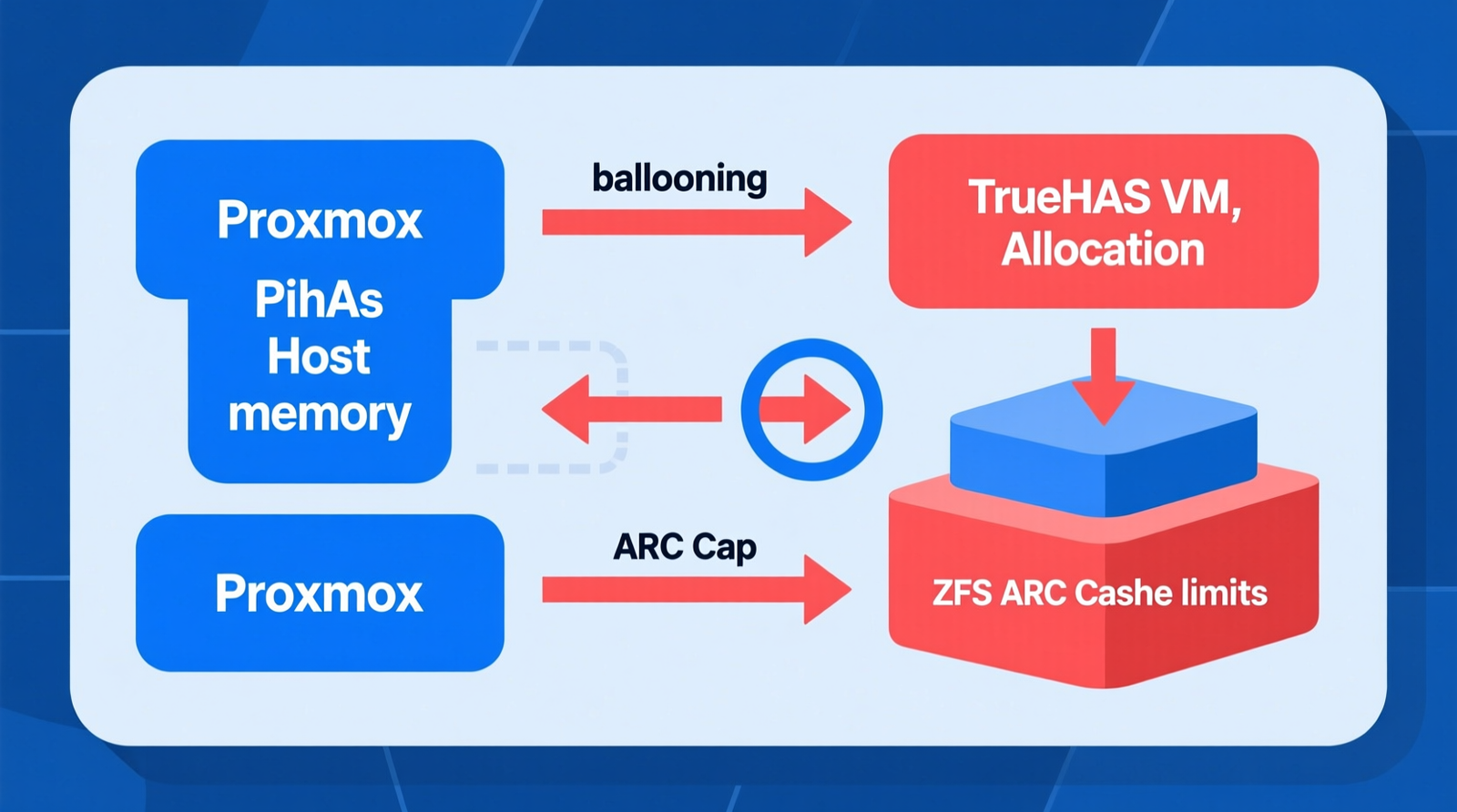
Proxmox uses the virtio-balloon driver to ask a guest OS to give back memory, and Linux guests generally cooperate with these reclamation requests.
TrueNAS CORE running on FreeBSD and TrueNAS SCALE running on Linux are less aggressive about shrinking the ARC in response to balloon requests, which can lead to host-level memory pressure and OOM kills of other VMs before the cache shrinks.
The ARC shrinker may not react fast enough before Proxmox sees the VM as over-committed. The result is host-level memory pressure, OOM kills of other VMs, and Proxmox kernel OOM events that look like a system-wide stability problem but are really a single uncapped cache.
Observable Failure Symptoms
You will usually see one or more of these:
- Proxmox summary shows the TrueNAS VM at 90–95% of allocated RAM constantly.
- Host
free -morhtopshows very little available memory. - Other VMs or containers start lagging or restart without a clear crash.
- The TrueNAS dashboard reports high “Active” memory while the actual working set is small.
- Host swap usage climbs even though the guest workload is idle.
If those symptoms sound familiar, the ARC is almost certainly the culprit.
Secondary Failure Vectors
- Over-allocation on low-RAM nodes. A node with only 16–32 GB of total RAM that allocates 8–16 GB to TrueNAS leaves no room for Proxmox host services or other VMs.
- KSM conflicts. Kernel Same-page Merging can fight with ZFS ARC pages, raising CPU overhead without delivering proportional memory savings.
- Missing ARC cap. Deploying TrueNAS without setting
vfs.zfs.arc_maxlets ARC consume the entire VM allocation. - No guest agent or balloon device disabled. Without
virtio-balloon, the host cannot reclaim memory from the guest at all.
The Core Gear Architecture — Mini-PC Compute Node Stack
Primary Node: GEEKOM A9 Max
The GEEKOM A9 Max is the hardware anchor that makes ARC tuning actually work, because tuning means nothing if the host has no memory headroom to begin with.
- Processor: AMD Ryzen™ AI 9 HX 370, 12 Cores / 24 Threads, built on 4nm TSMC.
- NPU / AI TOPS: XDNA 2 architecture, up to 55 NPU TOPS.
- Memory: Up to 128 GB DDR5 SODIMM in dual-channel configuration. This is the baseline for memory-intensive ZFS workloads.
- Storage: 2 × M.2 2280 PCIe Gen4 x4 NVMe slots, up to 8 TB total.
- Networking: Dual 2.5G RJ45 LAN ports plus Wi-Fi 7 readiness.
- Use case: It hosts Proxmox VE plus a TrueNAS VM with dedicated ARC headroom, and the dual NIC lets you separate storage traffic from management/control-plane traffic.
The 128 GB DDR5 ceiling matters here because it gives you room to assign 32 GB to TrueNAS, cap ARC at 16 GB, and still run Kubernetes, Plex, or other VMs without over-committing the host.
Secondary / Mid-Range Nodes
GEEKOM A8
Check out TECH Collection Amazon Products
- AMD Ryzen 9 8945HS, 8C/16T.
- Up to 64 GB DDR5.
- Single 2.5G RJ45.
- 1 × M.2 2280 PCIe Gen4 x4, up to 4 TB.
- Best role: mixed-services node running TrueNAS plus lighter workloads like Plex or Nextcloud.
GEEKOM A6
- AMD Ryzen 7 6800H, 8C/16T.
- Up to 64 GB DDR5.
- Single 2.5G RJ45.
- 1 × M.2 2280 PCIe Gen4 x4 plus 1 × M.2 2242 SATA.
- Best role: entry-level homelab, single-node K3s, and light TrueNAS duty.
Freshness Upgrades Applied
- DDR5 baseline: Higher bandwidth and lower power draw than DDR4, which directly helps memory-heavy ZFS workloads.
- 2.5G networking standard: Single or dual 2.5G RJ45 replaces 1 GbE for storage and cluster traffic.
- Wi-Fi 7 readiness: Integrated wireless gives you out-of-band management without consuming a NIC.
- PCIe Gen4 x4 NVMe: Required for TrueNAS VM boot and pool devices so I/O bottlenecks do not amplify ARC pressure.
The Technical Setup Blueprint — Proxmox + TrueNAS + ARC Tuning
GEEKOM A9 Max Node Layout for Proxmox + TrueNAS VM
| Component | Specification |
|---|---|
| CPU | AMD Ryzen AI 9 HX 370, 12C/24T |
| RAM | Up to 128 GB DDR5 SODIMM, dual-channel |
| LAN | Dual 2.5G RJ45 |
| Storage | 2 × M.2 2280 PCIe Gen4 x4 NVMe |
| Power profile | Low-power mobile architecture, suitable for 24/7 operation |
Proxmox VE Resource Allocation Example
| VM / Container | vCPUs | RAM | Purpose |
|---|---|---|---|
| Proxmox VE host | — | 4 GB reserved | Hypervisor overhead |
| TrueNAS VM | 4 | 32 GB (ARC capped at 16 GB) | ZFS storage server |
| K3s control plane | 2 | 4 GB | Kubernetes control plane |
| K3s worker | 4 | 16 GB | Application workloads |
This leaves comfortable headroom on a 64 GB or 128 GB node and prevents the host from ever needing to swap.
TrueNAS VM Configuration
- OS: TrueNAS SCALE (Linux-based) or TrueNAS CORE (FreeBSD-based).
- Boot disk: VirtIO SCSI controller backed by Proxmox local NVMe.
- Data pool: Passed-through NVMe device or VirtIO block device.
- Network: VirtIO paravirtualized NIC bridged to the dedicated 2.5G interface.
- Ballooning: Enable the
virtio-balloondevice in Proxmox and set minimum and maximum memory. - Memory shares: Set shares lower than critical VMs so TrueNAS is deprioritized under host pressure.
OpenZFS ARC Tuning Parameters
Set these in TrueNAS under System > Tunables or via sysctl:
vfs.zfs.arc_max=16G(or 50% of VM RAM) — hard cap on ARC size.vfs.zfs.arc_min=1G— minimum ARC size.vfs.zfs.l2arc_headroom=2— L2ARC scan headroom multiplier.vfs.zfs.arc_meta_limit=25%ofarc_max— caps metadata in ARC.
For a 32 GB VM, a 16 GB ARC cap leaves 16 GB for TrueNAS services, VM overhead, and ballooning headroom. That is the difference between a stable host and one that pages itself to death.
Network Segmentation on Dual 2.5G LAN
vmbr0/eno1: Management LAN — Proxmox web UI, SSH, admin access.vmbr1/eno2: Storage / VM LAN — TrueNAS iSCSI/NFS, VM storage traffic, Ceph or cluster traffic.
Separating the two keeps a large file transfer from locking you out of the Proxmox web interface.
Proxmox Memory Settings for TrueNAS VM
- Minimum memory: 8 GB.
- Maximum memory: 32 GB.
- Ballooning device: Enabled.
- Shares: 512 (lower priority than critical VMs).
- Hugepages: Optional 2 MB hugepages for stable guest memory mapping.
Diagnostic / Verification Commands
Inside TrueNAS:
arc_summary
arcstat 1
sysctl vfs.zfs.arc_max
On the Proxmox host:
cat /proc/meminfo
free -h
Check out TECH Collection Amazon Products
Then check the Proxmox VM summary for ballooning activity and actual memory usage.
If arc_summary shows the ARC sitting at or below your cap and the host still has free memory, you have solved the problem.
Field-Tested Pitfalls — What Breaks When You Cheap Out
Low-RAM Mini-PC Trap
8–16 GB nodes force severe over-allocation. You cannot run TrueNAS alongside Kubernetes or other VMs, and any ARC growth immediately becomes an emergency.
Single-NIC Bottleneck
A single network interface cannot separate storage traffic from management traffic. That causes contention, latency, and a worse experience during large transfers.
DDR4 / Limited SODIMM Slots
Older DDR4 nodes prevent future RAM upgrades. As your workloads grow, your ARC headroom stays stuck where it started.
USB-Attached Storage Failures
USB adapters for TrueNAS are discouraged. They introduce instability and poor ZFS performance, especially under sustained load.
Enterprise Rack-Server Pushback
Decommissioned rack servers bring noise, heat, and high electricity costs. For 24/7 homelab operation, a compact Ryzen mini-PC cluster is the preferred path.
Field Verdict & Operational ROI — Why the Right Node Pays for Itself
Failure Prevention Value
Capping ARC on a high-RAM DDR5 node eliminates false “memory leak” diagnoses. It prevents host OOM kills, VM latency, and spontaneous container restarts.
Total Cost of Ownership
- Lower power draw than rack servers.
- Quiet, compact form factor for 24/7 operation.
- DDR5 plus PCIe Gen4 x4 NVMe future-proofing.
Recommended Gear Stack
- Primary: GEEKOM A9 Max — up to 128 GB DDR5, dual 2.5G LAN, dual PCIe Gen4 x4 NVMe.
- Mid-range: GEEKOM A8 — up to 64 GB DDR5, single 2.5G LAN, mixed-services node.
- Entry: GEEKOM A6 — up to 64 GB DDR5, single 2.5G LAN, light TrueNAS plus K3s.
Conclusion
The TrueNAS VM memory “leak” on Proxmox is not a leak at all. It is the ZFS ARC doing its job without a boundary. The solution is a three-part stack: cap the ARC with vfs.zfs.arc_max, enable and configure Proxmox ballooning, and run it on a node with enough DDR5 memory and I/O bandwidth to absorb real workloads.
Community Reference & Authority Resources:
A GEEKOM A9 Max with up to 128 GB DDR5, dual 2.5G LAN, and dual PCIe Gen4 x4 NVMe slots gives you the headroom to run TrueNAS, Kubernetes, and other services without the host ever breaking a sweat. For smaller budgets or lighter loads, the GEEKOM A8 and GEEKOM A6 still deliver the DDR5 and 2.5G networking baseline that makes virtualized TrueNAS stable.
Set the cap, size the hardware, segment the network, and verify with arc_summary. Your homelab will stop fighting itself, and you can stop chasing ghosts.
🔍 Explore More: See all tech guides and tutorials for how to prevent ZFS ARC memory leaks on Proxmox VE TrueNAS VM.
Check out TECH Collection Amazon Products