





When it comes to Proxmox VE hypervisor memory management for TrueNAS ZFS ARC cache optimization, getting the right details matters. GEEKOM A9 Max Mini PC
Crucial DDR5 SODIMM 64 GB Kit
Samsung 990 PRO 2TB NVMe SSD
Proxmox VE Hypervisor Memory Management for TrueNAS ZFS ARC Optimization: The DevOps Homelab Blueprint
Your TrueNAS VM did not crash because it was broken. It crashed because the ZFS Adaptive Replacement Cache (ARC) grew until Proxmox VE ran out of memory, the OOM killer woke up, and your guest either froze or disappeared.
This is the most predictable failure pattern in the modern DevOps homelab, and it is almost always caused by one of two things: an uncapped ARC inside the TrueNAS VM, or a host-level ZFS ARC that competes with the guest for the same physical RAM.
In this guide you will learn why the double-ARC collision happens, why virtio-balloon cannot save you, how to cap the ARC correctly on both TrueNAS SCALE and CORE, and which hardware stack actually has the headroom to run Proxmox VE, TrueNAS, Kubernetes, and local inference on the same node without memory pressure.
The commands, byte values, and product recommendations are all anchored to the exact failure points they solve.
The Technical Reality — Why Proxmox Kills TrueNAS When the ARC Goes Unchecked
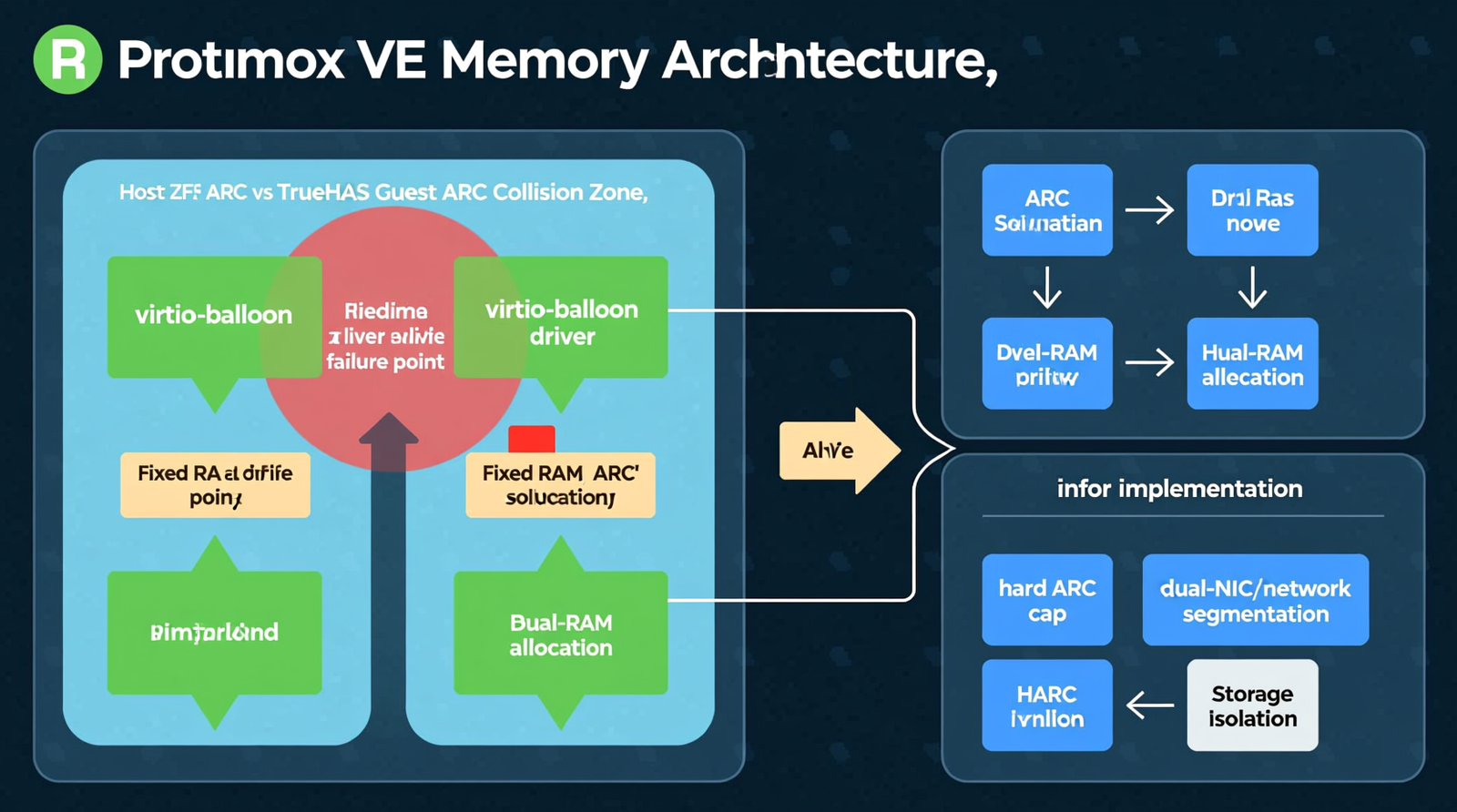
The Double-ARC Collision: Host ZFS vs. Guest TrueNAS Fighting Over the Same RAM
Proxmox VE 8.x often runs on local-zfs backed by an NVMe drive, maintaining a host-level ARC in DRAM while the TrueNAS guest runs a separate OpenZFS instance with its own ARC inside allocated RAM.
Both caches target the same physical DDR5 banks, creating a double-ARC collision where the host ARC and guest ARC compete for finite memory, causing pressure to propagate even when VMs are within allocation.
Why virtio-balloon Cannot Reclaim ZFS ARC Memory
KVM memory ballooning requests the guest OS to return free heap pages, but ZFS ARC registers as active cache rather than freeable heap, causing the balloon driver to see ARC pages as permanently in use.
The hypervisor cannot reclaim or redistribute this pinned memory to other VMs, making ballooning ineffective for TrueNAS workloads and requiring a fixed RAM allocation with a hard ARC cap.
The OOM Cascade Signature
When the ARC consumes too much of the TrueNAS VM, the guest-level OOM killer terminates critical processes like k3s or pvedaemon, while host-level kswapd activity spikes if Proxmox has overcommitted memory across multiple VMs.
I/O latency jumps as ZFS throttles writes into transaction groups under memory starvation, leading to VM watchdog resets and soft lockups during burst workloads like large file copies or Plex metadata scans.
The “90% RAM Leak” That Isn’t a Leak
Reports of TrueNAS using 90% of RAM are not memory leaks; the ARC is performing its designed function of caching hot data to accelerate storage performance.
The issue arises because the ARC does not shrink instantly under pressure, potentially failing to release memory fast enough to prevent Proxmox alarms or guest freezes, necessitating a hard cap rather than simply adding more RAM.
SCALE vs. CORE ARC Tuning Interface Divide
TrueNAS SCALE operates on Debian 12 and uses zfs_arc_max in bytes via /sys/module/zfs/parameters/zfs_arc_max, persisting the value in /etc/modprobe.d/zfs.conf for seamless KVM integration.
TrueNAS CORE runs on FreeBSD and requires vfs.zfs.arc_max via sysctl persisted in /etc/sysctl.conf, offering less flexible ballooning behavior and requiring FreeBSD-specific tuning adjustments.
The Core Gear Architecture — Validated Hardware Stack
| Node Tier | Model | Processor | Memory Max | Storage | Networking |
|---|---|---|---|---|---|
| Flagship | GEEKOM A9 Max | AMD Ryzen AI 9 HX 370 (12C/24T, Zen 5 hybrid, RDNA 3.5, XDNA 2 NPU) | 128 GB DDR5 SODIMM | 2 × M.2 2280 PCIe Gen4 x4 NVMe | Dual 2.5 GbE RJ45, Wi-Fi 7 |
| Mid-Range | GEEKOM A8 | AMD Ryzen 9 8945HS (8C/16T, 39 NPU TOPS) | 64 GB DDR5 SODIMM | 1 × M.2 2280 NVMe PCIe Gen4 x4 | Single 2.5 GbE RJ45 |
| Entry | GEEKOM A6 | AMD Ryzen 7 6800H (8C/16T, 4.7 GHz boost) | 64 GB DDR5 SODIMM | 1 × M.2 2280 PCIe Gen4 x4 + 1 × M.2 2242 SATA | Single 2.5 GbE RJ45 |
The GEEKOM A9 Max replaces loud, power-hungry enterprise rack servers with a 128 GB RAM ceiling that supports a 32–48 GB TrueNAS VM with a controlled ARC while hosting Kubernetes control planes, worker nodes, and local LLM inference.
Dual 2.5 GbE ports on the flagship node map directly to a clean management-and-storage network split, eliminating congestion inherent in single-NIC designs.
Memory Baseline — Why DDR5 and Minimum 32 GB Are Non-Negotiable
DDR5 is the required baseline for new deployments, as DDR4 is legacy and soldered 16 GB configurations cannot sustain the memory demands of Proxmox plus TrueNAS.
Check out TECH Collection Amazon Products
The practical minimum is 32 GB, with the comfort zone for robust homelab operations sitting between 64 GB and 128 GB.
Network Segmentation — Dual 2.5 GbE as a Requirement
2.5 GbE is the minimum network standard, with 10 GbE SFP+ or RJ45 preferred for storage traffic such as iSCSI or NFS to handle high throughput demands.
Single-NIC mini PCs force storage and management traffic onto the same link, creating congestion and unpredictable latency, making dual-NIC hardware or VLAN separation essential for stability.
Storage Expansion — HBA Passthrough and Direct Attach
Use a flashed IT-mode HBA for direct disk passthrough to TrueNAS, with validated models including the LSI/Broadcom 9211-8i, 9207-8i, and 9300-8i ensuring reliable ZFS pool management.
USB-attached storage is discouraged for primary TrueNAS pools because ZFS becomes unstable when USB controllers reset, whereas SATA/SAS expander backplanes provide the necessary connection integrity.
The Technical Setup Blueprint — Proxmox VE Memory Management for TrueNAS ZFS ARC
Proxmox VE 8.x Host Configuration
Baseline the host on Proxmox VE 8.x with Debian 12 Bookworm and cap the host ARC if using local-zfs on NVMe to ensure guest VMs have sufficient memory headroom.
Disable virtio-balloon on the TrueNAS VM by setting balloon: 0 in the hardware settings, as ZFS ARC behaves as pinned memory and overcommitting TrueNAS leads to unsafe memory conditions.
Set the host vm.swappiness to 10 or lower to prevent the system from swapping ZFS ARC to disk, which would severely degrade storage performance.
TrueNAS VM Resource Allocation
| Resource | Recommendation |
|---|---|
| vCPUs | 4–8 cores depending on workload; reserve cores for host and other VMs |
| RAM Tiers | 16 GB (light), 32 GB (medium, dedup off), 48–64 GB (heavy, many containers/jails) |
| Boot Disk | 32–64 GB VirtIO disk on host NVMe |
| Data Disks | Raw disk map via qm set –sataX /dev/disk/by-id/… or HBA PCIe passthrough |
| Network | VirtIO paravirtualized NIC, 2.5 GbE or better |
ZFS ARC Tuning Inside TrueNAS SCALE (Linux)
Set the ARC cap at runtime by executing the following command to limit the cache to 16 GB:
“`
echo 17179869184 > /sys/module/zfs/parameters/zfs_arc_max
“`
Persist the configuration across reboots by adding the option to /etc/modprobe.d/zfs.conf and rebuilding the initramfs:
“`
options zfs zfs_arc_max=17179869184
update-initramfs -u
“`
ZFS ARC Tuning Inside TrueNAS CORE (FreeBSD)
Apply the runtime cap using sysctl to restrict the ARC size immediately:
“`
sysctl vfs.zfs.arc_max=17179869184
“`
Make the setting permanent by appending the value to /etc/sysctl.conf:
“`
vfs.zfs.arc_max=17179869184
“`
The 50% ARC Sizing Formula
Allocate 50% of the TrueNAS VM’s total RAM to zfs_arc_max, reserving the remaining 50% for ZFS metadata, kernel operations, services, and operational headroom.
For example, a 32 GB TrueNAS VM should use zfs_arc_max=17179869184, which equates to a 16 GB ARC cap, ensuring balanced memory distribution.
Network Segmentation Architecture
Configure NIC 1 (vmbr0) for the management network handling Proxmox web UI, SSH, and cluster communication, while dedicating NIC 2 (vmbr1) to the storage network for iSCSI and NFS traffic.
On the GEEKOM A9 Max, the dual 2.5 GbE ports map directly to this segmentation strategy, providing dedicated links that prevent storage traffic from impacting management responsiveness.
128 GB GEEKOM A9 Max Memory Allocation Example
| Component | Allocation |
|---|---|
| Proxmox host reserve | 8 GB |
| TrueNAS VM | 48 GB (ARC capped at 24 GB) |
| Kubernetes control plane VM | 16 GB |
| Kubernetes worker VM | 32 GB |
| LXC containers / utility VMs | 16 GB |
| Headroom / buffer | 8 GB |
This allocation demonstrates how 128 GB of DDR5 enables a healthy TrueNAS ARC alongside a full Kubernetes cluster on a single node without triggering OOM cascades.
Storage Throughput Expectations
| Interface | Sequential Read Speed |
|---|---|
| M.2 PCIe Gen4 x4 NVMe | Up to ~7,000 MB/s |
| 2.5 GbE Network | ~280 MB/s theoretical maximum |
| 10 GbE Network | ~1,100 MB/s |
iSCSI or NFS over 2.5 GbE is adequate for standard homelab operations, while 10 GbE becomes necessary for multi-user 4K media streaming or large dataset workloads requiring higher bandwidth.
Diagnostic and Monitoring Stack
Inside TrueNAS, utilize arcstat and arc_summary.py to inspect ARC hit ratios, size, and pressure, while monitoring Proxmox via the web UI Resource Monitor for per-VM memory usage.
On both host and guest, employ htop, free -h, and vmstat for real-time metrics, check dmesg for OOM killer events, and use zfs get all
Field Verdict & Operational ROI — Why the Right Stack Pays for Itself
The True Cost of Running TrueNAS on the Wrong Hardware
Soldered-RAM mini PCs and USB-attached storage create unfixable failure modes, while single-NIC designs force storage and management traffic onto one link, causing congestion and unpredictable latency.
Cheap 16 GB nodes cannot sustain a healthy ARC alongside Proxmox overhead, leading to frequent crashes and data instability that compromise the entire homelab.
GEEKOM A9 Max as the Enterprise Rack Server Replacement
The GEEKOM A9 Max eliminates the noise and power consumption of enterprise rack servers while providing the 128 GB DDR5 ceiling and dual 2.5 GbE ports required for this architecture.
This hardware delivers the RAM capacity and network separation necessary to run complex workloads reliably in a homelab environment.
Total Cost of Ownership and Failure Prevention
Capping the ARC and disabling ballooning eliminates the Proxmox OOM kill support loop, while HBA passthrough and direct NVMe attachment remove USB reset instability.
Fixed RAM combined with a hard ARC cap prevents guest OOM kills and host kswapd storms, ensuring long-term operational stability and reducing maintenance overhead.
The Upgrade Path
Memory upgrades should utilize DDR5 SODIMM kits from Crucial DDR5 SODIMM 64 GB Kit or equivalent vendors to expand capacity efficiently.
Storage performance is maximized with high-end drives like the Samsung 990 PRO 2TB NVMe SSD, while network expansion can be achieved via 10 GbE adapters for storage-heavy workloads.
Conclusion
Proxmox VE hypervisor memory management for TrueNAS ZFS ARC cache optimization is a system-level discipline requiring guest ARC caps, ballooning disablement, host ARC management, network segmentation, and properly sized hardware.
Community Reference & Authority Resources:
The GEEKOM A9 Max embodies this discipline with 128 GB of expandable DDR5, dual 2.5 GbE ports, and dual PCIe Gen4 x4 NVMe slots, providing the headroom to run TrueNAS, Kubernetes, and inference workloads without OOM cascades.
Get the RAM right, cap the ARC, separate the networks, and this stack will run for years without the drama.
🔍 Explore More: See all tech guides and tutorials for Proxmox VE hypervisor memory management for TrueNAS ZFS ARC cache optimization.
Check out TECH Collection Amazon Products