When it comes to how to log pfSense firewall events to wazuh siem for cmmc compliance, getting the right details matters. Fortinet FortiGate 40F FIPS 140-2 Level 2 Validated Firewall
GEEKOM A9 Max AMD Ryzen AI 9 HX 370 Wazuh SIEM Server with Dual 2.5G NIC
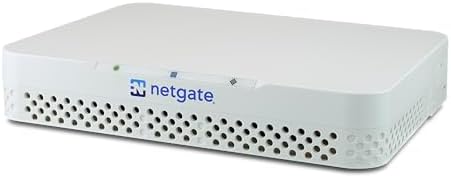
Netgate 1100 pfSense Plus Router with ARM64 Cortex-A53 CPU
How to Log pfSense Firewall Events to Wazuh SIEM for CMMC Compliance: A Technical Blueprint
The Technical Reality: Why pfSense + Wazuh Alone Fails CMMC
The path from pfSense to Wazuh is not a shortcut to CMMC compliance. It’s a trap that many engineers fall into without understanding the fundamental architecture flaws embedded in the stack.
The FIPS 140-2/140-3 Validation Gap (SC.L2-3.13.11)
CMMC 2.0 Level 2 and NIST SP 800-171 Rev. 3 require FIPS 140-2 or FIPS 140-3 validated cryptography for any network device performing cryptographic operations on Controlled Unclassified Information (CUI).
Netgate pfSense Plus hardware and the pfSense software firewall do not hold an active CMVP FIPS 140-2/140-3 validation certificate. If pfSense terminates IPsec/SSL VPN, TLS, or any other CUI-bearing cryptographic session, the architecture fails a CMMC audit regardless of logging configuration.
The UDP/514 Logging Integrity Failure (AU.L2-3.3.2)
Default pfSense-to-Wazuh forwarding over UDP/514 provides no encryption, no integrity protection, and no source authentication. This violates audit-log protection requirements and does not satisfy continuous monitoring or centralized log management controls.
UDP syslog drops events under high packet rates, creating gaps in audit trails. This is a known failure mode in production environments where traffic spikes occur regularly.
The Wazuh Decoder Gap for pfSense filterlog
Wazuh does not ship with a built-in decoder for pfSense filterlog output. Without custom decoders, firewall events arrive as raw syslog and are unusable for alerting, correlation, or audit reporting.
This means you’re collecting logs but not gaining actionable intelligence. You are just generating noise.
The Architectural Misconception: Logging Does Not Equal Compliance
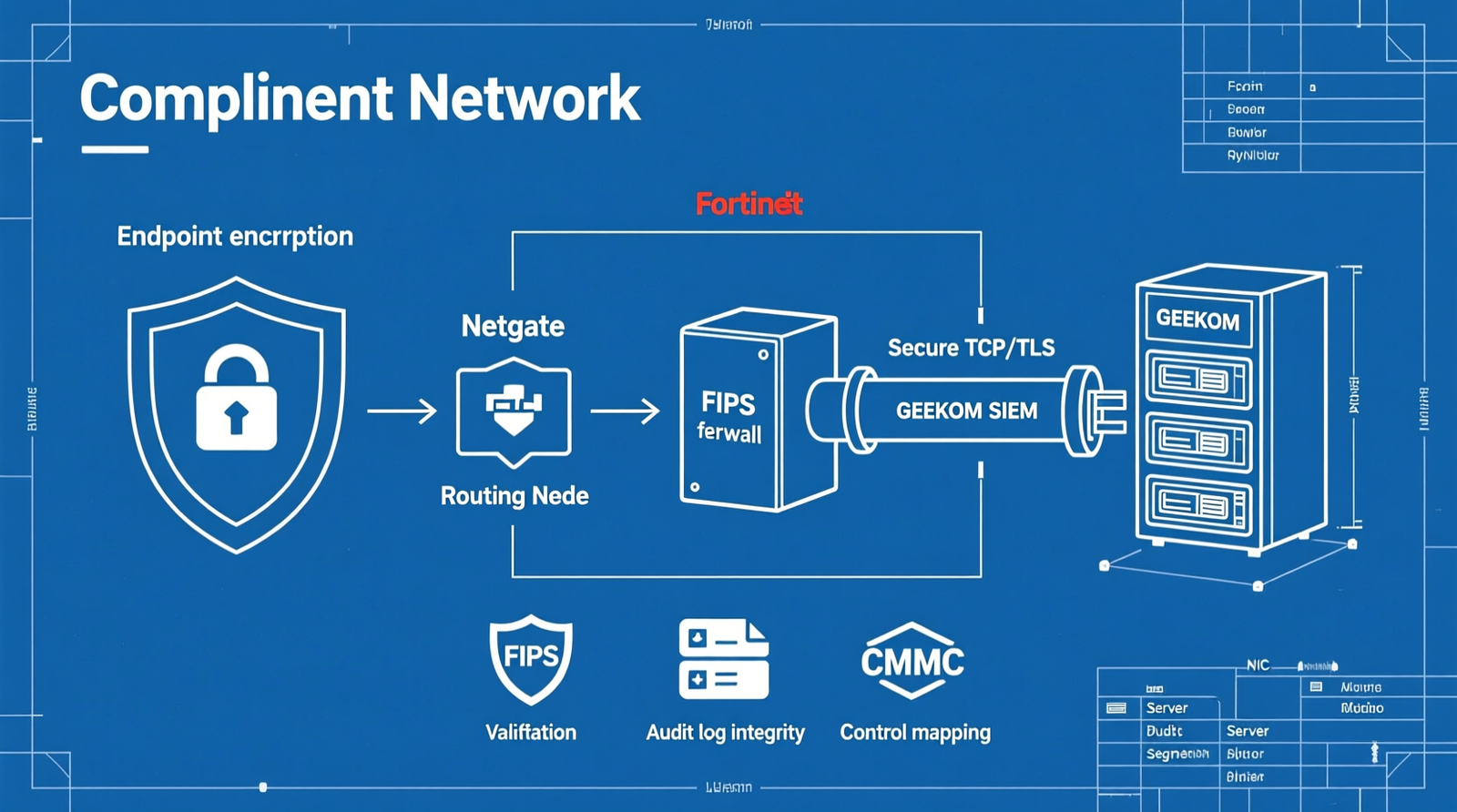
Simply logging pfSense to Wazuh does not resolve the underlying FIPS cryptographic validation requirement. The only compliant way to keep pfSense in the path is to remove it from the cryptographic scope by encrypting CUI at the endpoint before it reaches the firewall.
Unless CUI is encrypted end-to-end before hitting the firewall, the entire architecture is non-compliant.
Operational Failure Modes That Break Audit Readiness
| Failure Mode | Audit Impact |
|---|---|
| Clock drift between pfSense and Wazuh | Breaks event correlation if NTP is not hardened. |
| UDP syslog under high packet rates | Drops events, creating gaps in audit trails. |
| Default Wazuh log retention | Insufficient for DFARS/CMMC record-keeping. |
| No separation of control-plane traffic | Increases exposure of management and log-ingestion traffic. |
These issues compound quickly and result in failed audits.
The Core Gear Architecture: Validated Perimeter and SIEM Stack
A robust, compliant network perimeter must be built on validated hardware and secure transport mechanisms.
Primary Compliance-Centric Perimeter
| Fortinet FortiGate 40F | |
|---|---|
| Compliance Alignment | NIST SP 800-171, CMMC Level 2, DFARS 252.204-7012 |
| Port Configuration | 5 × GE RJ45 |
| Firewall Throughput | 5 Gbps firewall / 800 Mbps NGFW |
| Cryptographic Certification | FIPS 140-2 Level 2 validated with FIPS-SEAL-RED tamper-evident kit |
| Validation Note | Verify FIPS 140-3 recertification status due to CMVP transition. |
| Fortinet FortiGate 60F | |
|---|---|
| Compliance Alignment | NIST SP 800-171, CMMC Level 2, DFARS 252.204-7012 |
| Port Configuration | 10 × GE RJ45 |
| Firewall Throughput | 10 Gbps firewall / 1 Gbps NGFW |
| Cryptographic Certification | FIPS 140-2 Level 2 validated with FIPS-SEAL-RED tamper-evident kit |
| Validation Note | Verify FIPS 140-3 recertification status due to CMVP transition. |
Both models offer full compliance alignment and are suitable for organizations requiring strict adherence to federal cybersecurity standards.
Budget and Open-Source Bypass Node
| Netgate 1100 pfSense Plus Router with ARM64 Cortex-A53 CPU | |
|---|---|
| Role | Routing, access control, syslog generation |
| Key Specs | 3 × 1 Gbps switched ports, dual-core ARM64 Cortex-A53, TAA/NDAA compliant |
| Compliance Caveat | Not FIPS validated; only acceptable if CUI is encrypted end-to-end before reaching the firewall |
This device works well in hybrid setups where it acts as a routing node and generates logs, but cannot perform any CUI-bearing cryptographic operations.
Log Management and SIEM Host Hardware
| GEEKOM A9 Max AMD Ryzen AI 9 HX 370 Wazuh SIEM Server with Dual 2.5G NIC | |
|---|---|
| Role | Wazuh manager/indexer node |
| CPU | AMD Ryzen AI 9 HX 370 (12C/24T) |
| Memory | Up to 128 GB DDR5 SODIMM (dual-channel) |
| Storage | 2 × M.2 PCIe Gen4×4 NVMe (up to 8 TB total) for hot log storage |
| Networking | Dual 2.5G RJ45 for management/control-plane API and log ingestion |
| Wireless | Wi-Fi 7 ready for out-of-band management |
| Architecture Relevance | DDR5 baseline, dual-NIC segmentation, high-throughput log ingestion |
This machine handles large volumes of logs efficiently and supports modern networking speeds necessary for enterprise-grade SIEM operations.
Network Segmentation and Interface Roles
Use the GEEKOM A9 Max dual 2.5G RJ45 NICs to physically separate management/control-plane API traffic from log-ingestion traffic. Ensure pfSense management access does not traverse the same segment as forwarded syslog data.
This prevents cross-contamination of sensitive operational traffic and enhances overall security posture.
The Technical Setup Blueprint: pfSense Syslog to Wazuh with CMMC Control Mapping
Implementing a secure and compliant logging pipeline involves careful configuration and attention to detail.
pfSense Syslog Forwarding Configuration
Navigate to Status / System Logs > Settings or Services > Syslog. Set the remote log server to the Wazuh manager IP address.
Supported protocols include UDP 514, TCP 514, and TCP+TLS 6514. For CMMC compliance, TCP or TCP+TLS should be used to preserve log integrity.
Log sources to forward include filterlog, dhcpd, unbound, nginx, sshd, openvpn, ipsec, and system.
TLS forwarding requires a valid server certificate on the Wazuh side and the CA cert loaded into pfSense.
Wazuh Syslog Ingestion and Custom Decoders
Configure the remote block in ossec.conf to listen on 514/tcp or 6514/tcp for TLS.
Add a custom decoder for pfSense filterlog to parse colon-delimited fields including rule number, interface, direction, action, protocol, source/destination IP/port, and TCP flags.
Map custom rules to CMMC-relevant events such as blocked CUI-bound traffic, unauthorized VPN logins, configuration changes, failed SSH attempts, and DHCP anomalies.
CMMC Control Mapping
| Control ID | Requirement |
|---|---|
| SC.L1-3.13.1 | Boundary protection via firewall rules |
| SC.L2-3.13.11 | FIPS-validated cryptography for CUI |
| AU.L1-3.3.1 | Create and retain audit logs |
| AU.L2-3.3.2 | Protect audit logs from tampering |
| SI.L2-3.3.22 | Analyze logs for indicators of compromise and unauthorized activity |
Each control maps directly to a specific aspect of your network and logging setup.
FIPS Cryptographic Bypass Path for pfSense Retention
Encrypt CUI at the endpoint using FIPS-validated TLS 1.3, application-level encryption, or a compliant Secure Web Gateway before it reaches pfSense.
pfSense then only routes already-encrypted traffic and generates firewall logs, effectively removing it from the cryptographic scope.
Wazuh collects and correlates firewall logs plus endpoint FIM/file-integrity data for audit-ready reporting.
Hardening Operational Resilience
Harden NTP on both pfSense and Wazuh to prevent clock drift and event correlation errors.
Replace UDP/514 with TCP/514 or TCP+TLS/6514 for tamper-evident, reliable transport.
Implement hot/warm/cold index lifecycle and backup planning to meet DFARS/CMMC retention requirements.
Physically or logically separate control-plane/management traffic from log-ingestion traffic.
Virtualization and Long-Term Archive Options
Run Wazuh manager and Wazuh indexer as VMs or LXC containers on Proxmox VE.
Use TrueNAS/OpenZFS for long-term log archives and allocate sufficient DDR5 memory for the ZFS ARC cache to prevent I/O bottlenecks during log searches.
Field Verdict and Operational ROI: Why the Validated Stack Pays for Itself
Audit Failure Cost vs. Validated Perimeter Investment
Small defense contractors often report FortiGate FIPS bundles as expensive, only to discover during audit that a non-FIPS pfSense deployment is a finding.
The cost of remediation, delayed certification, and lost contracts exceeds the upfront investment in FIPS-validated perimeter hardware.
Real Forum Consensus: What the Community Actually Says
Check out TECH Collection Amazon Products
| Source | Consensus |
|---|---|
| r/pfsense / r/netsec | pfSense is not on the CMVP list; it can remain only if it does not perform CUI cryptography. |
| Wazuh Community/Slack/GitHub | filterlog is not parsed out-of-the-box; a custom decoder and ruleset are mandatory. |
| Sysadmin forums | UDP/514 is easy but unsuitable for CMMC because it drops logs under load and is not tamper-evident. |
| Agent vs. agentless | The Wazuh agent is not practical on pfSense (FreeBSD), so the community settles on syslog forwarding via TCP or TLS. |
| Time sync failures | NTP misconfiguration between pfSense and Wazuh causes event ordering errors that auditors flag as logging integrity issues. |
Operational Gains of the Blueprint
Audit-ready log retention with hot/warm/cold lifecycle.
Tamper-evident log transport via TCP+TLS.
Actionable correlation and alerting for unauthorized CUI-bound activity.
Clear separation of duties between network perimeter and SIEM functions.
Procurement and Validation Checklist
| Action Item | Detail |
|---|---|
| Verify FIPS Status | Check FortiGate FIPS 140-3 recertification status before CMVP transition. |
| Confirm Tamper Kit | Ensure FIPS-SEAL-RED tamper-evident kit inclusion. |
| Size SIEM Hardware | Size GEEKOM A9 Max with up to 128 GB DDR5 and dual 2.5G RJ45 for log ingestion. |
| Retain pfSense Safely | If retaining pfSense, prove CUI is encrypted end-to-end before reaching the Netgate 1100. |
| Plan Retention | Plan Wazuh index lifecycle, backups, and cold storage before audit. |
Conclusion
This blueprint outlines a complete, CMMC-compliant approach to logging pfSense firewall events to Wazuh SIEM. By addressing the root causes of failure including FIPS validation gaps, insecure transport protocols, missing decoders, and operational misconfigurations, you avoid audit pitfalls and build a resilient, scalable infrastructure.
The validated stack ensures your network perimeter meets federal compliance requirements, logs are securely transmitted and intelligently parsed, and audit readiness is maintained through proper retention and segregation practices.
Community Reference & Authority Resources:
Choose the Fortinet FortiGate 40F or 60F for your primary firewall, pair it with the GEEKOM A9 Max for SIEM processing, and optionally include the Netgate 1100 as a bypass node when CUI encryption is handled elsewhere.
With this setup, you are not just logging events. You are building a foundation for long-term compliance and operational excellence.
🔍 Explore More: See all tech guides and tutorials for how to log pfSense firewall events to wazuh siem for cmmc compliance.
Check out TECH Collection Amazon Products