
You have written “The End.” 🥳
The manuscript is polished, the edits are complete, and the story is ready to meet its readers.
But before your book can be uploaded to Amazon, Kobo, or IngramSpark, it needs one final, critical step: professional formatting.
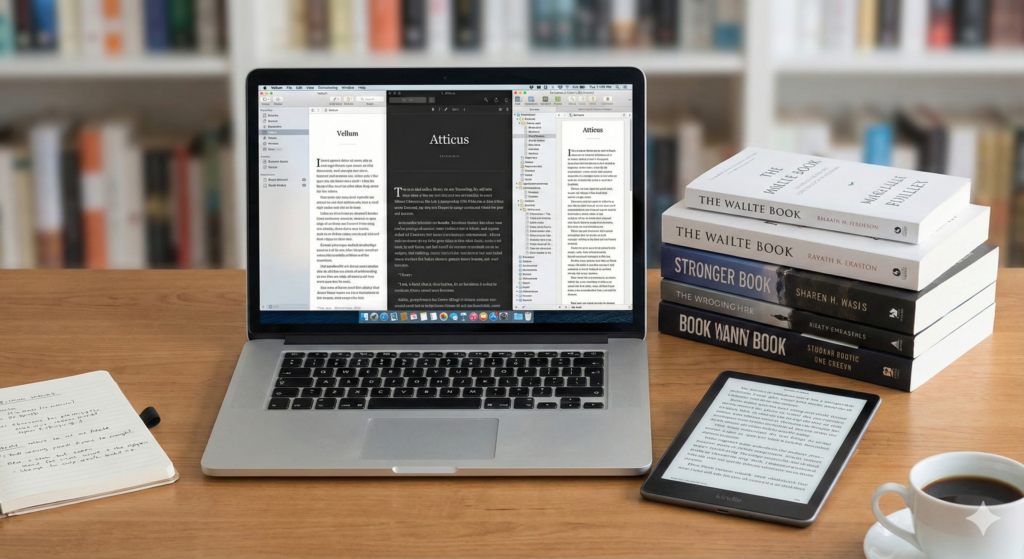
Formatting is the process of transforming your raw manuscript into two distinct, reader-friendly files: a print-ready PDF for physical books and a clean EPUB/MOBI file for eBooks.
A poorly formatted book screams “amateur” and can instantly turn off a reader, regardless of how brilliant the writing is. 🛑
Fortunately, a new generation of software has made this process accessible to every author.
This comprehensive Book Formatting Software Comparison will help you choose the right tool for your budget, platform, and project complexity.
Phase I: The Gold Standard: Vellum and Atticus 🥇
For many self-published authors, the debate over formatting software comes down to two names: Vellum and Atticus.
These are dedicated formatting tools designed to make the process as simple and visually appealing as possible.
Vellum: The Mac Darling 🍎
Vellum is renowned for producing the most beautiful, professional-looking book interiors with minimal effort.
Its interface is intuitive, and the resulting files are flawless across all major retailers.
The major drawback is its exclusivity: Vellum is Mac-only.
Its pricing model is also a one-time, high-cost purchase, which can be a barrier for new authors.
However, for authors committed to a Mac ecosystem and seeking the highest quality, Vellum is often considered the gold standard.
Atticus: The Cross-Platform Challenger ⚔️
Atticus was developed specifically to address Vellum’s limitations, primarily its Mac-only restriction.
It is a web-based application that works seamlessly on Windows, Mac, and Linux.
Atticus is an all-in-one tool that combines writing and formatting capabilities, allowing authors to move directly from drafting to final production.
It offers a growing library of beautiful templates and a more competitive, lifetime-license price point.
For a detailed breakdown of their features, check out this high-authority comparison of Atticus vs. Vellum.
Phase II: The Power User’s Choice: Scrivener and Reedsy 🛠️
Not every author needs a dedicated formatting tool.
Some prefer a single application for both writing and compiling, while others seek a free, simple solution.
Scrivener: The Writer’s Workbench 🧠
Scrivener is primarily a project management and writing tool, beloved by authors for its ability to organize complex manuscripts, research, and notes.
It can export print and eBook files, but its formatting feature, known as “Compile,” has a steep learning curve.
Mastering Scrivener’s Compile settings can yield professional results, but it requires significant time investment.
It is best suited for authors who write complex non-fiction or series with intricate structures.
For those who choose this path, a guide on Scrivener Formatting Tips is essential reading.
Reedsy Book Editor: The Free, Simple Solution 🆓
The Reedsy Book Editor is a free, browser-based tool that offers a clean, distraction-free writing environment and one-click formatting.
It is ideal for simple fiction and non-fiction projects where the author is happy with a standard, elegant design.
The trade-off for its simplicity and zero cost is a lack of design customization.
If you need unique chapter headings or custom design elements, this tool will be too restrictive.
Phase III: The Traditional and the Limited: InDesign and Kindle Create 📐
These two tools represent the extremes of the formatting spectrum: the professional designer’s tool and the retailer’s proprietary tool.
Adobe InDesign: Ultimate Control, Ultimate Complexity 🎨
Adobe InDesign is the industry standard for graphic design and professional typesetting.
It offers absolute, pixel-perfect control over every element of your book’s interior.
However, it is a subscription-based, highly complex piece of software with a steep learning curve that requires a background in design.
It is typically used by professional book designers, not by the average self-publishing author.
If you are considering this route, you are essentially becoming a professional designer, and resources on How the Book Publishing Industry Uses InDesign will be necessary.
Kindle Create: The Amazon Ecosystem 🔗
Kindle Create is a free tool provided by Amazon for authors publishing on KDP.
It is extremely easy to use and ensures your eBook looks perfect on Kindle devices.
The major limitation is that the files it produces are locked to the Amazon ecosystem.
You cannot use a Kindle Create file to publish on Apple Books, Kobo, or any other retailer.
It is a quick fix for Amazon-only authors but is not a viable solution for wide distribution.
Key Feature Comparison: Vellum, Atticus, Scrivener, and InDesign 📊
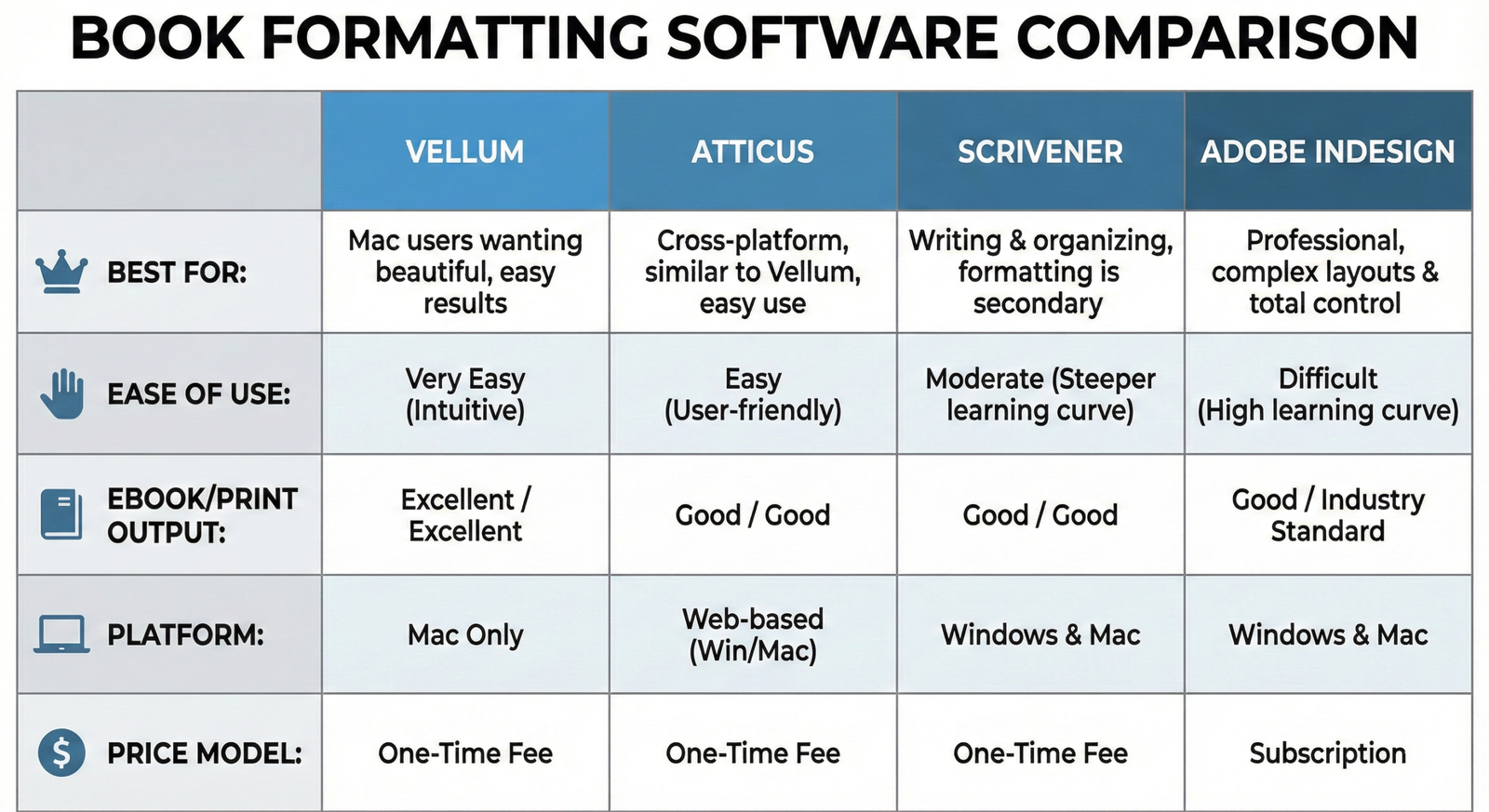
To simplify your decision, here is a side-by-side comparison of the four major players across key metrics.
| Feature | Vellum | Atticus | Scrivener | InDesign |
|---|---|---|---|---|
| Platform | Mac Only | Cross-Platform (Web) | Mac/PC | Mac/PC |
| Primary Use | Dedicated Formatting | Writing & Formatting | Writing & Organization | Professional Design |
| Ease of Use | Excellent | Very Good | Difficult (for formatting) | Expert Level |
| Cost Model | High One-Time Fee | Moderate One-Time Fee | Low One-Time Fee | Monthly Subscription |
Conclusion: Choosing Your Tool and Taking the Leap 🚀
The right tool for you depends entirely on your personal circumstances.
If you are a Mac user with a healthy budget, Vellum offers the most seamless experience.
If you are a PC user, or want an all-in-one solution, Atticus is the clear winner.
If you are a power-user who values organization above all else, Scrivener is your best bet.
No matter which you choose, the key is to ensure your final product looks professional.
This is the final step on your Self-Publishing Checklist before you hit the publish button.
Do not skimp on formatting; it is a direct reflection of your professionalism.
Always generate both print and eBook files, as they require fundamentally different structures.
Test your eBook file on multiple devices before uploading to retailers.
Invest in the best tool you can afford; it will save you countless hours of frustration.
Good luck with your final polish! 🌟