
In the modern digital landscape, your password is the single most important barrier between your private life and the chaos of the internet. 🛡️
The average person has dozens, if not hundreds, of online accounts, and the human brain is simply not equipped to manage a unique, complex password for every single one.
The result is a crisis of convenience: users resort to password reuse, making them vulnerable to credential stuffing attacks following a single data breach. 💥
The solution is not better memory, but better technology: the password manager.
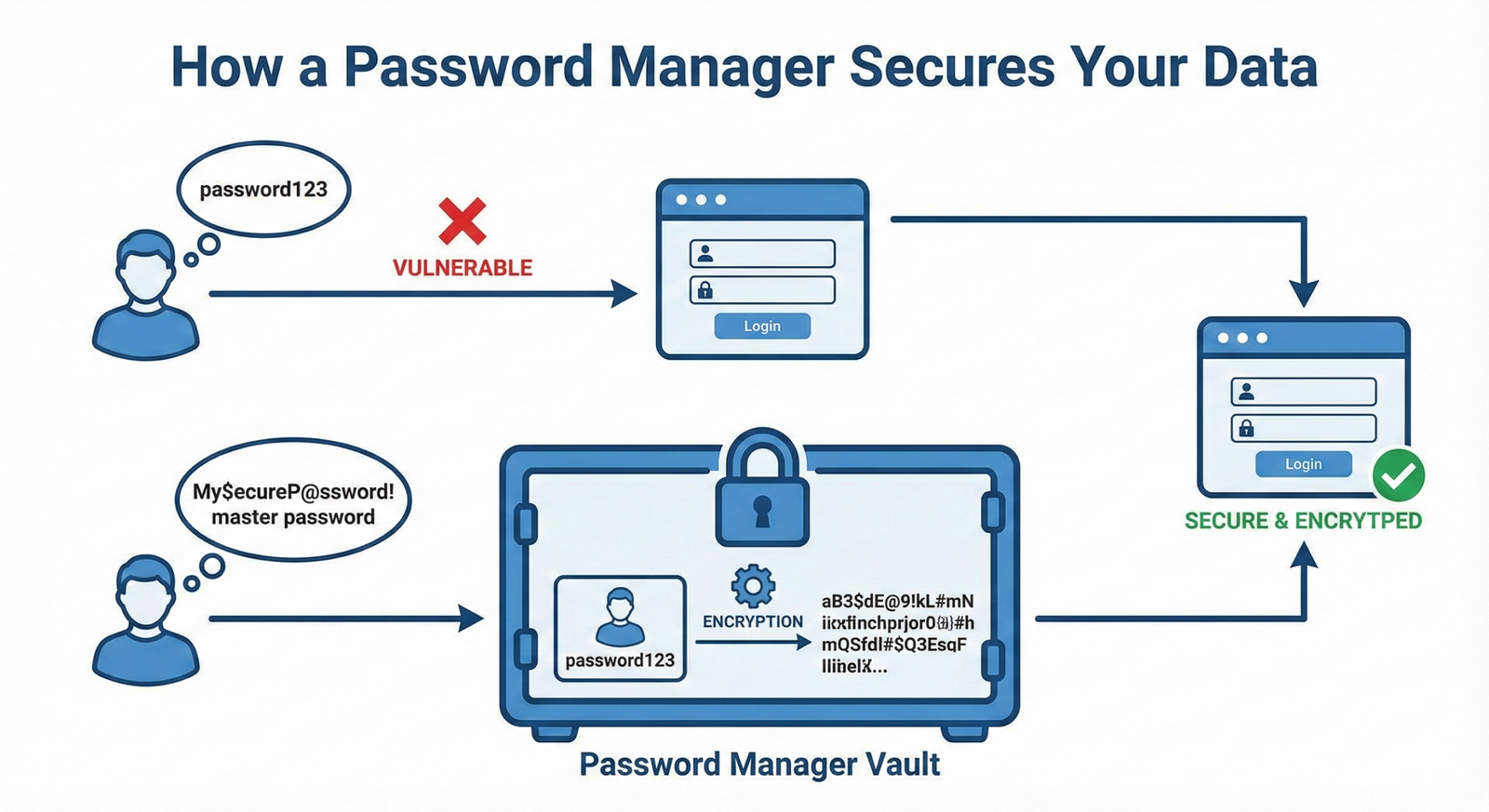
A password manager is a digital vault that securely stores all your login credentials, allowing you to use a single, strong master password to unlock everything else.
This in-depth Password Manager Comparison for Personal Use will help you choose the right digital fortress to secure your online life.
Phase I: The Open-Source Champion: Bitwarden 🛡️
Bitwarden has rapidly become the darling of the security community, largely due to its commitment to open-source transparency and a highly generous free tier.
Security and Transparency 🔬
Bitwarden’s code is open-source, meaning security experts worldwide can inspect it for vulnerabilities.
It operates on a zero-knowledge encryption model, ensuring that only you, with your master password, can decrypt your vault.
The company regularly undergoes comprehensive third-party security audits, which are publicly available for review, a testament to its commitment to trust.
You can review the details of their security posture in their documentation on Bitwarden Security Audits.
Features and Pricing 💰
The free tier of Bitwarden is arguably the most generous on the market, offering unlimited passwords, cross-device sync, and a secure password generator.
The paid personal plan is extremely affordable and adds features like 2FA via YubiKey, emergency access, and advanced vault health reports.
Its main drawback is that the user interface is often considered less polished or intuitive than its competitors.
Phase II: The Feature-Rich Contenders: 1Password and Dashlane 💎
These two managers represent the premium end of the market, offering a superior user experience and a suite of advanced features for a subscription fee.
1Password: The User Experience King 👑
1Password is consistently praised for its beautiful, intuitive interface and seamless integration across all major operating systems and browsers.
It is a favorite for families, offering robust family sharing plans and a unique “Travel Mode” that temporarily removes sensitive data from your devices when crossing borders.
Its security model is highly robust, utilizing a Secret Key in addition to your Master Password for an extra layer of protection.
Dashlane: The All-in-One Security Suite 🌐
Dashlane positions itself as more than just a password manager; it is a complete digital security suite.
Its premium plans often include features like a built-in Virtual Private Network (VPN) for secure browsing and Dark Web Monitoring to alert you if your credentials appear in a breach.
While its pricing is typically higher than 1Password, the added security features can justify the cost for users who want an all-in-one solution.
A detailed comparison of their features can be found in this resource on 1Password vs Dashlane.
Phase III: The Free and the Fallen: Other Options and Warnings ⚠️
While the top three dominate the market, it is important to consider other options and, more importantly, learn from past mistakes in the industry.
The Strong Free Contenders: Proton Pass and Browser Managers 🆓
Proton Pass, from the creators of ProtonMail, is a strong new contender, offering a generous free tier and a focus on privacy that rivals Bitwarden.
Browser-based managers (Chrome, Firefox, Safari) are convenient and free, but they lack the cross-platform compatibility, advanced security features, and dedicated vault health checks of standalone managers.
For serious security, a dedicated manager is always the superior choice.
The Warning: LastPass’s Security Incidents 🚨
LastPass, once a market leader, has suffered multiple high-profile security incidents, most notably the 2022 breach where an unauthorized party gained access to customer vault data.
While the company maintains a zero-knowledge policy, the incidents serve as a stark reminder that trust is paramount in this industry.
The details of the breach and its implications are covered in articles like this one on LastPass Security Incidents.
The lesson is clear: choose a manager with a strong, verifiable security track record and a culture of transparency.
Top Password Manager Comparison for Personal Use ⚖️
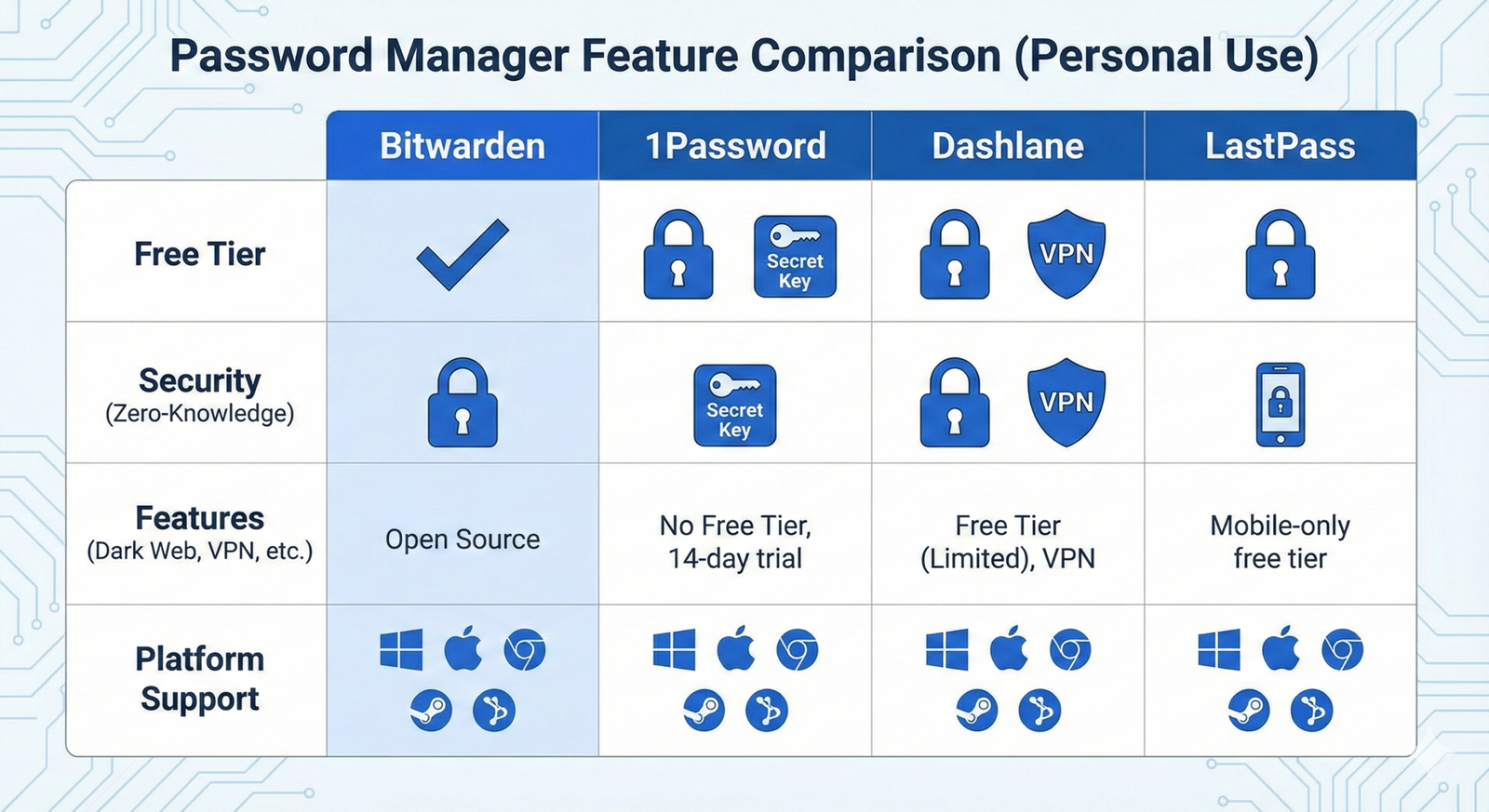
This table summarizes the key differences between the top three contenders to help you make an informed decision.
| Feature | Bitwarden | 1Password | Dashlane |
|---|---|---|---|
| Cost for Personal Use | Free (Generous) / Very Low Paid | Subscription Required (No Free Tier) | Free (Limited) / High Paid |
| Open Source | Yes (Fully Audited) | No (Proprietary) | No (Proprietary) |
| VPN Included | No | No | Yes (Premium Plan) |
| User Experience (UX) | Functional | Excellent | Very Good |
Conclusion: Making the Right Choice 🏆
The best password manager is the one you will actually use consistently.
If budget is your primary concern and you value transparency, Bitwarden is the clear winner.
If you prioritize a flawless user experience and are willing to pay a premium, 1Password is the top choice.
If you want an all-in-one security bundle with a VPN, Dashlane is a strong contender.
Regardless of your choice, the act of moving to a dedicated password manager is the single most effective step you can take to improve your Digital Security Best Practices.
Do not delay; your digital life is too valuable to leave unprotected.
Secure your vault today! 🔐