



When it comes to how to audit cui network boundary controls under nist sp 800-171 rev 3, getting the right details matters. Fortinet FortiGate 60F with FIPS-SEAL-RED
Fortinet FortiGate 40F with FIPS-SEAL-RED
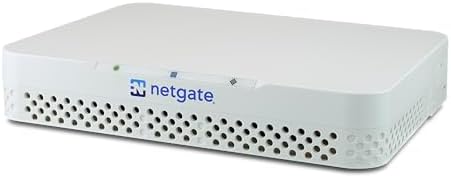
Netgate 1100 (pfSense Plus)
How to Audit CUI Network Boundary Controls Under NIST SP 800-171 Rev 3: A Field-Tested Compliance Blueprint
If you are preparing for a NIST SP 800-171 Rev 3 or CMMC 2.0 Level 2 assessment, your network boundary is where most audits collapse. Boundary controls are not just about having a firewall. They are about proving that Controlled Unclassified Information stays inside a cryptographically protected, monitored, and segmented enclave.
One missing FIPS validation certificate, one flat VLAN, or one undocumented allow rule can turn a clean audit into a corrective action plan that delays contracts and damages prime relationships.
This guide shows you how to audit CUI network boundary controls under NIST SP 800-171 Rev 3 using a field-tested hardware and configuration stack. You will learn the exact failure modes assessors look for, the validated gear that prevents them, and the documentation and logging evidence you need to pass.
The Audit Failure Landscape: Why Boundary Controls Collapse Under NIST SP 800-171 Rev 3
The FIPS Cryptographic Validation Gap (Control 3.13.11 / SC.L2-3.13.11)
The number one root cause of boundary audit failure is a firewall, VPN concentrator, or TLS inspection device performing cryptographic operations without an active CMVP FIPS 140-2 or FIPS 140-3 validation certificate. NIST SP 800-171 Rev 3 control 3.13.11 and CMMC Level 2 control SC.L2-3.13.11 require cryptography protecting CUI to use validated modules.
Boundary devices routinely terminate VPN tunnels, inspect TLS, or establish encrypted tunnels. If the module inside the device is not on the active CMVP list, the assessor has no evidence that the cryptography meets federal standards. This is not a configuration issue. It is a procurement and architecture issue. The device must carry an active validation, and you must be able to point to the certificate number.
The Open-Source / Commercial Firewall Misconfiguration Trap
Many organizations deploy open-source or commercial firewalls that route CUI traffic without ever terminating cryptography. The problem starts when the device is configured to terminate VPN or TLS. Once the firewall decrypts, inspects, or re-encrypts CUI traffic, it enters the cryptographic scope. If the underlying cryptographic module is not FIPS-validated, the assessor will flag it under DFARS clause 252.204-7012.
This trap is common with pfSense, OPNsense, and even some commercial units that ship FIPS-capable hardware but run it in non-FIPS mode. The audit finding is not that the firewall is bad. It is that the firewall is doing cryptographic work it cannot prove is compliant.
Boundary Segmentation Failures
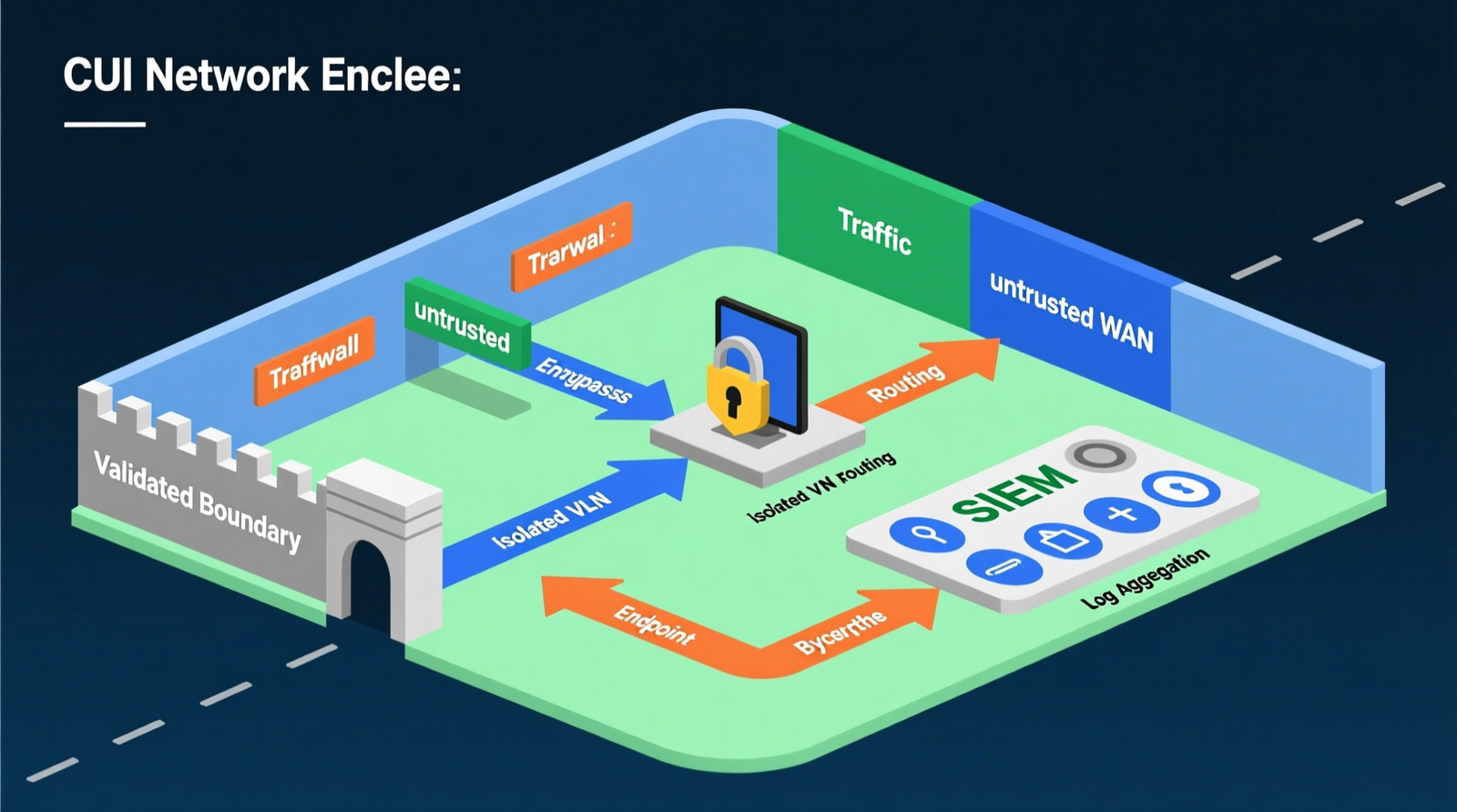
CUI must live in its own enclave. Flat networks, missing DMZs, default-allow firewall rules, and unsegmented guest or Wi-Fi networks are segmentation failures that let CUI bleed into general corporate traffic. When email, general web browsing, and CUI share the same VLAN, the boundary becomes impossible to audit. The assessor cannot isolate CUI flows, and you cannot produce clean evidence of boundary protection.
Logging and Monitoring Gaps That Kill Control 3.3.1 Evidence
Boundary devices must forward security events to a centralized, tamper-protected SIEM. NIST SP 800-171 Rev 3 control 3.3.1 requires you to review and protect audit logs. If your firewall logs sit only on the device, if file integrity monitoring is missing, or if change-detection records are incomplete, you fail the evidence test. The control is not satisfied by turning on logging. It is satisfied by collecting, protecting, and reviewing those logs.
The September 2026 CMVP Transition
Active FIPS 140-2 certificates move to Historical status on September 21, 2026. After that date, new procurements of boundary firewalls should carry active FIPS 140-3 validation. If you buy a FIPS 140-2 device today, understand that its certificate will become Historical in September 2026. For new deployments after that date, target active FIPS 140-3 modules to avoid audit findings.
The Core Gear Architecture: Validated 2026 Boundary Hardware Stack
Primary Compliance Gateway — Fortinet FortiGate 60F with FIPS-SEAL-RED
The FortiGate 60F is the workhorse gateway for small and mid-sized CUI enclaves. It gives you 10 GE RJ45 ports, 10 Gbps firewall throughput, and 1 Gbps NGFW throughput. The cryptographic validation is FIPS 140-2 Level 2, but only if the FIPS-SEAL-RED tamper-evident seal kit is physically installed. Auditors know to look for the seal.
| Specification | Details |
|---|---|
| Ports | 10 GE RJ45 |
| Firewall throughput | 10 Gbps |
| NGFW throughput | 1 Gbps |
| Cryptographic validation | FIPS 140-2 Level 2 validated (requires FIPS-SEAL-RED tamper-evident seal kit installed) |
| Compliance alignment | NIST SP 800-171 Rev 3, CMMC Level 2, DFARS 252.204-7012, TAA-compliant |
| 2026 note | Verify active FIPS 140-3 CMVP status for new procurements; legacy FIPS 140-2 modules transition to Historical in September 2026. |
This device directly closes the FIPS cryptographic validation gap. It gives you the certificate, the tamper evidence, and the throughput to handle a CUI enclave without becoming a bottleneck.
Branch-Office / Small-Contractor Gateway — Fortinet FortiGate 40F with FIPS-SEAL-RED
For smaller sites or single-contractor shops, the FortiGate 40F delivers the same compliance profile in a smaller package. It has 5 GE RJ45 ports, 5 Gbps firewall throughput, and 800 Mbps NGFW throughput. Like the 60F, it requires the FIPS-SEAL-RED kit for FIPS 140-2 Level 2 validation.
| Specification | Details |
|---|---|
| Ports | 5 GE RJ45 |
| Firewall throughput | 5 Gbps |
| NGFW throughput | 800 Mbps |
| Cryptographic validation | FIPS 140-2 Level 2 validated (requires FIPS-SEAL-RED tamper-evident seal kit installed) |
| Compliance alignment | Same as 60F, sized for smaller CUI enclaves. |
The 40F prevents the same audit failure as the 60F for environments where 10 Gbps of firewall throughput is overkill.
Budget-Conscious pfSense Alternative — Netgate 1100 (pfSense Plus)
The Netgate 1100 is a TAA-compliant pfSense Plus appliance with 3 1 Gbps switched ports and a dual-core ARM64 Cortex-A53 CPU. It is popular in homelabs and small offices, but it has no active FIPS validation. That does not automatically disqualify it, but it changes the architecture.
| Specification | Details |
|---|---|
| Ports | 3 1 Gbps switched ports |
| CPU | Dual-core ARM64 Cortex-A53 |
| Compliance status | TAA-compliant; hardware lacks active FIPS validation |
| Required architectural workaround | Remove the firewall from the cryptographic scope by enforcing FIPS-validated end-to-end TLS, local application encryption, or a compliant Secure Web Gateway at the endpoint level before CUI enters the network. |
With this device, the firewall routes and filters, but it never terminates CUI ciphertext. The encryption happens before the data reaches the firewall, keeping the boundary device outside the FIPS cryptographic scope.
Continuous Monitoring Host — Wazuh SIEM
Wazuh is an open-source SIEM that runs on a dedicated server or high-performance mini PC. It aggregates logs, monitors file integrity, and assesses security configurations. For a compact but powerful host, the GEEKOM A9 Max is a strong candidate with a 12-core AMD Ryzen AI 9 HX 370, up to 128 GB DDR5 SODIMM, dual M.2 PCIe Gen4 x4 NVMe slots, and dual 2.5G RJ45 LAN ports.
Recommended Insights From Our Guide Library:
- Understanding System and Network Configuration Requirements for Controlled Unclassified Information (CUI)
- Zero Trust Network Architecture: The Principles of ‘Never Trust, Always Verify’ » Z A D A
- Cloud Network Security Best Practices: A Comprehensive Guide from Startup to Enterprise
- Advanced Networking Concepts: Unveiling Network Segmentation and Its Benefits » Z A D A
Wazuh closes the logging and monitoring gap by giving you a centralized place to collect and protect boundary evidence.
The Technical Setup Blueprint: Zoning, Configuration, and Evidence Collection
FortiGate 60F / 40F Placement and Port Strategy
Place the FortiGate at two critical points. First, use it as the perimeter gateway between the CUI enclave and untrusted networks. Second, use it as an internal segmentation point between CUI and corporate VLANs. On the 60F, the 10 GE RJ45 ports let you dedicate interfaces to WAN, CUI, corporate, DMZ, and management zones. On the 40F, the 5 GE RJ45 ports force a leaner design but still support a dedicated CUI zone.
This placement ensures that every CUI flow crosses a validated boundary device.
Cryptographic Bypass Path for Non-FIPS Firewalls (Netgate 1100 / pfSense)
If you use the Netgate 1100 or any non-FIPS firewall, encrypt CUI at the endpoint before it touches the network. Use FIPS-validated TLS 1.3, local application encryption, or a compliant SWG. The firewall then performs routing, access control, NAT, and logging, but it does not terminate or process CUI ciphertext.
This removes the boundary device from the FIPS cryptographic scope while still satisfying boundary protection under control 3.13.1. The key evidence is the endpoint encryption configuration, not the firewall certificate.
Wazuh SIEM Integration Parameters
Send FortiGate syslog to Wazuh over UDP/514 or TCP/514. Deploy Wazuh agents on every endpoint that processes CUI. Use NIST 800-171 / CMMC-aligned security configuration assessment policies. Retain logs for at least 12 months or per your organizational policy. Correlate firewall logs with endpoint file integrity monitoring alerts to detect unauthorized boundary changes.
| Parameter | Configuration |
|---|---|
| Log ingestion | FortiGate syslog over UDP/514 or TCP/514 |
| File integrity monitoring | Deploy Wazuh agents on endpoints processing CUI |
| Security configuration assessment | Use NIST 800-171 / CMMC-aligned SCA policies |
| Log retention | Configure to meet assessor expectations, typically 12 months or per organizational policy |
| Correlation | Correlate firewall logs with endpoint FIM alerts to detect unauthorized boundary changes |
Network Segmentation Requirements
Isolate CUI on a dedicated VLAN. Create a DMZ for any public-facing services. Configure default-deny inter-VLAN routing. Build explicit allow rules with documented business justification. Enable IDS/IPS on boundary interfaces. Use a VPN concentrator with FIPS-validated cryptography for remote access to CUI.
Firewall Ruleset Documentation Matrix
Every allow rule needs a documented business justification. Map each rule to a CUI flow, an owner, and a review date. This matrix is often the first thing an assessor asks for, and its absence is a common finding even when the technical controls are working.
Micro-Electronics & PCB Diagnostic Architecture
Boundary hardware can fail physically as well as logically. For bench-level diagnostics and repair, keep 40 AWG micro-thin copper jumper wire on hand for bridging severed motherboard traces. Use the FNIRSI LCR-ST1 Smart LCR Tweezers with selectable test frequencies of 100 Hz, 1 kHz, and 10 kHz, dual test voltage modes of 0.3 V and 0.6 V, 41 g weight, and a 1.14-inch color display for component-level testing. For visual inspection, the Andonstar AD246S-M Digital Microscope offers a 7-inch LCD, 30 cm high bracket working clearance, 2160P video, dual-screen HDMI output, and three interchangeable lenses.
DevOps Homelab & Compute Cluster Architecture
For testing and staging your boundary controls, a Proxmox VE cluster on GEEKOM mini PCs gives you a flexible platform. The GEEKOM A9 Max with AMD Ryzen AI 9 HX 370 (12 cores / 24 threads), up to 128 GB DDR5 SODIMM, dual M.2 PCIe Gen4 x4 NVMe slots, and dual 2.5G RJ45 LAN is ideal for separating control-plane and user-network traffic. The GEEKOM A8 with AMD Ryzen 9 8945HS (8 cores / 16 threads), up to 64 GB DDR5, and single 2.5G LAN works as a worker node. The GEEKOM A6 with AMD Ryzen 7 6800H (8 cores / 16 threads), up to 64 GB DDR5, and mixed M.2 storage is a budget worker.
Check out TECH Collection Amazon Products
Run Proxmox VE with KVM and LXC, deploy a K3s control plane and worker nodes across VMs, and use a TrueNAS / OpenZFS VM for storage with an ARC cache sized to available DDR5 memory. Use the dual 2.5G LAN on the A9 Max to keep control-plane API traffic separate from node-to-node and user traffic.
Field Verdict & Operational ROI: Why This Stack Pays for Itself in Audit
Avoiding the Cost of CMMC / NIST SP 800-171 Audit Findings
FIPS-validated boundary hardware eliminates the most common non-conformities before the assessor arrives. The cost of a FortiGate 60F or 40F with the FIPS-SEAL-RED kit is small compared to the cost of a failed audit, lost prime-contractor eligibility, or months of rework.
Real-World Pain Points Solved
| Pain Point | Solution Implemented |
|---|---|
| pfSense FIPS rejection in CMMC-focused communities | Avoided by either choosing a validated FortiGate or using the cryptographic bypass path with the Netgate 1100. |
| FIPS 140-2 vs. 140-3 confusion | Resolved by planning procurement around the September 21, 2026 transition. |
| Hidden FortiGate FIPS-SEAL-RED requirement | No longer hidden; you know to order and install the kit. |
| Firewall rule documentation gaps | Closed with the ruleset documentation matrix. |
| Flat network segmentation failures | Prevented by dedicated CUI VLANs and default-deny inter-VLAN routing. |
| Wazuh SIEM setup complexity | Reduced with clear integration parameters and log retention targets. |
Procurement Timing and the September 2026 FIPS 140-3 Transition
New boundary firewall procurements after September 21, 2026 must carry active FIPS 140-3 CMVP status. Legacy FIPS 140-2 devices move to Historical status on that date. If you are buying today, verify whether the device has an active FIPS 140-3 certificate or a FIPS 140-2 certificate that will become Historical.
Final Recommendation: Build, Document, and Validate Before the Assessor Arrives
Treat the boundary audit as an evidence exercise, not just a configuration task. Install validated hardware, segment the CUI enclave, document every rule, forward logs to Wazuh, and verify FIPS status against the CMVP list. Do this before the assessor walks in, and you turn the boundary from a liability into a passable control.
Conclusion
Community Reference & Authority Resources:
Auditing CUI network boundary controls under NIST SP 800-171 Rev 3 comes down to four things: validated cryptography, clean segmentation, continuous monitoring, and documented evidence. The FortiGate 60F or 40F with FIPS-SEAL-RED gives you the validated boundary. The Netgate 1100 with an endpoint encryption bypass gives you a budget path when FIPS validation at the firewall is not possible. Wazuh on a capable host like the GEEKOM A9 Max gives you the log evidence. Together, they form a stack that survives audit scrutiny and keeps CUI where it belongs.
Start with the CMVP certificate, build the enclave, write the ruleset matrix, and point your logs at Wazuh. That is how you pass the boundary control audit the first time.
🔍 Explore More: See all tech guides and tutorials for how to audit cui network boundary controls under nist sp 800-171 rev 3.
Check out TECH Collection Amazon Products