



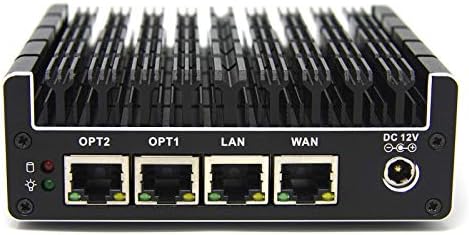


When it comes to how to log pfSense firewall events to wazuh siem for cmmc compliance, getting the right details matters. GEEKOM A9 Max Mini PC
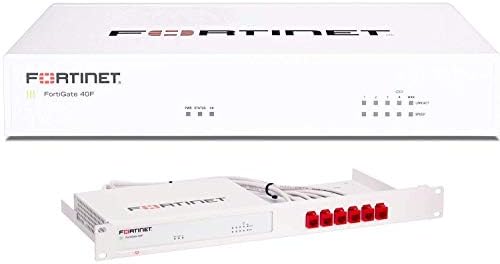
Fortinet FortiGate 40F Next-Gen Firewall
Netgate 1100 pfSense Plus Appliance
How to Log pfSense Firewall Events to Wazuh SIEM for CMMC Compliance: A Technical Blueprint
Most defense contractors assume logging firewall traffic to a SIEM satisfies CMMC 2.0 requirements. This assumption fails during an audit when the cryptographic validation of the perimeter device is scrutinized.
If your pfSense firewall terminates IPsec or SSL VPN sessions containing Controlled Unclassified Information (CUI), you are non-compliant regardless of your Wazuh configuration.
This guide details the exact infrastructure required to pass a CMMC Level 2 assessment. We cover the FIPS 140-2/140-3 validation gaps, the specific hardware specifications needed for high-integrity log ingestion, and the precise configuration steps to map firewall events to NIST SP 800-171 Rev. 3 controls.
You will learn why default UDP syslog forwarding breaks audit readiness and how to deploy a validated perimeter stack using Fortinet FortiGate 40F Next-Gen Firewall units and GEEKOM A9 Max Mini PC SIEM hosts.
The Technical Reality: Why pfSense + Wazuh Alone Fails CMMC
Many teams deploy pfSense because it is free and functional. However, functionality does not equal compliance. When auditors review your architecture against CMMC 2.0 Level 2, they look for specific cryptographic validations and log integrity protections that open-source firewalls often lack out-of-the-box.
The FIPS 140-2/140-3 Validation Gap (SC.L2-3.13.11)
CMMC 2.0 Level 2 and NIST SP 800-171 Rev. 3 mandate FIPS 140-2 or FIPS 140-3 validated cryptography for any network device performing cryptographic operations on CUI. Netgate pfSense Plus hardware, such as the Netgate 1100 pfSense Plus Appliance, and the pfSense software firewall do not hold an active CMVP FIPS 140-2/140-3 validation certificate.
If pfSense terminates IPsec, SSL VPN, TLS, or any other CUI-bearing cryptographic session, the architecture fails a CMMC audit regardless of logging configuration. This means you cannot rely on pfSense to encrypt sensitive data in transit without risking a major finding. You must either replace the perimeter device with a FIPS-validated unit or ensure CUI is encrypted before it ever reaches the firewall.
The UDP/514 Logging Integrity Failure (AU.L2-3.3.2)
Default pfSense-to-Wazuh forwarding over UDP/514 provides no encryption, no integrity protection, and no source authentication.
This violates audit-log protection requirements and does not satisfy continuous monitoring or centralized log management controls.
UDP syslog drops events under high packet rates, creating gaps in audit trails. In a forensic investigation, missing logs mean missing evidence. To meet control AU.L2-3.3.2, you must switch to TCP or TCP+TLS transport to ensure tamper-evident delivery of security events.
The Wazuh Decoder Gap for pfSense `filterlog`
Wazuh does not ship with a built-in decoder for pfSense `filterlog` output. Without custom decoders, firewall events arrive as raw syslog strings.
Raw logs are unusable for alerting, correlation, or audit reporting. You cannot generate a report on blocked CUI-bound traffic if the SIEM cannot parse the rule number, interface, direction, or action fields. Custom decoders are mandatory to transform raw data into actionable intelligence.
The Architectural Misconception: Logging ≠ Compliance
Simply “logging pfSense to Wazuh” does not resolve the underlying FIPS cryptographic validation requirement. Logging is a visibility tool, not a cryptographic control.
The only compliant way to keep pfSense in the path is to remove it from the cryptographic scope by encrypting CUI at the endpoint before it reaches the firewall. If the firewall only sees encrypted blobs, it is not performing cryptography on CUI, and the FIPS validation requirement shifts to the endpoints rather than the network device.
Operational Failure Modes That Break Audit Readiness
Clock drift between pfSense and Wazuh breaks event correlation if NTP is not hardened. If timestamps do not align, you cannot prove the sequence of an attack.
UDP syslog drops events under high packet rates, creating gaps in audit trails. Default Wazuh log retention is insufficient for DFARS/CMMC record-keeping. Most organizations lose logs after 30 days, but contracts often require 90 days or more. No separation of control-plane/management traffic from log-ingestion traffic increases exposure. If an attacker compromises the management VLAN, they can alter logs before they are indexed.
The Core Gear Architecture: Validated Perimeter + SIEM Stack
To achieve audit readiness, you need hardware that meets current cryptographic standards and supports high-throughput log ingestion. The following stack balances compliance mandates with operational performance.
Primary Compliance-Centric Perimeter
For organizations handling CUI where the firewall terminates encryption, you must use FIPS-validated hardware. The Fortinet FortiGate series offers the necessary certification and throughput for small to mid-sized contractors.
| Specification | Fortinet FortiGate 40F Next-Gen Firewall | Fortinet FortiGate 60F |
|---|---|---|
| Compliance Alignment | NIST SP 800-171, CMMC Level 2, DFARS 252.204-7012 | NIST SP 800-171, CMMC Level 2, DFARS 252.204-7012 |
| Port Configuration | 5 × GE RJ45 | 10 × GE RJ45 |
| Firewall Throughput | 5 Gbps firewall / 800 Mbps NGFW | 10 Gbps firewall / 1 Gbps NGFW |
| Cryptographic Certification | FIPS 140-2 Level 2 validated with FIPS-SEAL-RED tamper-evident kit | FIPS 140-2 Level 2 validated with FIPS-SEAL-RED tamper-evident kit |
| Validation Note | Verify FIPS 140-3 recertification status due to Sept 21, 2026 CMVP transition | Verify FIPS 140-3 recertification status due to Sept 21, 2026 CMVP transition |
The FIPS-SEAL-RED kit ensures physical tamper evidence. If the chassis seal is broken, the device may zeroize keys, preventing unauthorized access to cryptographic modules.
Budget/Open-Source Bypass Node
If you must retain pfSense, you must architect around its limitations. It can function as a router but not as a crypto terminator for CUI.
| Attribute | Netgate 1100 pfSense Plus Appliance |
|---|---|
| Role | Routing, access control, syslog generation |
| Key Specs | 3 × 1 Gbps switched ports, dual-core ARM64 Cortex-A53, TAA/NDAA compliant |
| Compliance Caveat | Not FIPS validated; only acceptable if CUI is encrypted end-to-end before reaching the firewall |
The ARM64 Cortex-A53 processor handles routing efficiently but lacks the hardware acceleration for heavy FIPS-validated crypto workloads. Use this only for segmentation and log forwarding, not for terminating secure tunnels carrying CUI.
Log Management / SIEM Host Hardware
Your SIEM host requires significant memory and I/O throughput to index logs without latency. The GEEKOM A9 Max Mini PC provides the necessary compute density for a single-node Wazuh deployment.
| Component | GEEKOM A9 Max Mini PC |
|---|---|
| Role | Wazuh manager/indexer node |
| CPU | AMD Ryzen AI 9 HX 370 (12C/24T) |
| Memory | Up to 128 GB DDR5 SODIMM (dual-channel) |
| Storage | 2 × M.2 PCIe Gen4×4 NVMe (up to 8 TB total) for hot log storage |
| Networking | Dual 2.5G RJ45 — one NIC for management/control-plane API, one NIC for log ingestion from pfSense and endpoints |
| Wireless | Wi-Fi 7 ready for out-of-band management |
| Relevance | DDR5 baseline, dual-NIC segmentation, high-throughput log ingestion |
DDR5 memory allows the ZFS ARC cache to scale effectively if you virtualize the indexer. Dual 2.5G RJ45 interfaces allow you to physically separate management traffic from log ingestion traffic, reducing the attack surface on your SIEM.
Network Segmentation & Interface Roles
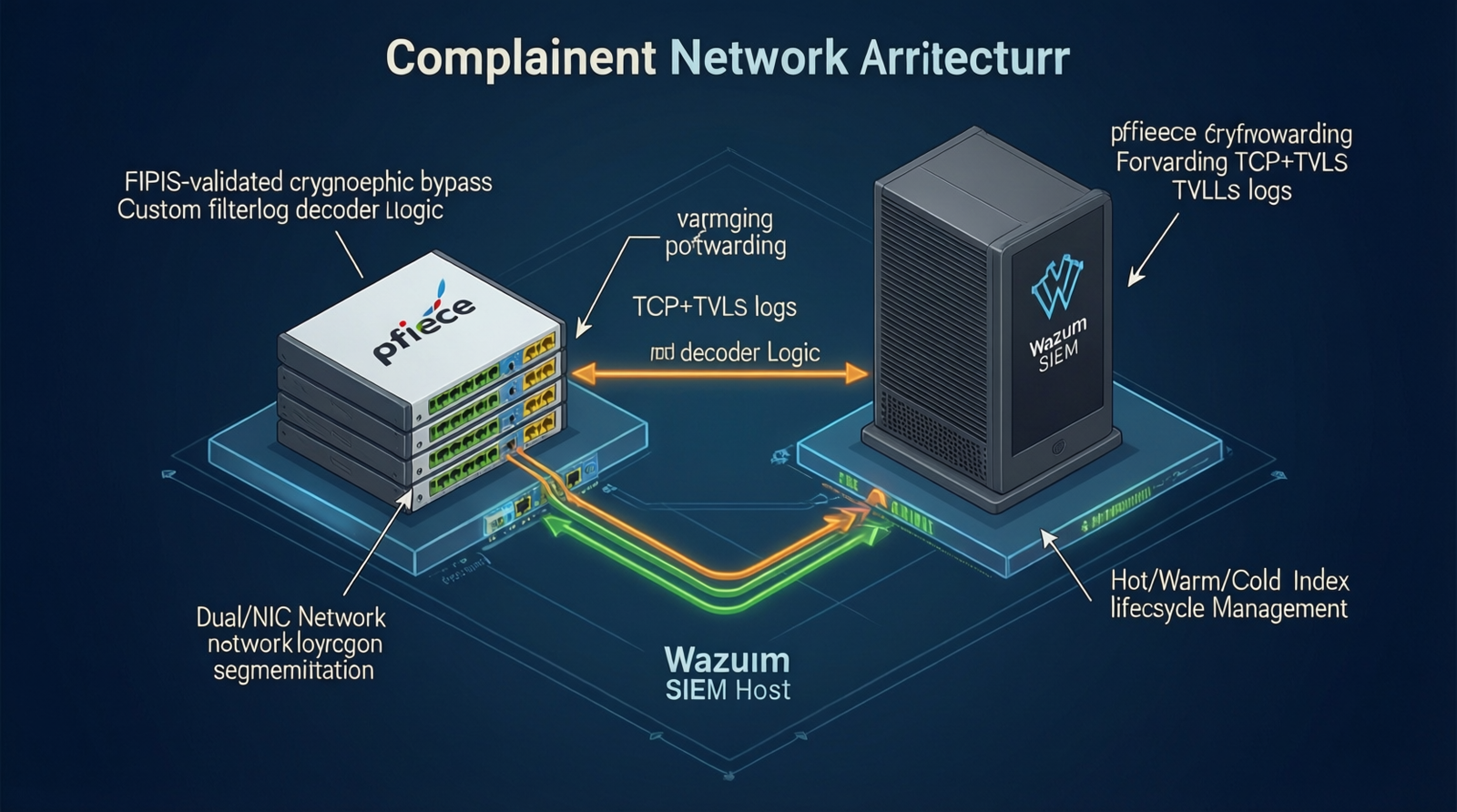
Use the GEEKOM A9 Max Mini PC dual 2.5G RJ45 NICs to physically separate management/control-plane API traffic from log-ingestion traffic.
Ensure pfSense management access does not traverse the same segment as forwarded syslog data. If an attacker compromises the logging subnet, they should not gain direct access to the SIEM management console. This segmentation satisfies boundary protection requirements by isolating critical infrastructure functions.
The Technical Setup Blueprint: pfSense Syslog → Wazuh with CMMC Control Mapping
Configuring the link between your perimeter and your SIEM requires strict adherence to transport protocols and parser definitions. Generic settings will result in audit findings.
pfSense Syslog Forwarding Configuration
Navigate to Status / System Logs > Settings or Services > Syslog in the pfSense web interface. Set the Remote log server to the Wazuh manager IP.
Supported protocols include UDP 514, TCP 514, and TCP+TLS 6514. Recommended for CMMC: TCP or TCP+TLS to preserve log integrity.
Log sources to forward: filterlog, dhcpd, unbound, nginx, sshd, openvpn, ipsec, system. TLS forwarding requires a valid server certificate on the Wazuh side and the CA cert loaded into pfSense.
Using TCP+TLS prevents man-in-the-middle attacks on your log stream. It ensures that the logs arriving at Wazuh are exactly what left the firewall, satisfying integrity checks.
Wazuh Syslog Ingestion & Custom Decoders
Configure the remote block in ossec.conf to listen on 514/tcp or 6514/tcp (TLS). Do not leave the default UDP listener active for production CUI environments.
Add a custom decoder for pfSense filterlog. This log format uses colon-delimited fields: rule number, interface, direction, action, protocol, source/destination IP/port, TCP flags, etc.
Build custom rules mapped to CMMC-relevant events: Blocked CUI-bound traffic, Unauthorized VPN logins, Configuration changes, Failed SSH attempts, DHCP anomalies.
Without these rules, your SIEM collects data but generates no alerts. You need automated detection of policy violations to satisfy continuous monitoring controls.
CMMC Control Mapping
Map your technical configurations directly to the regulatory framework. This creates the evidence trail auditors require.
| Control ID | Description |
|---|---|
| SC.L1-3.13.1 | Boundary protection (firewall rules) |
| SC.L2-3.13.11 | FIPS-validated cryptography for CUI |
| AU.L1-3.3.1 | Create and retain audit logs |
| AU.L2-3.3.2 | Protect audit logs from tampering |
| SI.L2-3.3.22 | Analyze logs for indicators of compromise / unauthorized activity |
When documenting your System Security Plan (SSP), reference these specific control IDs alongside your hardware and software configurations.
FIPS Cryptographic Bypass Path for pfSense Retention
Encrypt CUI at the endpoint using FIPS-validated TLS 1.3, application-level encryption, or a compliant Secure Web Gateway before it reaches pfSense.
pfSense then only routes already-encrypted traffic and generates firewall logs; it is removed from the cryptographic scope. Wazuh collects and correlates firewall logs plus endpoint FIM/file-integrity data for audit-ready reporting.
This approach allows you to use cost-effective routing hardware while maintaining compliance through endpoint controls. It shifts the cryptographic burden to devices that can be individually validated.
Hardening Operational Resilience
Harden NTP on both pfSense and Wazuh to prevent clock drift and event correlation errors. Time synchronization is critical for legal admissibility of logs.
Replace UDP/514 with TCP/514 or TCP+TLS/6514 for tamper-evident, reliable transport. Implement hot/warm/cold index lifecycle and backup planning to meet DFARS/CMMC retention requirements. Physically or logically separate control-plane/management traffic from log-ingestion traffic.
These steps ensure your system remains stable under load and resistant to manipulation during an incident response window.
Virtualization & Long-Term Archive Options
Run Wazuh manager and Wazuh indexer as VMs or LXC containers on Proxmox VE. This allows for snapshot-based backups and easier scaling.
Use TrueNAS/OpenZFS for long-term log archives; allocate sufficient DDR5 memory for the ZFS ARC cache to prevent I/O bottlenecks during log searches. High-speed NVMe storage paired with ample RAM ensures that searching terabytes of historical logs does not crash your SIEM.
Field Verdict & Operational ROI: Why the Validated Stack Pays for Itself
Investing in a compliant stack upfront is cheaper than remediating findings during a third-party assessment. The cost of lost contracts due to failed certification far exceeds the price of FIPS-validated hardware.
Audit Failure Cost vs. Validated Perimeter Investment
Check out TECH Collection Amazon Products
Small defense contractors report FortiGate FIPS bundles as expensive, then discover during audit that a non-FIPS pfSense deployment is a finding.
The cost of remediation, delayed certification, and lost contracts exceeds the upfront investment in FIPS-validated perimeter hardware. A single failed audit can disqualify a company from bidding on government work for months.
Real Forum Consensus: What the Community Actually Says
pfSense is not on the CMVP list; it can remain only if it does not perform CUI cryptography.
filterlog is not parsed out-of-the-box; a custom decoder and ruleset are mandatory.
UDP/514 is easy but unsuitable for CMMC because it drops logs under load and is not tamper-evident.
The Wazuh agent is not practical on pfSense (FreeBSD), so the community settles on syslog forwarding (TCP or TLS).
NTP misconfiguration between pfSense and Wazuh causes event ordering errors that auditors flag as logging integrity issues.
Community feedback confirms that shortcuts in logging configuration lead to audit failures. The consensus is clear: validate the crypto, secure the transport, and parse the logs.
Operational Gains of the Blueprint
Deploying this architecture yields immediate operational benefits beyond compliance.
Audit-ready log retention with hot/warm/cold lifecycle. Tamper-evident log transport via TCP+TLS. Actionable correlation and alerting for unauthorized CUI-bound activity. Clear separation of duties between network perimeter and SIEM functions.
You gain visibility into your network threats while satisfying federal requirements. This dual benefit justifies the hardware investment.
Procurement & Validation Checklist
Before deploying, verify the following items to ensure future-proofing against regulatory changes.
| Checklist Item | Action |
|---|---|
| FIPS Recertification | Verify FortiGate FIPS 140-3 recertification status before the Sept 21, 2026 CMVP transition |
| Tamper Evidence | Confirm FIPS-SEAL-RED tamper-evident kit inclusion |
| SIEM Sizing | Size the GEEKOM A9 Max Mini PC with up to 128 GB DDR5 and dual 2.5G RJ45 for log ingestion |
| pfSense Scope | If retaining pfSense, prove CUI is encrypted end-to-end before reaching the Netgate 1100 pfSense Plus Appliance |
| Log Lifecycle | Plan Wazuh index lifecycle, backups, and cold storage before audit |
Missing the September 2026 transition date could render existing FIPS 140-2 certificates invalid for new assessments. Plan your procurement cycle accordingly.
Conclusion
Community Reference & Authority Resources:
Logging pfSense to Wazuh is technically straightforward, but achieving CMMC compliance requires a deeper architectural strategy. The critical failure points lie in cryptographic validation and log transport integrity, not just log collection. By replacing non-compliant perimeter devices with FIPS-validated Fortinet hardware or strictly bypassing cryptographic scopes on pfSense, you eliminate the largest audit risks.
Pairing this perimeter with a high-performance GEEKOM A9 Max Mini PC SIEM host ensures you can ingest, parse, and retain logs at the speeds required for modern threat detection. This blueprint moves you from theoretical compliance to an audit-ready state. Invest in the validated stack now to avoid the costly remediation cycles that follow a failed assessment.
🔍 Explore More: See all tech guides and tutorials for how to log pfSense firewall events to wazuh siem for cmmc compliance.
Check out TECH Collection Amazon Products