






When it comes to how to configure fips-cc mode on fortios for cmmc audit compliance, getting the right details matters. Recommended Products:
Fortinet FortiGate 60F Firewall
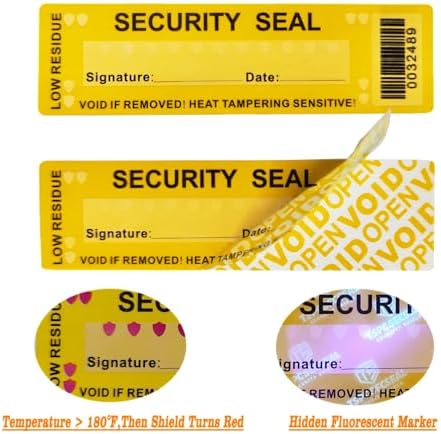
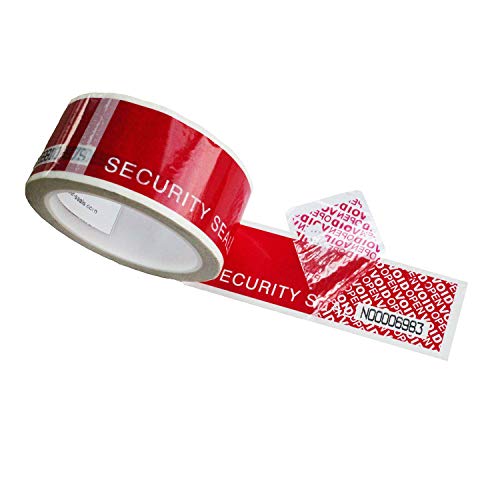
Fortinet FIPS-SEAL-RED Tamper-Evident Seal Kit
GEEKOM A9 Max Mini PC
How to Configure FIPS-CC Mode on FortiOS for CMMC Audit Compliance: The Field-Proven Blueprint
If your FortiGate is still running standard FortiOS while it processes, terminates, or forwards CUI-bearing traffic, you already have a CMMC 2.0 Level 2 finding waiting to happen.
NIST SP 800-171 Rev. 3 control 3.13.11, CMMC 2.0 control SC.L2-3.13.11, and DFARS clause 252.204-7012 all require evidence that your boundary cryptography is running inside a CMVP-validated module.
Standard FortiOS does not give you that evidence, so this guide shows you how to understand why standard mode fails, choose the right validated hardware, enable FIPS-CC mode with the exact CLI sequence, lock down algorithms and seals, integrate Wazuh SIEM, and build an audit-ready evidence package.
The minimum viable architecture is a FortiGate F-Series appliance running FortiOS FIPS-CC mode, protected by intact Fortinet FIPS-SEAL-RED Tamper-Evident Seal Kit tamper-evident seals, backed by a FortiCare/FortiGuard subscription for validated firmware, and monitored by Wazuh.
The Technical Reality: Why Standard FortiOS Mode Fails CMMC SC.L2-3.13.11
Standard FortiOS uses cryptographic primitives and key-management routines that are not restricted to FIPS-approved algorithms.
When CUI traffic is encrypted, decrypted, or forwarded through that device, the cryptographic module is not operating under an active CMVP FIPS 140-2 or FIPS 140-3 validation, which creates a direct non-compliance finding against NIST SP 800-171 Rev. 3 control 3.13.11, CMMC 2.0 Level 2 control SC.L2-3.13.11, and DFARS clause 252.204-7012.
An assessor will flag the device when it performs boundary cryptography such as IPsec/SSL-VPN, TLS termination, admin HTTPS, or encrypted logging on CUI and cannot show a current CMVP certificate for the cryptographic module, intact tamper-evident seals, or a configuration that locks the device to FIPS-approved ciphers.
Enabling FIPS-CC mode changes what the device is allowed to do by restricting the system to FIPS-approved algorithms and Common Criteria-evaluated behavior, which disables weak ciphers like MD5, DES, and RC4, removes certain SSL-deep-inspection profiles, and may cause legacy VPN clients or older FortiClient versions to stop working.
This enforcement can require a factory reset or configuration wipe depending on the firmware version, and FIPS self-test failures at boot may force a fail-secure state, so you must schedule downtime, back up the configuration, and validate client compatibility before production enablement.
FIPS 140-2 Level 2 validation is void if the Fortinet FIPS-SEAL-RED Tamper-Evident Seal Kit tamper-evident seals are broken, missing, or applied incorrectly.
An auditor will reject the device if you cannot demonstrate seal integrity during the physical inspection phase, so photograph the seals immediately after installation and again before every audit.
On September 21, 2026, all remaining active FIPS 140-2 certificates move to the Historical list.
New procurements should target FIPS 140-3-validated modules, or you must confirm in writing that your auditor accepts a Historical FIPS 140-2 module for your contract window.
The Core Gear Architecture: Validated 2026 Hardware & Compliance Stack
The FortiGate 40F and Fortinet FortiGate 60F Firewall are the workhorse appliances for small and mid-sized defense contractors who need validated boundary cryptography without overbuilding the branch.
FortiGate 40F Exact Specifications
| Specification | Details |
|---|---|
| Ports | 5 × GE RJ45 |
| Firewall Throughput | 5 Gbps |
| IPS Throughput | 1.2 Gbps |
| NGFW Throughput | 800 Mbps |
| Threat Protection Throughput | 600 Mbps |
| Power | 12V DC external; typical/max ~15 W |
| Dimensions | ~147 mm × 140 mm × 34 mm |
| Weight | ~0.6 kg |
| FIPS Status | FIPS 140-2 Level 2 validated (requires Fortinet FIPS-SEAL-RED Tamper-Evident Seal Kit) |
Best fit: small defense contractor branch offices and remote sites where port count and power draw matter.
FortiGate 60F Exact Specifications
| Specification | Details |
|---|---|
| Ports | 10 × GE RJ45 |
| Firewall Throughput | 10 Gbps |
| IPS Throughput | 2.0 Gbps |
| NGFW Throughput | 1 Gbps |
| Threat Protection Throughput | 800 Mbps |
| VPN Throughput | 2.0 Gbps |
| Power | 100–240V AC internal; ~24 W max |
| Dimensions | ~220 mm × 135 mm × 40 mm |
| Weight | ~1.0 kg |
| FIPS Status | FIPS 140-2 Level 2 validated (requires Fortinet FIPS-SEAL-RED Tamper-Evident Seal Kit) |
Best fit: mid-sized contractors that need a standard compliance gateway with headroom for more LAN segments.
FIPS-SEAL-RED Tamper-Evident Seal Requirement
Check out TECH Collection Amazon Products
The Fortinet FIPS-SEAL-RED Tamper-Evident Seal Kit is not optional decoration.
Seals must be placed over chassis screws and case seams, and if a seal is broken, removed, or tampered with, the FIPS 140-2 Level 2 validation is void, so photograph the seals immediately after installation and again before every audit.
Micro-Electronics & PCB Diagnostic Architecture
If you also maintain the hardware that runs your compliance stack, bench-grade diagnostics keep failures from becoming outages.
Motherboard Trace Repair Spec
Severed copper traces on multi-layer PCBs are bridged with 40 AWG or thinner micro-thin copper jumper wire.
High-magnification inspection is required to confirm the repair does not short adjacent traces, which prevents intermittent signal failures that can corrupt compliance logs or cause device instability.
FNIRSI LCR-ST1 Smart LCR Tweezers
| Feature | Detail |
|---|---|
| Display | 1.14-inch color |
| Weight | 41 g |
| Test Frequencies | 100 Hz, 1 kHz, 10 kHz |
| Test Voltages | 0.3 V / 0.6 V |
| Battery | 250 mAh lithium |
Use these for single-handed in-circuit measurement of SMD resistors, capacitors, inductors, and diodes.
The 0.3 V low-voltage mode helps avoid turning on nearby semiconductor junctions and producing false parallel-circuit readings, which ensures accurate component verification during hardware maintenance.
Andonstar AD246S-M Digital Microscope
| Feature | Detail |
|---|---|
| Screen | 7-inch LCD |
| Video | 2160P |
| Working Clearance | 30 cm high bracket |
| Lenses | 3 interchangeable (A, D, L) |
| Output | dual-screen HDMI (built-in LCD + external monitor simultaneously) |
This is the magnification you want when inspecting 40 AWG trace repairs or verifying solder joints on tiny SMD components.
DevOps Homelab & Compute Cluster Architecture
Your compliance evidence, log aggregation, and test environments need reliable compute.
The GEEKOM A9 Max Mini PC fits a Proxmox VE or Kubernetes homelab without the rack noise.
GEEKOM A9 Max Specifications
| Component | Specification |
|---|---|
| CPU | AMD Ryzen AI 9 HX 370 (12 cores / 24 threads) |
| RAM | up to 128 GB DDR5 SODIMM, dual-channel, socketed |
| Storage | 2 × M.2 PCIe Gen4 ×4 NVMe SSD slots (up to 8 TB total) |
| Networking | dual 2.5G RJ45 LAN |
| Wireless | Wi-Fi 7 ready |
| NPU | AMD XDNA 2, up to 55 NPU TOPS |
Use case: Proxmox VE host, Kubernetes control-plane/worker nodes, and local LLM inference.
The 128 GB DDR5 ceiling and dual M.2 slots give you room to run multiple VMs without paging, which maintains performance stability for log aggregation and compliance workloads.
GEEKOM A8 Specifications
| Component | Specification |
|---|---|
| CPU | AMD Ryzen 9 8945HS (8 cores / 16 threads) |
| RAM | up to 64 GB DDR5 SODIMM |
| Storage | 1 × M.2 2280 NVMe PCIe Gen4 ×4 (up to 4 TB) |
| Networking | single 2.5G RJ45 LAN |
| Wireless | Wi-Fi 6E |
GEEKOM A6 Specifications
| Component | Specification |
|---|---|
| CPU | AMD Ryzen 7 6800H (8 cores / 16 threads) |
| RAM | up to 64 GB DDR5 SODIMM |
| Storage | 1 × M.2 2280 PCIe Gen4 ×4 + 1 × M.2 2242 SATA |
| Networking | single 2.5G RJ45 LAN |
| Wireless | Wi-Fi 6E |
Hypervisor Allocation Example (A9 Max)
On a single Proxmox VE host you might allocate a K3s control-plane node with 4 vCPUs / 16 GB DDR5, a Kubernetes worker node with 8 vCPUs / 32 GB DDR5, and a TrueNAS/OpenZFS VM with 32 GB DDR5 reserved for ZFS ARC cache.
Network Segmentation
The dual 2.5G RJ45 ports on the GEEKOM A9 Max Mini PC let you separate control-plane API traffic and node-to-node traffic from user/ingress traffic.
This mirrors enterprise Kubernetes segmentation in a compact footprint, which reduces lateral movement risk and keeps compliance monitoring traffic isolated from production workloads.
Supporting Compliance Stack
Wazuh SIEM provides open-source centralized log aggregation and file-integrity monitoring.
StarTech / Tripp Lite console cables and rack-mount kits ensure physical installation reliability.
FortiCare/FortiGuard support subscriptions maintain access to validated firmware versions, which is mandatory for keeping the CMVP certificate active.
The Technical Setup Blueprint: Configuring FIPS-CC Mode on FortiOS
Pre-Enablement Backup & Downtime Planning
Forum posts and r/fortinet threads repeatedly warn that enabling FIPS-CC mode can require a factory reset or wipe the existing configuration.
Before you touch the CLI, back up the full configuration, document every IPsec/SSL-VPN profile and admin access method, schedule a maintenance window, and verify that all endpoints can use FIPS-approved algorithms.
FIPS-CC Mode Activation CLI
Enter the following commands exactly:
“`
config system global
set fips-cc-mode enable
end
execute reboot
“`
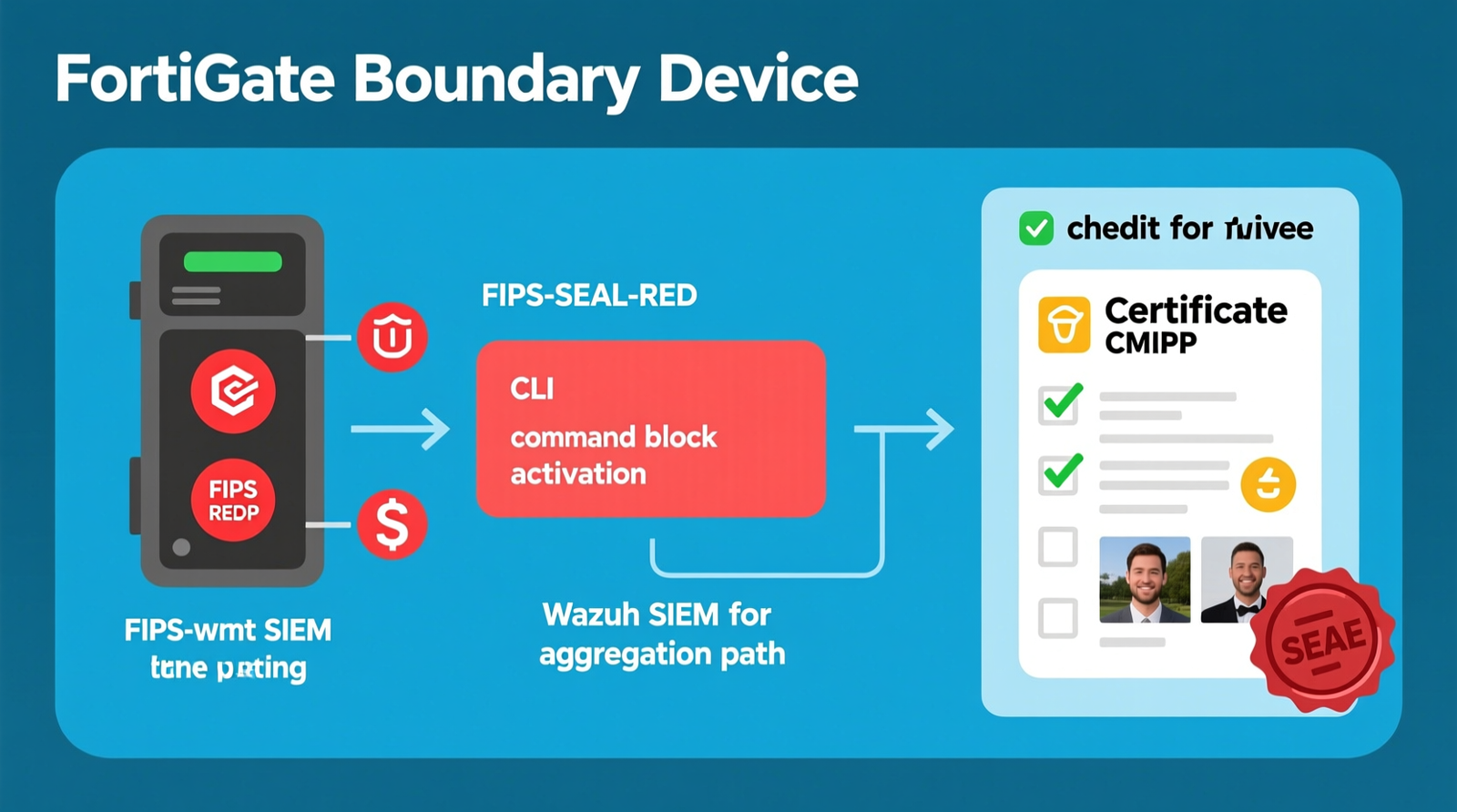
The command `config system global` enters the global system configuration context, `set fips-cc-mode enable` locks the device to FIPS-approved algorithms and Common Criteria-evaluated behavior, `end` saves the change, and `execute reboot` restarts the device so it can run FIPS self-tests at boot.
After the reboot, only FIPS-approved algorithms remain available including AES, SHA-256/SHA-384, RSA ≥2048, and ECDSA, while weak ciphers and non-compliant features are disabled.
Tamper-evident seals must be installed per the Fortinet FIPS-SEAL-RED Tamper-Evident Seal Kit instructions before the device is considered validated, so apply seals immediately after the reboot confirms successful FIPS self-tests.
Algorithm & Feature Lockout After Enablement
Expect the following to be disabled or removed: MD5, DES, RC4, and non-FIPS SSL/TLS versions, weak IPsec proposals, certain SSL-deep-inspection profiles, and non-compliant GUI options.
Check out TECH Collection Amazon Products
Review every policy that touches encryption, and if a feature is gone from the GUI, it is gone because it cannot meet the FIPS requirement, so you must update policies to use approved alternatives before enabling mode.
Legacy Client Impact & Remediation
Legacy VPN clients and older FortiClient versions will fail after FIPS-CC mode is active.
Update endpoints before enablement, and test one user group at a time if possible to prevent mass authentication failures during the transition.
Firmware Version Pinning for Audit
The running firmware must match the version listed on the CMVP certificate.
This creates an operational burden because you cannot casually upgrade, so maintain an active FortiCare/FortiGuard subscription to download and pin the validated firmware version when needed.
Wazuh SIEM Integration for Continuous Monitoring
Send FortiGate logs to Wazuh to satisfy SC.L1-3.13.1 continuous monitoring and produce audit-ready event correlation.
Configuration path: `config log syslogd setting`
Required fields: `status enable`, `server
Wazuh has a built-in `fortinet` decoder and ruleset, so the logs are parsed out of the box, which reduces configuration overhead and ensures immediate compliance visibility.
Audit Evidence Package
Collect these before the assessor arrives: CMVP certificate number, screenshot of the `fips-cc-mode` configuration, and photos of intact Fortinet FIPS-SEAL-RED Tamper-Evident Seal Kit tamper seals.
Missing any one of these can turn a clean audit into a finding, so package this evidence in a secure, version-controlled repository before the audit window opens.
Alternative Architecture: Endpoint TLS/SWG Bypass Path
If you cannot use a FIPS-validated firewall at the boundary, encrypt CUI at the endpoints using FIPS-validated TLS or a compliant Secure Web Gateway before the traffic reaches the non-FIPS boundary device.
This removes the boundary device from the cryptographic scope, but it is not a shortcut; it is a different architecture with its own validation requirements, so confirm this approach with your assessor before implementation.
Field Verdict & Operational ROI: Why the Validated Stack Is Non-Negotiable
The Cost of Non-Compliance
A CMMC assessor will write a finding if you cannot show a validated cryptographic module.
That finding can block contract renewal or eligibility, so open-source firewalls such as pfSense or OPNsense are capable products but lack active CMVP FIPS validation, making a validated FortiGate the practical path for CMMC Level 2 boundary cryptography.
Procurement & TAA Compliance Checklist
Before you buy, verify TAA compliance and country of manufacture/substantial transformation.
Confirm current FIPS 140-3 validation, or obtain written auditor acceptance of a Historical FIPS 140-2 module.
Maintain an active FortiCare/FortiGuard support subscription to ensure validated firmware access.
2026 Network Modernization Considerations
The FortiGate 40F and Fortinet FortiGate 60F Firewall are Gigabit Ethernet devices.
Modern branch deployments increasingly need 2.5 Gbps/10 Gbps uplinks, so if your site pushes more than these appliances can handle with security services enabled, size up to a larger FortiGate model to prevent throughput bottlenecks that could impact compliance logging.
Final Recommendation
The FortiGate F-Series plus FortiOS FIPS-CC mode, Fortinet FIPS-SEAL-RED Tamper-Evident Seal Kit tamper-evident seals, and Wazuh SIEM is the minimum viable architecture for CMMC Level 2 boundary cryptography compliance.
Treat validated firmware pinning, seal integrity, and audit evidence packaging as ongoing operational requirements, not one-time setup tasks, to maintain continuous compliance posture.
Data Integrity Disclaimer
Community Reference & Authority Resources:
FIPS validation status, TAA compliance, and supplier country-of-origin statements can change.
Re-verify the current CMVP certificate list and the supplier’s compliance statement at the time of procurement, and do not rely solely on this guide for audit evidence; always confirm the exact firmware version, certificate number, and seal procedure against Fortinet’s official documentation and your assessor’s requirements.
🔍 Explore More: See all tech guides and tutorials for how to configure fips-cc mode on fortios for cmmc audit compliance.
Check out TECH Collection Amazon Products