





When it comes to how to configure pfSense logging for DFARS 252.204-7012 compliance, getting the right details matters. Netgate 4100 pfSense Plus Security Gateway
Fortinet FortiGate 60F Firewall with FIPS-SEAL-RED Kit
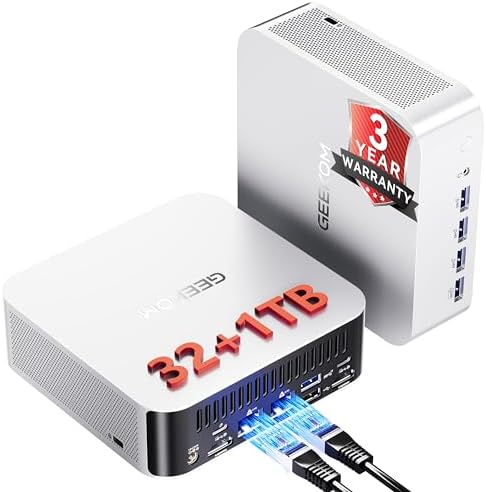
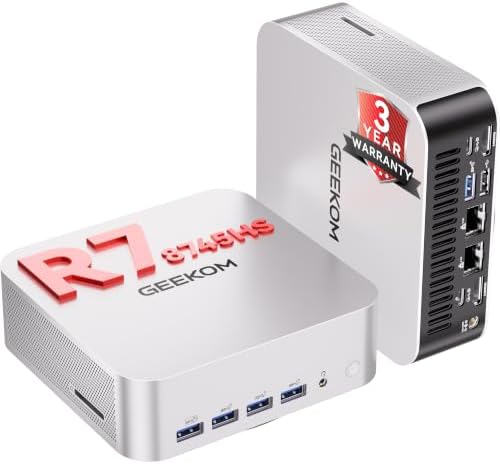
GEEKOM A9 Max Mini PC
How to Configure pfSense Logging for DFARS 252.204-7012 Compliance: A CMMC-Ready Blueprint
pfSense logs alone will not satisfy a CMMC/DFARS auditor.
If you are a defense contractor, subcontractor, or IT administrator supporting a DFARS 252.204-7012 environment, that statement is the single most important truth in this guide. A default pfSense installation can capture firewall events, DHCP leases, and VPN sessions, but out-of-the-box logging lacks the persistence, tamper evidence, centralized retention, and documented review process that CMMC 2.0 Level 2 assessors expect. When the auditor asks for proof of logging, retention, and review, a few megabytes of local `filterlog` data will not save your contract.
This guide shows you how to configure pfSense logging so it maps directly to NIST SP 800-171 Rev. 3 controls. We will cover the exact hardware stack that supports reliable 24/7 log forwarding, the encrypted syslog setup that preserves forensic integrity, the SIEM correlation that proves review, and the FIPS boundary workaround that keeps pfSense out of cryptographic scope. By the end, you will have a practical, audit-ready blueprint.
The Technical Reality / The Failure Point
Regulatory Trigger and NIST SP 800-171 Rev. 3 Control Gaps
DFARS clause 252.204-7012 mandates that defense contractors apply NIST SP 800-171 Rev. 3 security requirements to any non-federal system that processes, stores, or transmits Covered Defense Information (CDI) / Controlled Unclassified Information (CUI). Logging is not optional. Four controls sit at the center of the audit:
**3.3.1** — Create and retain audit records.
**3.3.2** — Audit records must include user identification, event types, dates/times, sources, outcomes, and affected resources.
**3.3.4** — Logs must be reviewed periodically for abnormal activity.
**3.3.7** — System clocks must be synchronized to support log correlation.
pfSense can generate logs, but generation is only the first control. Retention, content completeness, periodic review, and time synchronization are where most deployments fail.
pfSense-Specific Failure Modes
Default pfSense installs often run with RAM-disk logging or limited local circular logs. That means a reboot, power event, or disk pressure cycle can erase forensic data before an investigator ever sees it.
Local logs also lack built-in tamper evidence, centralized retention, and integrity verification. Raw `filterlog` entries do not demonstrate a documented review process or correlation with endpoint events.
Without remote encrypted syslog forwarding, logs cannot reliably support incident response or continuous monitoring (**SC.L1-3.13.1**).
Cryptographic Scope Failure (SC.L2-3.13.11)
Netgate pfSense appliances and pfSense software hold no active CMVP FIPS 140-2 or FIPS 140-3 validation. If pfSense terminates IPsec, OpenVPN, or TLS for CUI traffic, an auditor will flag **SC.L2-3.13.11**.
The accepted workaround is to encrypt CUI at the endpoint with FIPS-validated cryptography before it reaches pfSense, removing the firewall from the cryptographic scope.
The Common Audit Trigger
The auditor walks in and asks for proof of logging, retention, and review. The organization produces a few megabytes of local, uncorrelated pfSense logs and no SIEM trail. That is the failure mode this blueprint prevents.
Forum-Validated Pain Points
Real practitioners consistently report the same issues:
RAM-disk log loss on reboot.
UDP 514 drops messages under load; TCP 514 or TLS 6514 is required for reliable compliance logging.
Auditors demand a documented log-review process, not just collection.
NTP and TLS certificate mismanagement invalidate forensic timelines.
Consumer-grade mini-PCs with USB NICs are considered unreliable for 24/7 DFARS production logging.
The Core Gear Architecture
Primary pfSense Logging Platform — Netgate 4100 pfSense Plus Security Gateway
The Netgate 4100 is the current 2.5 GbE pfSense Plus appliance built for production routing, access control, and log forwarding.
| Component | Specification |
|---|---|
| CPU | Intel Atom C3558R quad-core |
| RAM | 8 GB DDR4 SO-DIMM |
| Storage | 128 GB SSD |
| Ports | 4 × 2.5 GbE RJ45 |
| Preinstalled OS | pfSense Plus |
| Compliance | TAA-compliant; not FIPS-validated |
Check out TECH Collection Amazon Products
The Intel Atom C3558R, 8 GB DDR4, and 128 GB SSD give you enough headroom to run pfSense Plus, forward encrypted syslog, and maintain local persistence without choking under load.
The four 2.5 GbE ports let you segment WAN, LAN, management, and log-forwarding traffic. Because the Netgate 4100 is TAA-compliant but not FIPS-validated, it must be paired with endpoint-level FIPS-validated encryption or a compliant Secure Web Gateway to keep CUI out of the firewall’s cryptographic scope.
FIPS-Validated Boundary Upgrade — Fortinet FortiGate 60F
If CUI must traverse a FIPS-validated boundary, the Fortinet FortiGate 60F is the logical upgrade path.
| Component | Specification |
|---|---|
| Ports | 10 × GE RJ45 |
| Firewall throughput | 10 Gbps |
| NGFW throughput | 1 Gbps |
| Cryptographic certification | FIPS 140-2 Level 2 validated (requires FIPS-SEAL-RED tamper-evident seal kit) |
| Compliance | NIST SP 800-171, CMMC Level 2, DFARS |
The 10 Gbps firewall throughput and 1 Gbps NGFW throughput handle small-to-medium contractor networks without becoming the bottleneck. The FIPS-SEAL-RED tamper-evident seal kit is required for the Level 2 validation claim.
**Important 2026 note:** CMVP will move remaining active FIPS 140-2 certificates to Historical status on **21 September 2026**. New procurements should verify current FIPS 140-3 validated SKUs on the CMVP list.
Centralized SIEM Host — GEEKOM A9 Max
The GEEKOM A9 Max serves as a high-density Wazuh/Splunk/ELK host for pfSense log ingestion, file-integrity monitoring, and audit-ready reporting.
| Component | Specification |
|---|---|
| CPU | AMD Ryzen AI 9 HX 370 (12 cores / 24 threads) |
| RAM | up to 128 GB DDR5 SODIMM (dual-channel) |
| Storage | 2 × M.2 PCIe Gen4 ×4 NVMe SSD slots (up to 8 TB total) |
| Networking | dual 2.5 GbE RJ45 |
The 12-core Ryzen AI 9 HX 370 and support for 128 GB DDR5 give you the compute headroom to run a SIEM, index months of firewall logs, and run correlation rules without swapping to disk.
The dual 2.5 GbE ports let you separate SIEM ingestion traffic from management traffic, which is a quiet but important reliability win.
Supporting Diagnostic & Compute Infrastructure
Micro-electronics / PCB diagnostic stack
If you maintain the hardware that runs this stack, a basic bench kit matters:
**40 AWG micro-thin copper jumper wire** for bridging severed multi-layer PCB traces.
| Tool | Key Specifications |
|---|---|
| FNIRSI LCR-ST1 Smart LCR Tweezers | Test frequencies: 100 Hz, 1 kHz, 10 kHz; Test voltages: 0.3 V / 0.6 V; Weight: 41 g; Display: 1.14-inch color; Battery: built-in 250 mAh lithium |
| Andonstar AD246S-M Digital Microscope | 7-inch LCD; 30 cm high bracket working clearance; 2160P video; Dual-screen HDMI output; Three interchangeable lenses |
The 10 kHz test frequency and 0.3 V low-voltage mode let you characterize small SMD components without damaging sensitive traces.
The 30 cm working clearance and 2160P video make it practical for inspecting solder joints and trace repairs on networking hardware.
DevOps / compute cluster nodes
| Model | Specifications |
|---|---|
| GEEKOM A8 | CPU: AMD Ryzen 9 8945HS (8 cores / 16 threads); Max RAM: 64 GB DDR5 SODIMM; Storage: 1 × M.2 2280 NVMe PCIe Gen4 ×4 (up to 4 TB); Networking: single 2.5 GbE LAN, Wi-Fi 6E |
| GEEKOM A6 | CPU: AMD Ryzen 7 6800H (8 cores / 16 threads); Max RAM: 64 GB DDR5 SODIMM; Storage: 1 × M.2 2280 PCIe Gen4 ×4 + 1 × M.2 2242 SATA; Networking: single 2.5 GbE LAN, Wi-Fi 6E |
**Proxmox VE / Kubernetes considerations:**
Use KVM for full VMs and LXC for lightweight containers.
Reserve sufficient RAM for OpenZFS ARC when running TrueNAS/OpenZFS storage VMs.
Dual 2.5 GbE ports allow separation of Kubernetes API/control-plane traffic from node-to-node and user traffic.
The Technical Setup Blueprint
Local Log Sources and Persistence Hardening
Capture everything that matters from the pfSense web interface:
`Status > System Logs` (system, firewall, DHCP, DNS, VPN, authentication)
`Services > DHCP Server > Logs`
`Services > DNS Resolver > Logs`
`VPN > IPsec / OpenVPN > Logs`
`Diagnostics > pfTop` for live session inspection
For local persistence, navigate to `System > Advanced > Miscellaneous`. Disable RAM disks for `/var` and `/tmp` if long-term local retention is required, or rely entirely on remote forwarding. Disabling RAM disks satisfies the retention intent of **3.3.1** by ensuring logs survive a reboot.
Remote Syslog Forwarding Over Encrypted Channels
Go to `Status > System Logs > Settings`.
Protocol options:
**Syslog UDP 514** — avoid for compliance; drops messages under load.
**Syslog TCP 514** — reliable delivery.
**Syslog-TLS 6514 (RFC 5425)** — encrypted, preferred for DFARS evidence.
Use IETF format (RFC 5424) for structured fields. Enable server certificate validation. Mutual TLS is optional but adds authentication between pfSense and the SIEM. Encrypted remote forwarding satisfies **3.3.1** retention and **SC.L1-3.13.1** continuous monitoring.
Time Synchronization for Forensic Correlation
Navigate to `System > NTP`. Configure at least three stratum 1/2 sources and enable NTP graphs. Without synchronized clocks, event correlation across firewalls, endpoints, and cloud services collapses. This directly maps to **NIST SP 800-171 Rev. 3 3.3.7**.
SIEM Ingestion and Audit-Ready Correlation
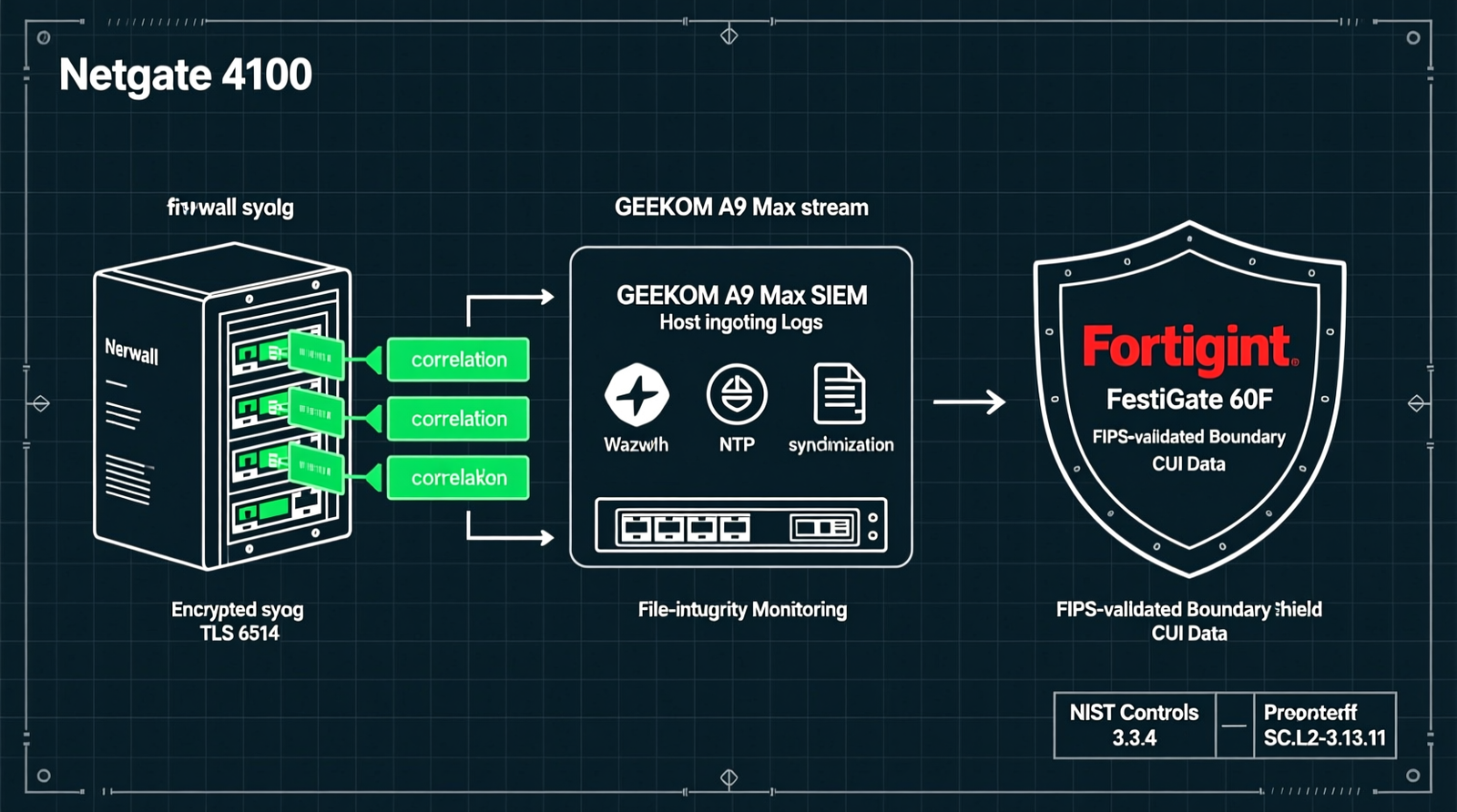
Forward all logs to a SIEM such as Wazuh, Splunk, or ELK running on the GEEKOM A9 Max.
Ingest pfSense `filterlog` via syslog on port **514/6514**.
Use Wazuh decoders for pfSense filter logs.
Enable file-integrity monitoring on `/cf/conf/config.xml` to detect unauthorized rule or configuration changes.
Correlate with endpoint FIM and Windows/Linux authentication logs.
Retention baseline: **90 days online searchable, 1 year archived**.
SIEM correlation and scheduled dashboards satisfy **3.3.4** log review. File-integrity monitoring on `config.xml` provides tamper evidence that local pfSense logs cannot.
Cryptographic Scope Mitigation
Encrypt CUI at the endpoint with FIPS-validated modules before it traverses pfSense. Use TLS 1.2/1.3 with approved cipher suites. Do not terminate CUI TLS on pfSense. If pfSense must provide VPN for CUI, the boundary fails FIPS validation; replace with a FIPS-validated gateway such as the FortiGate 60F.
Control-to-Configuration Mapping
Check out TECH Collection Amazon Products
| NIST Control | Configuration Action |
|---|---|
| 3.3.1 | Create/retain logs: enable remote syslog + SIEM forwarding. |
| 3.3.2 | Log content: ensure pfSense logs capture user ID, event type, date/time, source, outcome, and affected resource. |
| 3.3.4 | Log review: implement Wazuh alerts, scheduled dashboards, and documented review procedures. |
| 3.3.7 | Time sync: configure hardened NTP. |
| SC.L2-3.13.11 | FIPS-validated crypto: keep pfSense out of CUI crypto scope via endpoint encryption or upgrade to FortiGate 60F. |
Field Verdict & Operational ROI
Why This Stack Survives a CMMC/DFARS Audit
The Netgate 4100 provides reliable 2.5 GbE log forwarding and routing. Encrypted syslog/TLS plus SIEM satisfies creation, retention, content, review, and time-sync controls. File-integrity monitoring on `config.xml` proves tamper detection. FortiGate 60F closes the FIPS boundary gap when CUI crypto termination is unavoidable.
Investment vs. Cost of Audit Failure
The cost of the compliant hardware stack is modest compared to the alternative: contract loss, assessment re-work, remediation, and reputational damage. This blueprint eliminates the “few megabytes of local logs” audit failure mode entirely.
Recommended Procurement Sequence
1. Deploy Netgate 4100 as the primary pfSense Plus logging/forwarding platform.
2. Stand up GEEKOM A9 Max as the Wazuh/SIEM backend.
3. If CUI must traverse a FIPS-validated boundary, procure Fortinet FortiGate 60F with **FIPS-SEAL-RED** and verify current FIPS 140-3 validated SKUs after **21 September 2026**.
Final Compliance Checklist
– [ ] RAM disks disabled or remote-only retention configured.
– [ ] Remote syslog enabled on TCP 514 or TLS 6514.
– [ ] NTP configured with ≥3 stratum 1/2 sources.
– [ ] Logs forwarded to SIEM with 90-day online / 1-year archive retention.
– [ ] Wazuh FIM enabled on `/cf/conf/config.xml`.
– [ ] Documented log-review process in place.
– [ ] CUI encrypted at endpoint or FIPS-validated boundary deployed.
– [ ] FIPS 140-3 SKU verified for any post-September 2026 FortiGate procurement.
Conclusion
Community Reference & Authority Resources:
Configuring pfSense logging for DFARS 252.204-7012 compliance is not about turning on a checkbox. It is about building a defensible, end-to-end evidence chain: persistent local logs, encrypted remote syslog, hardened NTP, SIEM correlation, file-integrity monitoring, and a clear cryptographic scope boundary. The Netgate 4100 gives you a reliable pfSense Plus foundation. The GEEKOM A9 Max gives you the SIEM horsepower to store, search, and report on those logs. The Fortinet FortiGate 60F gives you a FIPS-validated upgrade path when CUI must cross a validated boundary.
Follow the checklist, map every configuration step to the NIST controls, and document your review process. That is how you turn pfSense from an audit liability into a CMMC-ready logging platform.
🔍 Explore More: See all tech guides and tutorials for how to configure pfSense logging for DFARS 252.204-7012 compliance.
Check out TECH Collection Amazon Products