
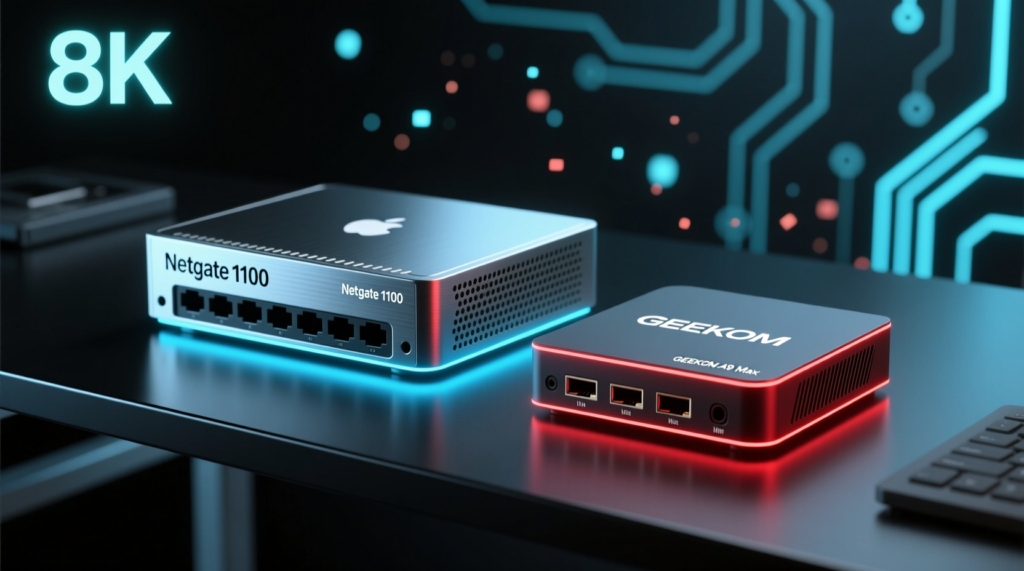




When it comes to dfars 252.204-7012 compliant network logging using pfSense and wazuh, getting the right details matters. Netgate 1100 pfSense Plus Security Gateway
GEEKOM A9 Max Mini PC
Fortinet FortiGate 40F Firewall
DFARS 252.204-7012 Compliant Network Logging Using pfSense and Wazuh: The CMMC Audit-Ready Build Blueprint (and the 5 Failure Modes That Sink It)
Most CMMC-aligned builds do not fail because the firewall is broken. They fail because the firewall is doing work it was never supposed to do, the logs are sitting on local disk, or the SIEM chokes three months before the auditor shows up.
This guide walks through a defensible, audit-ready architecture that pairs Netgate pfSense Plus with Wazuh. It explains exactly where contractors trip over DFARS 252.204-7012 and NIST SP 800-171 Rev. 3, and shows how to fix it with the right hardware and configuration.
You will learn:
Why pfSense can be in-scope for CMMC Level 2 only if the cryptographic boundary is moved off the firewall.
How to forward pfSense logs into Wazuh without losing events to UDP drops or parsing errors.
How to size storage and memory so your SIEM does not overwrite evidence before the audit.
When a Fortinet FortiGate 40F/60F becomes the simpler path to FIPS validation.
The Technical Reality / The Failure Point
The Regulatory Baseline Mapping DFARS 252.204-7012 to NIST SP 800-171 Rev. 3
DFARS 252.204-7012 mandates NIST SP 800-171 (Rev. 3) security requirements for non-federal systems that process, store, or transmit Controlled Unclassified Information (CUI). For most defense contractors, that means two controls drive the entire logging and perimeter conversation:
| Control | Requirement |
|---|---|
| SC.L1-3.13.1 (System Monitoring) | Continuous monitoring, centralized log aggregation, and audit-ready event retention. |
| SC.L2-3.13.11 | FIPS 140-2 or FIPS 140-3 validated cryptography wherever CUI is encrypted by a network device. |
If your firewall touches the cryptography of CUI and lacks a CMVP-validated module, you have a finding. If your logs never leave the firewall, you cannot prove continuous monitoring. Those two gaps cover the majority of audit failures before the assessor even opens a laptop.
Failure Mode 1 — pfSense Used as the Cryptographic Boundary for CUI
Netgate pfSense Plus on standard hardware, such as the Netgate 1100, is TAA and NDAA compliant, but it carries no active CMVP FIPS 140-2/140-3 validation. The production failure is straightforward: a defense contractor deploys pfSense as the boundary firewall for a CUI enclave, routes encrypted CUI through it, and the firewall performs cryptographic processing without a validated module.
That generates a CMMC audit finding under SC.L2-3.13.11.
The Netgate 1100 is a capable router and access-control device. It is not a FIPS-validated cryptographic appliance. Treating it like one is the fastest way to turn a cheap firewall into an expensive audit finding.
Failure Mode 2 — Logs Generated but Never Centralized
pfSense generates security event logs for firewall blocks, configuration changes, VPN events, and authentication events. By default, those logs live on the firewall. If they are not forwarded to a centralized SIEM, the organization cannot detect unauthorized configuration alterations, correlate events across endpoints, or produce continuous-monitoring evidence for SC.L1-3.13.1.
Local logs also rotate quickly. In an audit, “the data was on the firewall last month” is not evidence. You need centralized, time-synchronized, tamper-evident retention.
Failure Mode 3 — Wazuh Agent Incompatibility on pfSense/FreeBSD
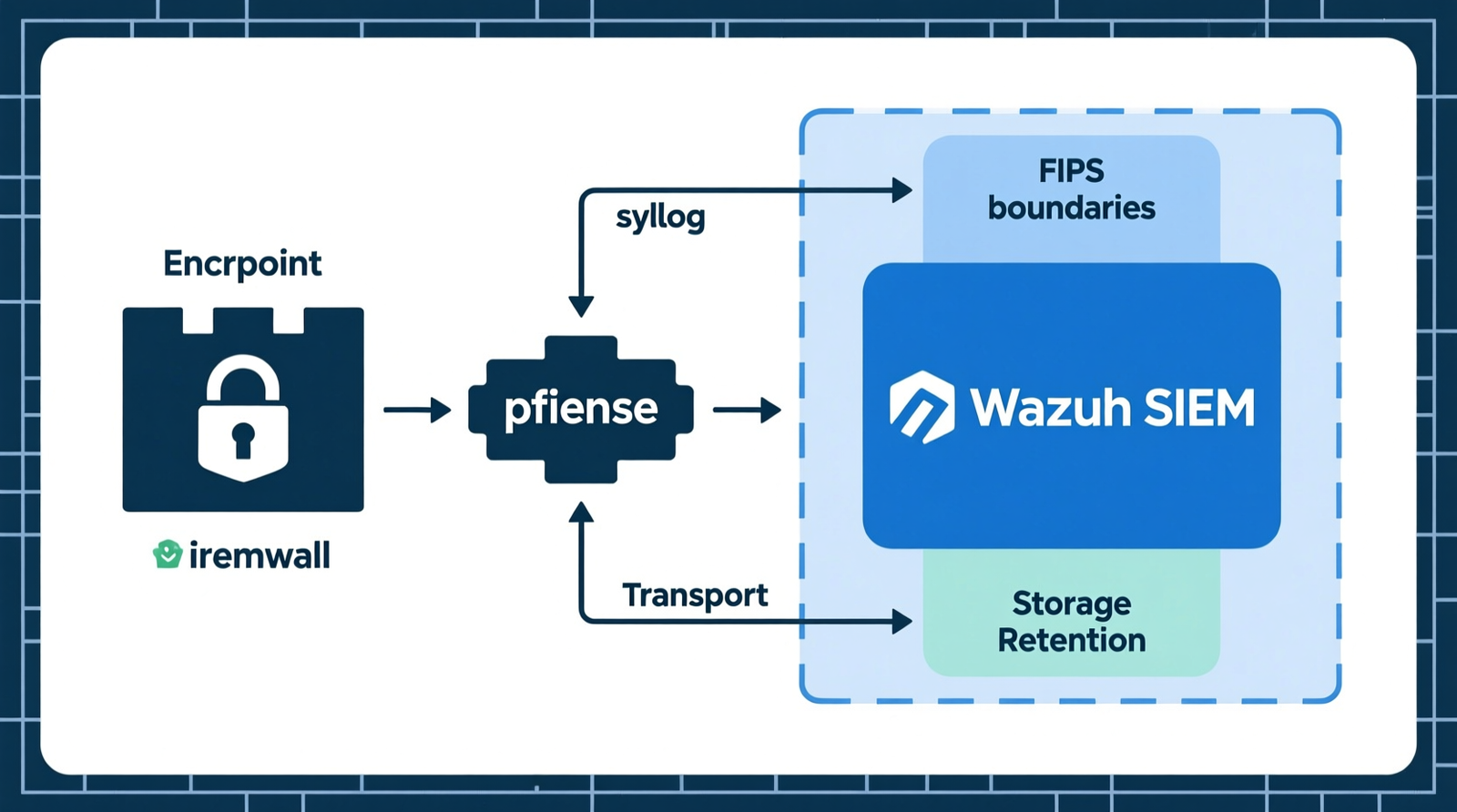
Wazuh does not offer a supported agent for every pfSense/FreeBSD configuration. The practical workaround is syslog forwarding from pfSense to a dedicated Wazuh manager. The failure comes from misconfigured transport:
| Transport Mode | Reliability | Requirements |
|---|---|---|
| UDP port 514 | Lossy under load | None |
| TCP port 514 | More reliable | Certificate management |
Missing TLS, wrong ports, or bad timestamp synchronization cause log loss, timestamp drift, or parsing failures in Wazuh.
The fix is not to force a Wazuh agent onto the firewall. The fix is to configure syslog forwarding correctly and let Wazuh parse the stream.
Failure Mode 4 — Undersized Log Retention Storage
CMMC/DFARS audit evidence typically requires months to one year of retained, tamper-evident logs. Small SIEM deployments often exhaust disk space and overwrite critical events. r/homelab regularly reports that Wazuh storage sizing is underestimated; log ingestion from firewalls, Windows endpoints, and Linux servers can consume hundreds of gigabytes per month.
If your index retention policy deletes logs at 30 days because the disk is full, you do not have a compliant log archive. You have a ticking clock.
Failure Mode 5 — Missing Endpoint-Encryption Bypass
Without FIPS-validated end-to-end TLS, local application encryption, or a compliant Secure Web Gateway, the pfSense device remains inside the cryptographic scope. That means pfSense is still expected to meet SC.L2-3.13.11, and it cannot.
The endpoint-encryption bypass is the architectural move that removes the firewall from the cryptographic scope. CUI is encrypted before it reaches pfSense, so pfSense only routes and filters. It never performs the cryptographic operation on CUI, and the FIPS requirement no longer applies to the firewall itself.
Forum-Confirmed Audit Flags
| Source | Audit Flag / Warning |
|---|---|
| r/cmmc and r/NIST800-171 | pfSense is acceptable only when the cryptographic scope is removed from the firewall via endpoint-level FIPS-validated encryption. |
| r/pfsense | Running the Wazuh agent directly on FreeBSD/pfSense is problematic. Syslog forwarding to a dedicated Wazuh manager is the practical workaround, but UDP syslog is lossy and TCP syslog requires certificate management. |
| r/netsec | CMMC auditors commonly flag open-source firewalls for lacking CMVP validation, forcing contractors to buy FortiGate/Palo Alto appliances or document a defensible endpoint-encryption architecture. |
| Forum reports | pfSense default log rotation and retention are insufficient for CMMC evidence. Operators must configure remote logging and long-term storage. |
| Community warning | Cheap consumer routers repurposed as firewalls fail TAA, FIPS, and logging requirements simultaneously, making Netgate or FortiGate hardware a necessity for defense subcontractors. |
| r/homelab | Wazuh storage sizing is often underestimated; log ingestion from firewalls, Windows endpoints, and Linux servers can consume hundreds of gigabytes per month. |
The Core Gear Architecture
Primary Stack — Netgate pfSense Plus Gateway + Wazuh SIEM Host
Netgate 1100 (pfSense Plus)
| Specification | Detail |
|---|---|
| CPU | Dual-core ARM64 Cortex-A53 |
| Ports | 3 x 1 Gbps switched ports |
| Compliance | TAA compliant; NDAA compliant |
| Cryptographic status | No active CMVP FIPS 140-2/140-3 validation; requires endpoint-encryption architectural bypass for CUI environments |
| 2026 upgrade path | Current-generation Netgate appliances should be evaluated for 2.5 GbE/10 GbE interfaces and TAA-compliant supply chain; all new federal procurements should plan for FIPS 140-3 after the September 21, 2026 CMVP transition |
The dual-core ARM64 Cortex-A53 and three 1 Gbps switched ports provide sufficient throughput for small-to-mid CUI enclaves as a routing and access-control device.
When CUI is encrypted at the endpoint, the Netgate 1100 enforces rules without ever entering the cryptographic boundary, ensuring compliance without cryptographic processing.
Wazuh SIEM Server Host — GEEKOM A9 Max
| Specification | Detail |
|---|---|
| CPU | AMD Ryzen AI 9 HX 370 (12 cores / 24 threads) |
| Memory | Up to 128 GB dual-channel DDR5 SODIMM |
| Storage | 2 x M.2 PCIe Gen4 x4 NVMe SSD slots (up to 8 TB total) |
| Networking | Dual 2.5G RJ45 LAN ports for management/ingestion segmentation |
| Role | Wazuh manager, indexer, and dashboard host for pfSense syslog and endpoint agent telemetry |
The AMD Ryzen AI 9 HX 370 with 12 cores and 24 threads handles Wazuh indexing, alerting, and dashboard queries without choking during incident response.
Up to 128 GB of DDR5 SODIMM supports large OpenSearch/Elasticsearch heaps and OpenZFS ARC caching, while two M.2 PCIe Gen4 x4 NVMe slots scale to 8 TB total to accommodate hundreds of gigabytes of monthly log ingestion. The dual 2.5G RJ45 ports let you separate ingestion traffic from management traffic, so log floods do not steal bandwidth from the admin interface.
Alternative Turnkey FIPS-Validated Perimeter
If the endpoint-encryption bypass is not viable, the simpler path is a FIPS-validated firewall appliance.
Fortinet FortiGate 40F
| Specification | Detail |
|---|---|
| Ports | 5 x GE RJ45 ports |
| Throughput | 5 Gbps firewall throughput, 800 Mbps NGFW throughput |
| Validation | FIPS 140-2 Level 2 validated with FIPS-SEAL-RED tamper-evident seal kit |
| Features | Native SIEM integration and audit logging |
The Fortinet FortiGate 40F is a compact, validated perimeter for small CUI enclaves.
The 5 Gbps firewall throughput and 800 Mbps NGFW throughput support typical branch-office traffic, and the FIPS-SEAL-RED tamper-evident seals satisfy the physical security requirement for Level 2 validation.
Fortinet FortiGate 60F
| Specification | Detail |
|---|---|
| Ports | 10 x GE RJ45 ports |
| Throughput | 10 Gbps firewall throughput, 1 Gbps NGFW throughput |
| Validation | FIPS 140-2 Level 2 validated with FIPS-SEAL-RED tamper-evident seal kit |
| Use Case | Suitable as the standard compliance gateway for mid-sized defense contractors |
The FortiGate 60F doubles the port count and roughly doubles the NGFW throughput compared to the 40F.
This makes it the standard compliance gateway for mid-sized defense contractors that need room to grow.
DevOps Homelab & Compute Cluster Architecture
Proxmox VE/KVM/LXC can host the Wazuh manager as a virtual machine. Allocate enough vCPU, RAM, and NVMe storage for log indexing. OpenZFS ARC memory cache should be sized to prevent I/O bottlenecks during high-volume log ingestion.
For 2026, the baseline is DDR5 memory, 2.5G/10G network interfaces, and Wi-Fi 7 readiness for adjacent management networks. If you are building this in a homelab today, plan the VM host around those specs so you are not rebuilding the cluster next year.
Micro-Electronics & PCB Diagnostic Cross-Reference (Non-Primary Domain)
This is not the primary domain of the keyword, but the same bench discipline applies when hardware fails:
| Tool | Specification / Use |
|---|---|
| 40 AWG micro-thin jumper wire | Severed motherboard traces |
| FNIRSI LCR-ST1 | 100 Hz / 1 kHz / 10 kHz test frequencies; 0.3V / 0.6V test voltages |
| Andonstar AD246S-M | 30 cm bracket clearance, dual-screen HDMI output |
The FNIRSI LCR-ST1’s selectable test frequencies and low-voltage modes help avoid false readings on tiny SMD components.
Just as proper syslog transport selection avoids false negatives in Wazuh, precise diagnostic tools prevent misdiagnosis in hardware repair.
The Technical Setup Blueprint
Compliance Mapping & Control Scope
DFARS 252.204-7012 maps to the NIST SP 800-171 Rev. 3 moderate confidentiality baseline. SC.L1-3.13.1 requires centralized log collection and continuous monitoring. SC.L2-3.13.11 requires FIPS 140-2/140-3 validated cryptography for network devices that encrypt CUI.
Your first design decision is whether pfSense is inside or outside the cryptographic scope. If it is inside, you need a FIPS-validated appliance. If it is outside, you need endpoint-level FIPS-validated encryption and a documented architecture.
Endpoint-Encryption Bypass to Remove pfSense from Cryptographic Scope
CUI must be encrypted at the endpoint using one of the following:
| Encryption Method | Requirement |
|---|---|
| FIPS-validated TLS 1.3 | Endpoint encryption |
| Local application encryption | FIPS-validated module |
| Secure Web Gateway | Compliant gateway |
pfSense handles routing and access control but does not perform cryptographic operations on CUI.
Once the cryptographic scope is removed from the firewall, SC.L2-3.13.11 can be satisfied without a FIPS-validated firewall appliance. Document the endpoint encryption standard, the certificate chain, and the network diagram showing pfSense outside the CUI encryption path.
pfSense Syslog Forwarding Configuration
Forward pfSense logs via syslog. Use TCP port 514 for reliability. Implement TLS-secured syslog with proper certificate management. Preserve at minimum:
| Event Type | Action |
|---|---|
| Firewall events | Preserve |
| VPN events | Preserve |
| Authentication events | Preserve |
Check out TECH Collection Amazon Products
UDP port 514 will work in a lab, but it is lossy under production load.
TCP syslog with TLS is the audit-ready choice because it protects log integrity in transit and prevents silent packet loss.
Wazuh Parsing, File Integrity Monitoring, and Retention
The Wazuh manager parses the pfSense syslog stream. Configure decoders and rules for pfSense firewall, VPN, and authentication events. Enable File Integrity Monitoring (FIM) on the pfSense configuration files so unauthorized changes generate alerts.
Set log retention to match CMMC/DFARS audit requirements, typically months to one year of tamper-evident logs. Use Wazuh index lifecycle policies to move older data to cold storage rather than deleting it.
Storage Sizing & Performance Tuning
Estimate ingestion from the firewall, Windows endpoints, and Linux servers. A realistic CMMC-aligned environment can consume hundreds of gigabytes per month. Plan NVMe capacity on the GEEKOM A9 Max accordingly; with up to 8 TB total, you have headroom, but only if you size index lifecycle and rotation policies before ingestion starts.
Size OpenZFS ARC memory cache to prevent I/O bottlenecks during high-volume log ingestion. Monitor Wazuh indexer heap usage and adjust based on actual EPS (events per second). Undersizing here is Failure Mode 4 in action.
2026 CMVP Transition Readiness
September 21, 2026 is the key date. Remaining active FIPS 140-2 certificates move to Historical status. New procurements should specify FIPS 140-3 validated modules.
Plan an appliance refresh or confirm your endpoint-encryption architecture will remain defensible after the transition.
Field Verdict & Operational ROI
Audit-Ready Posture
With this architecture you get:
| Outcome | Benefit |
|---|---|
| Continuous monitoring evidence | SC.L1-3.13.1 compliance |
| Defensible cryptographic scope | SC.L2-3.13.11 compliance via endpoint-encryption bypass or Fortinet FortiGate 40F FIPS validation |
| Tamper-evident log retention | Centralized event correlation |
Cost of Getting It Wrong
The penalties are not theoretical. CMMC audit findings can freeze contract awards. Consumer routers fail TAA, FIPS, and logging requirements simultaneously. Log gaps and overwritten evidence create compliance gaps that are expensive to close under an assessor’s deadline.
2026 Upgrade & Procurement Roadmap
| Action | Detail |
|---|---|
| Evaluate Netgate | 2.5 GbE/10 GbE options for future-proofing |
| Transition to FIPS 140-3 | Validated modules as they become available |
| Budget for FortiGate | Fortinet FortiGate 40F or 60F if the endpoint-encryption bypass is not viable |
Conclusion
DFARS 252.204-7012 compliance with pfSense and Wazuh is not about buying the most expensive firewall. It is about drawing the cryptographic boundary correctly, moving logs off the firewall reliably, and sizing the SIEM to keep evidence intact.
Community Reference & Authority Resources:
The Netgate 1100 is a solid routing and access-control platform when CUI is encrypted at the endpoint. The GEEKOM A9 Max provides the cores, memory, NVMe throughput, and network segmentation to run Wazuh at production scale. If you cannot remove pfSense from the cryptographic scope, the Fortinet FortiGate 40F or 60F gives you a FIPS 140-2 Level 2 validated path today, with FIPS 140-3 procurement planning required before September 21, 2026.
Build the architecture, document the scope, size the storage, and test the syslog path before the auditor arrives. That is the difference between a clean CMMC assessment and a finding that costs you the contract.
🔍 Explore More: See all tech guides and tutorials for dfars 252.204-7012 compliant network logging using pfSense and wazuh.
Check out TECH Collection Amazon Products