






When it comes to how to verify FIPS 140-3 certificate validity for government contracts, getting the right details matters. Fortinet FortiGate 40F Firewall
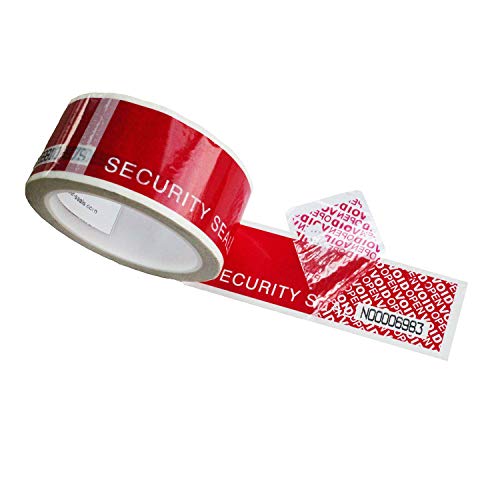
Fortinet FIPS-SEAL-RED Tamper-Evident Seal Kit
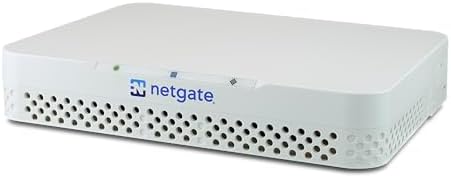
Netgate 1100 pfSense Plus Security Gateway
How to Verify FIPS 140-3 Certificate Validity for Government Contracts: The CMMC Auditor-Ready Blueprint
If you are bidding on a DoD contract, running a CMMC gap assessment, or procuring perimeter hardware for a CUI boundary, the failure mode is simple and brutal: your firewall, VPN concentrator, or HSM is marketed as “FIPS compliant,” but the auditor asks for the CMVP certificate number and you cannot produce one that is Active under FIPS 140-3 after September 21, 2026. At that point the audit stops, the contract eligibility evaporates, and you are left explaining why a revoked or Historical certificate ever made it into your System Security Plan.
This guide gives you the exact verification workflow, the validated hardware stack, and the continuous-monitoring architecture that keeps SC.L2-3.13.11 and SC.L1-3.13.1 satisfied.
The Technical Reality / The Failure Point
Certificate Status Mismatch: When “FIPS Compliant” Marketing Meets CMVP Rejection
A firewall, VPN concentrator, or HSM ships with a datasheet that says “FIPS compliant.” That statement is not the same as a NIST CMVP validation.
The module may never have been submitted, may have been revoked, or may already be listed as Historical. The data point that matters is the CMVP certificate number and its current status: Active, Historical, or Revoked.
Audit consequence: Under DFARS 252.204-7012, NIST SP 800-171 Rev. 3, and CMMC 2.0 Level 2 control SC.L2-3.13.11, an auditor will reject hardware that lacks an active CMVP certificate number. “FIPS compliant” is marketing language. “FIPS validated” is a CMVP listing.
The September 21, 2026 FIPS 140-2 Historical Cliff
On September 21, 2026, remaining active FIPS 140-2 certificates transition to Historical status. Federal procurement guidance directs agencies not to include Historical modules in new procurements.
Procurement consequence: Any new government contract procurement after that date must use modules with active FIPS 140-3 validation. Legacy, already-deployed FIPS 140-2 systems can remain in place, but new bids cannot rely on Historical certificates.
Validation Level Inadequacy: When Level 1 Fails a Level 2 Requirement
A module may carry an active FIPS 140-3 certificate, but only at Level 1. Your contract or agency policy may require Level 2 physical tamper-evidence.
Level 2 requires a physical tamper-evident seal kit, such as the Fortinet FIPS-SEAL-RED. If the seal kit is not installed, the Level 2 claim is void during the audit, even if the certificate itself says Level 2.
Hardware/Firmware Drift and Disabled FIPS Mode
The CMVP certificate covers specific firmware, OS, and hardware revisions. Deploying a newer FortiOS build than the one listed on the certificate invalidates the validation.
The same appliance may also ship with FIPS mode disabled by default. You own a validated module, but it is running an unvalidated firmware revision or in default non-FIPS mode. The auditor treats it as non-compliant.
Cryptographic Boundary Misplacement and Audit-Trail Gaps
A non-validated firewall, such as a standard pfSense/Netgate configuration, can still be used in a compliant architecture, but only if it does not perform cryptographic operations on CUI traffic.
If it encrypts, decrypts, or terminates TLS for CUI, it has placed itself inside the cryptographic boundary without a valid CMVP certificate. Without centralized SIEM logging, such as Wazuh, you cannot prove configuration changes, FIPS-mode status, or cryptographic module events. That fails continuous-monitoring requirements under SC.L1-3.13.1.
The Core Gear Architecture
Validated Perimeter Firewalls for CUI Boundaries
Fortinet FortiGate 40F — Branch-Office / Small Contractor Gateway
Ports: 5 × GE RJ45. Firewall throughput: 5 Gbps. NGFW throughput: 800 Mbps. CPU: FortiASIC / SoC.
Validation: FIPS 140-2 Level 2 validated with Fortinet FIPS-SEAL-RED; verify active FIPS 140-3 certificate for post-Sept-2026 new procurements. TAA: Verify TAA-compliant SKU.
Practical impact: The 5 Gbps firewall throughput and 800 Mbps NGFW throughput cover a small contractor office or branch location. The critical action is to confirm the active FIPS 140-3 certificate before September 21, 2026, and to order the correct TAA-compliant SKU.
Fortinet FortiGate 60F — Standard Mid-Sized Contractor Gateway
Ports: 10 × GE RJ45. Firewall throughput: 10 Gbps. NGFW throughput: 1 Gbps. CPU: FortiASIC / SoC.
Validation: FIPS 140-2 Level 2 validated with Fortinet FIPS-SEAL-RED; verify active FIPS 140-3 certificate for post-Sept-2026 new procurements. TAA: Verify TAA-compliant SKU.
Practical impact: The 10 × GE RJ45 ports and 1 Gbps NGFW throughput fit a mid-sized contractor with more segmentation needs. Same 2026 rule applies: confirm active FIPS 140-3 status before procurement.
Check out TECH Collection Amazon Products
Netgate 1100 (pfSense Plus) — Budget Routing / Access-Control Node
Ports: 3 × 1 Gbps switched RJ45. CPU: Dual-core ARM64 Cortex-A53. Validation: TAA compliant; no active CMVP FIPS validation.
Compliance use case: Requires endpoint-level FIPS-validated TLS/SWG architecture to remove the firewall from the cryptographic boundary. The Netgate 1100 pfSense Plus Security Gateway is a capable routing and access-control node, but it cannot terminate CUI encryption and pass SC.L2-3.13.11 on its own. Use it only when CUI is encrypted at the endpoint and the firewall is restricted to routing, NAT, ACL, and logging.
2026 Infrastructure Baselines
FIPS 140-3 only for new procurements: Any new government contract procurement after September 21, 2026, must use modules with active FIPS 140-3 validation.
Network interface baseline: Perimeter and internal segmentation should support at least 2.5 Gbps / 10 Gbps interfaces and Wi-Fi 7 for current infrastructure builds, even if the validated firewall itself uses GE RJ45 ports.
DDR5 memory baseline: SIEM/log-management or virtualization hosts deployed alongside the firewall should use DDR5 SODIMM/DIMM platforms.
Practical impact: These baselines prevent the hardware from becoming the bottleneck that forces an early refresh. A validated firewall is only one node; the SIEM, endpoints, and internal network must also meet 2026 standards.
Micro-Electronics & PCB Diagnostic Kit (Cross-Domain)
For readers also maintaining secure hardware tokens, tamper-evident devices, or in-house hardware security modules, the following bench kit supports physical inspection and repair:
Jumper wire for PCB trace repair: 40 AWG or thinner micro-thin copper wire. FNIRSI LCR-ST1 Smart LCR Tweezers: 1.14-inch color display; 41 g; test frequencies 100 Hz, 1 kHz, 10 kHz; test voltages 0.3 V / 0.6 V; 250 mAh battery. Andonstar AD246S-M Microscope: 7-inch LCD; 2160P video; dual-screen HDMI output; 30 cm high bracket; 3 interchangeable lenses. TOMLOV DM9 Microscope: 7-inch LCD; 1080P; LED ring illumination; PC output.
Practical impact: The 40 AWG jumper wire handles fine-pitch SMD trace repair, the FNIRSI LCR-ST1 measures components at 0.3 V low-voltage mode to avoid damaging sensitive parts, and the microscopes provide the visual resolution needed to inspect tamper-evident seals and solder joints.
DevOps Homelab Compute Cluster for SIEM Hosting (Cross-Domain)
GEEKOM A9 Max: Processor AMD Ryzen AI 9 HX 370 (12 cores / 24 threads). RAM up to 128 GB DDR5 SODIMM. Storage 2 × M.2 PCIe Gen4 x4 NVMe. Networking Dual 2.5G RJ45 LAN; Wi-Fi 7 ready.
GEEKOM A8: Processor AMD Ryzen 9 8945HS (8 cores / 16 threads). RAM up to 64 GB DDR5 SODIMM. Storage 1 × M.2 2280 NVMe PCIe Gen4 x4. Networking Single 2.5G RJ45 LAN; Wi-Fi 6E.
GEEKOM A6: Processor AMD Ryzen 7 6800H (8 cores / 16 threads). RAM up to 64 GB DDR5 SODIMM. Storage 1 × M.2 2280 PCIe Gen4 x4 + 1 × M.2 2242 SATA. Networking Single 2.5G RJ45 LAN; Wi-Fi 6E.
Proxmox VE / Kubernetes Host Allocation Example: Control plane / SIEM VM 4 vCPUs, 16 GB DDR5. Worker / log-ingestion VM 8 vCPUs, 32 GB DDR5. TrueNAS ZFS VM 32 GB DDR5. Physical node GEEKOM A9 Max with dual 2.5G LAN for control-plane/user-network segmentation.
Practical impact: The GEEKOM A9 Max with 128 GB DDR5 and dual 2.5G LAN can host the Wazuh SIEM, log ingestion, and ZFS storage on a single compact node without memory paging or network contention.
The Technical Setup Blueprint
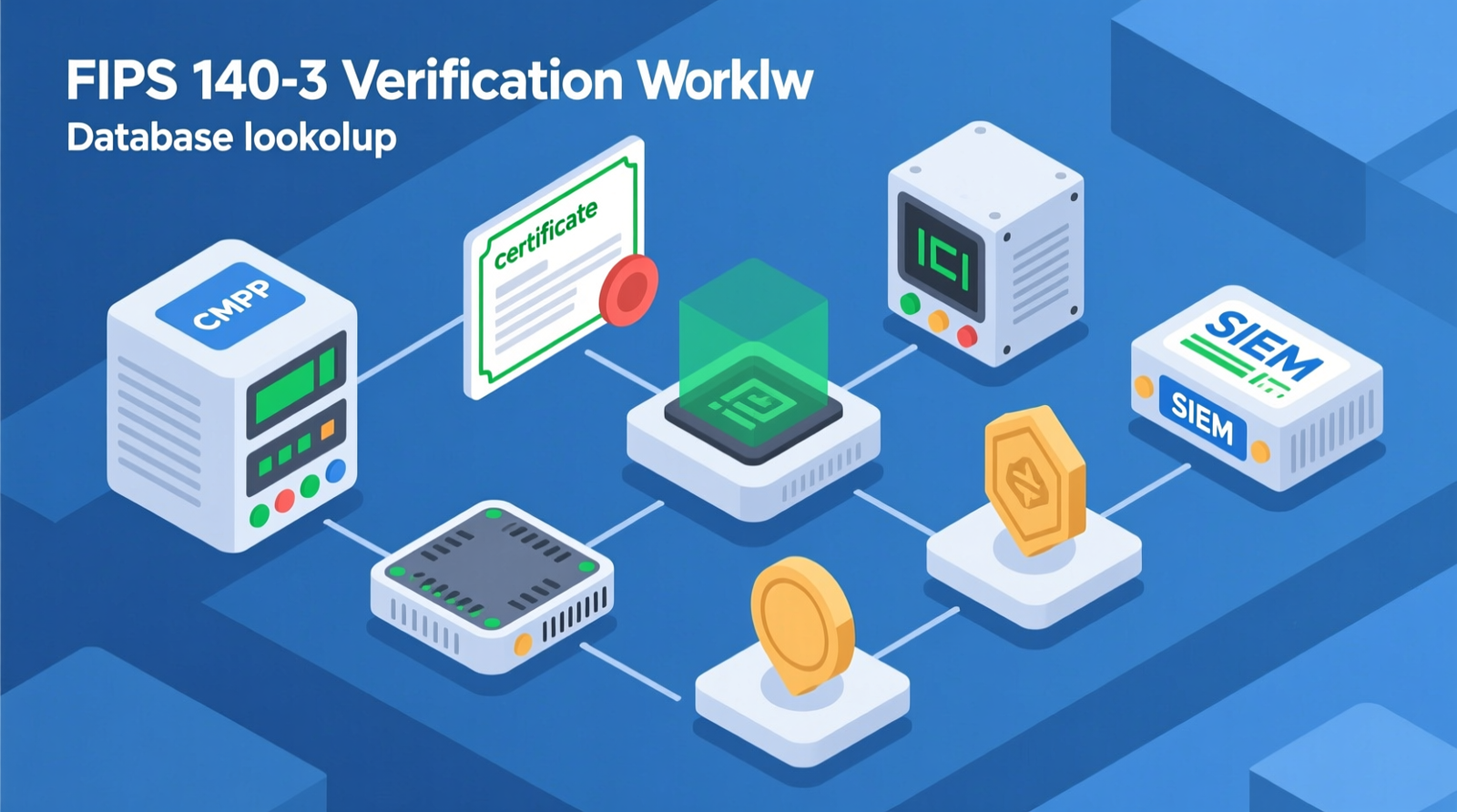
The 12-Step FIPS 140-3 Certificate Verification Workflow
1. Identify the cryptographic module name, vendor, version, and hardware platform from the device.
2. Search the NIST CMVP Validated Modules list.
3. Confirm certificate status: Active, Historical, or Revoked.
4. Confirm validation standard: FIPS 140-3 for new procurements post-September 21, 2026.
5. Confirm validation level (1–4) matches contract requirements.
6. Verify approved algorithms (AES, SHA-2/3, HMAC, RSA, ECDSA, etc.).
7. Match firmware / OS / hardware revision to the certificate.
8. Install required tamper-evident seal kit for Level 2+.
9. Enable FIPS mode in device configuration.
10. Verify TAA compliance (country of origin / substantial transformation).
11. Document in System Security Plan (SSP) and PO&M.
12. Forward logs to Wazuh/SIEM for continuous monitoring.
Practical impact: This workflow turns certificate verification from a one-time datasheet check into a repeatable procurement and audit-readiness process. Each step closes a specific failure mode: status mismatch, standard obsolescence, level inadequacy, firmware drift, or audit-trail gap.
Perimeter Hardware Selection Matrix
| Spec | Fortinet FortiGate 40F | Fortinet FortiGate 60F | Netgate 1100 (pfSense Plus) |
|---|---|---|---|
| Ports | 5 × GE RJ45 | 10 × GE RJ45 | 3 × 1 Gbps switched RJ45 |
| Firewall Throughput | 5 Gbps | 10 Gbps | ~1 Gbps |
| NGFW Throughput | 800 Mbps | 1 Gbps | N/A |
| CPU | FortiASIC / SoC | FortiASIC / SoC | Dual-core ARM64 Cortex-A53 |
| Validation | FIPS 140-2 Level 2 (with FIPS-SEAL-RED); verify FIPS 140-3 active status for 2026+ procurements | FIPS 140-2 Level 2 (with FIPS-SEAL-RED); verify FIPS 140-3 active status for 2026+ procurements | No active CMVP FIPS validation |
| Compliance Use Case | Turnkey validated gateway for CUI boundary | Standard mid-sized contractor gateway | Requires endpoint-encryption bypass architecture |
| TAA | Verify TAA-compliant SKU | Verify TAA-compliant SKU | NDAA / TAA compliant |
Decision tree: Choose a Fortinet FortiGate 40F Firewall or FortiGate 60F when you need a turnkey validated gateway that terminates VPN or TLS for CUI. Choose the Netgate 1100 pfSense Plus Security Gateway only when budget is tight and you can architect CUI encryption away from the firewall, using endpoint-level FIPS-validated TLS or a compliant SWG.
Cryptographic Bypass Path for Non-Validated Firewalls
If you use a non-validated firewall, you must remove it from the cryptographic boundary. Encrypt CUI at the endpoint using FIPS-validated TLS 1.3, application-level encryption, or a compliant Secure Web Gateway (SWG).
Restrict pfSense/Netgate to routing, NAT, ACL, and logging only. Do not allow the firewall to perform cryptographic processing on CUI.
Practical impact: This bypass satisfies SC.L2-3.13.11 without a validated firewall appliance, but only if the architecture is documented and the firewall truly does not touch ciphertext.
Wazuh SIEM Integration for FIPS-Mode Continuous Monitoring
Log forwarding: FortiGate forwards syslog / CEF to Wazuh manager (default UDP 514 or TCP 1514). Required events: configuration changes, admin logins, FIPS-mode enable/disable, firewall rule changes, VPN tunnel up/down.
Endpoint correlation: Wazuh agents provide file-integrity monitoring (FIM) and correlation with firewall logs. Custom decoders/rules: Map FortiGate event IDs to CMMC audit evidence.
Practical impact: Wazuh closes the audit-trail gap under SC.L1-3.13.1. Without it, you cannot prove continuous monitoring or detect when FIPS mode is disabled.
TAA Compliance, SKU Verification, and Documentation in SSP/PO&M
Verify country of origin / substantial transformation for Amazon-sold units. Confirm correct SKU and seal-kit inclusion before procurement.
Record CMVP certificate number, firmware version, FIPS-mode status, and SIEM integration in the System Security Plan and PO&M.
Check out TECH Collection Amazon Products
Practical impact: TAA and SKU errors are common audit findings. Documenting the certificate number and firmware version in the SSP and PO&M gives the auditor a direct trace from contract requirement to deployed configuration.
Field Verdict & Operational ROI
Forum-Validated Pain Points and the Real Fixes
pfSense / Netgate confusion: There is no active CMVP FIPS validation for pfSense/Netgate as a CUI cryptographic boundary. Use endpoint encryption or buy a validated FortiGate.
“FIPS compliant” vs. “FIPS validated”: Demand the CMVP certificate number. Anything else is marketing.
Historical-certificate surprise: Enforce pre-procurement CMVP status checks against the September 21, 2026 deadline.
Seal-kit omission: Mandate Fortinet FIPS-SEAL-RED in procurement specs for Level 2.
Wrong SKU / country of origin: Verify TAA-compliant SKU before purchase.
Firmware mismatch: Lock validated FortiOS versions and use change control for upgrades.
Wazuh / SIEM decoder pain: Deploy custom decoders for FIPS-mode and config-change events.
Cost shock: Frame validated appliance plus support as insurance against audit failure and contract loss.
Cost-Benefit Analysis: Audit Failure vs. Validated Investment
A Fortinet FortiGate 40F Firewall or FortiGate 60F with support and the Fortinet FIPS-SEAL-RED kit costs more than an open-source firewall. A CMMC audit failure, contract ineligibility, or remediation project costs far more.
For small defense subcontractors, the validated appliance is insurance: it converts an uncertain audit outcome into a defensible, documented control.
2026 Procurement Readiness Checklist
Confirm active FIPS 140-3 certificate for new procurements. Match validation level to contract requirements. Include tamper-evident seal kit for Level 2.
Verify TAA compliance and correct SKU. Lock firmware/OS revision to validated version. Enable FIPS mode and document configuration.
Integrate logs with Wazuh/SIEM for continuous monitoring. Update SSP and PO&M before audit.
Conclusion
FIPS 140-3 certificate verification is not a one-time lookup. It is a procurement and audit-readiness workflow that spans CMVP status, validation level, firmware revision, physical tamper-evidence, TAA compliance, and continuous monitoring.
After September 21, 2026, new government contract procurements must use active FIPS 140-3 modules. Anything less risks audit rejection, contract loss, and remediation.
Community Reference & Authority Resources:
The validated path is clear: confirm the CMVP certificate, match the hardware and firmware to that certificate, install the seal kit for Level 2, enable FIPS mode, and forward logs to Wazuh. For small contractors, the Fortinet FortiGate 40F Firewall or FortiGate 60F is the turnkey answer. For budget builds, the Netgate 1100 pfSense Plus Security Gateway can still work, but only if CUI encryption is moved entirely off the firewall.
Pair either with a GEEKOM A9 Max SIEM host and the bench tools needed to inspect physical security hardware, and you have a 2026-ready architecture that auditors can trace from requirement to configuration. Choose validated hardware, document every step, and make the September 21, 2026 deadline a non-issue.
🔍 Explore More: See all tech guides and tutorials for how to verify FIPS 140-3 certificate validity for government contracts.
Check out TECH Collection Amazon Products