



![GEEKOM IT12 Business Mini PC [Low Power] with Intel Core Ultra 5 ...](https://m.media-amazon.com/images/I/41BmjlsOUTL._AC_.jpg)


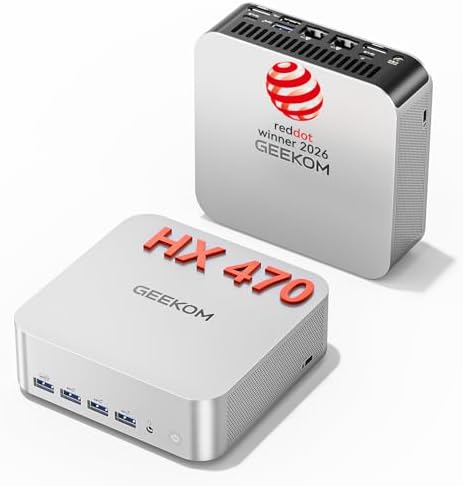
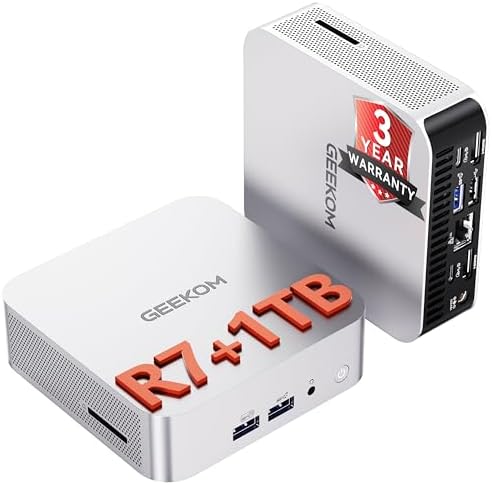
When it comes to Proxmox VE LXC vs KVM virtual machine resource allocation guide for kubernetes, getting the right details matters. GEEKOM A9 Max Mini PC
FortiGate 60F Firewall
FNIRSI LCR-ST1 SMD Component Tester
Proxmox VE LXC vs KVM Virtual Machine Resource Allocation Guide for Kubernetes: Homelab Architecture That Eliminates etcd Timeouts, OOM Kills, and ZFS ARC Starvation
Your Kubernetes cluster on Proxmox is not failing because of a bad Helm chart. It is failing because the control plane is running inside an LXC container that shares the host kernel, the ZFS ARC has swallowed half the RAM, and a single 1 GbE NIC is trying to carry both API traffic and CNI pod traffic. This guide shows you exactly how to allocate Proxmox VE resources between LXC and KVM so your K3s cluster stops eating itself.
You will learn why LXC collapses under Kubernetes control-plane load, where KVM wins, how to cap OpenZFS ARC, how to segment 2.5 GbE traffic, and which hardware stack replaces rack-server fatigue with a quiet, efficient mini-PC cluster.
The Technical Reality / The Failure Point: Why LXC Collapses Under Kubernetes Control-Plane Load
Shared-Kernel Isolation Failure in LXC
Proxmox VE LXC containers share the host Linux kernel. That is efficient for a Pi-hole or a reverse proxy. It is dangerous for a Kubernetes control plane.
A kernel panic in one LXC propagates to every co-located container. A module conflict on the host—say, between the kernel version your CNI needs and the version Proxmox ships—takes down every Kubernetes node on that host. A host-level OOM event does not politely ask the container to free memory; it kills processes across the shared kernel space.
The r/kubernetes consensus is clear: running etcd inside LXC is risky because host kernel updates or container restarts can corrupt the etcd WAL. KVM is recommended for control-plane nodes because each VM keeps its own kernel, its own kernel modules, and its own memory space. Snapshot and live-migration integrity for etcd is only reliable under KVM.
The r/homelab consensus matches this. LXC is the right tool for auxiliary services—monitoring, DNS, reverse proxy. It is the wrong tool for Kubernetes nodes because shared-kernel architecture complicates CNI plugin installation, kernel module loading for WireGuard or Calico eBPF, and iptables rule isolation.
Resource Overcommitment and OOM Kills
Kubernetes workloads burst. A pod that idles at 512 MB can spike to 4 GB when it pulls an image, runs a job, or handles traffic. If your Proxmox node is overcommitted, the Linux OOM killer steps in. When the OOM killer targets etcd or the API server, the entire cluster wobbles.
This happens under both LXC and KVM if you statically allocate memory without headroom. The fix is not to disable the OOM killer. The fix is to right-size nodes and leave the host with enough reserve.
OpenZFS ARC Memory Starvation
The OpenZFS Adaptive Replacement Cache grows unbounded by default, consuming RAM that the hypervisor has already promised to VMs and LXCs on ZFS-backed Proxmox hosts.
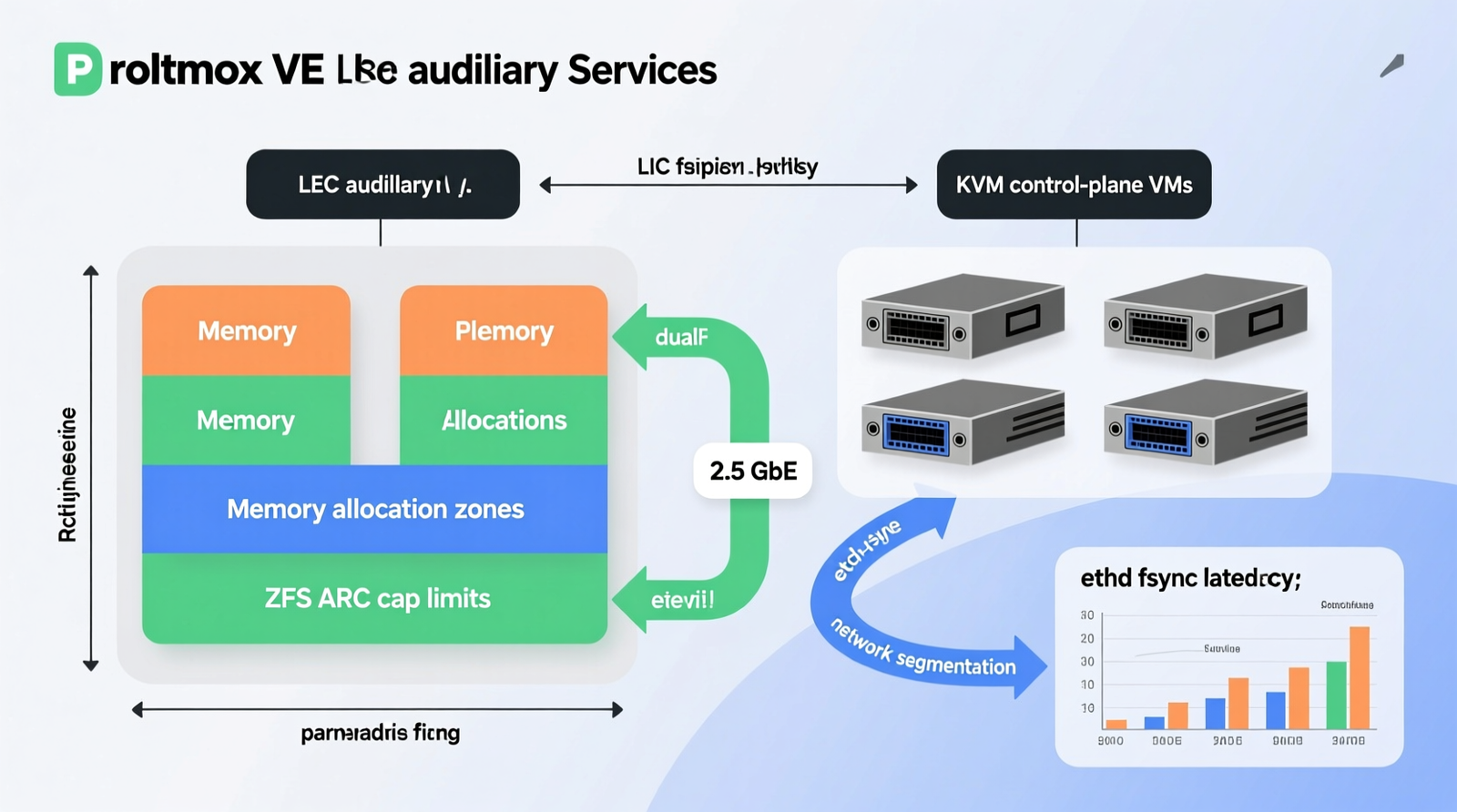
This memory starvation results in host-level I/O bottlenecks, Kubernetes CSI timeouts, and a web UI that stops responding until ARC is capped. r/Proxmox is full of threads where hosts become unresponsive until `zfs_arc_max` is capped, typically to 25–50 % of physical RAM. On a 128 GB node, that means pinning ARC to 32–64 GB and leaving the rest for workloads.
Single-NIC Network Congestion
A mini PC with one Ethernet port cannot physically separate Kubernetes control-plane API traffic from CNI pod traffic. You can tag VLANs, but you are still sharing one physical path. Broadcast domain noise increases. Network policy enforcement becomes fragile. Under load, latency spikes.
r/homelab reports repeated USB-to-Ethernet adapter failures on Raspberry Pi and budget NUCs. Cheap adapters drop throughput and increase latency under Kubernetes CNI load. Onboard dual 2.5 GbE is not a luxury; it is the minimum for a split control-plane/data-plane design.
CPU C-State Latency on Mobile Ryzen Chips
Mobile Ryzen chips aggressively enter low-power C-states. The wake-up latency from those states is enough to trigger etcd leader election timeouts. Kubernetes API calls slow down. Pods fail to schedule.
r/Proxmox users report that disabling C-states or setting the CPU governor to `performance` in BIOS clears the issue. For a Kubernetes control plane, deterministic latency beats power savings.
KVM Memory Ballooning Mismatch
Virtio-balloon lets a KVM guest dynamically return memory to the host. Kubernetes reads the ballooned value as `Allocatable` memory. If the host reclaims RAM, Kubernetes thinks the node has less memory than it does, schedules pods anyway, and then the node reports `MemoryPressure`.
The r/kubernetes fix is simple: do not use virtio-balloon for Kubernetes nodes. Give each KVM guest a fixed memory allocation.
Nested Storage IOPS Contention
Check out TECH Collection Amazon Products
Multiple Kubernetes VMs or LXCs sharing one NVMe drive without I/O limits exhaust queue depth. Containerd image pulls and etcd fsyncs stall at the same time. The cluster appears to freeze.
The fix is per-VM I/O limits, separate NVMe devices, or a dedicated etcd disk. On the GEEKOM A9 Max, the two M.2 2280 PCIe Gen4 ×4 slots let you isolate etcd/storage traffic from image-pull traffic.
PCI/GPU Passthrough Incompatibility with LXC
LXC lacks robust device isolation for AI/ML accelerators. If you want to pass an NPU or GPU into a local LLM workload, KVM is required. The GEEKOM A9 Max with its AMD XDNA 2 NPU—up to 55 NPU TOPS, 80 combined TOPS—only makes sense if you can passthrough it reliably.
The Core Gear Architecture: Validated Mini-PC, Security, and Diagnostic Stack
Primary Target — GEEKOM A9 Max Mini PC
Processor: AMD Ryzen AI 9 HX 370, 12 cores / 24 threads, Zen 5 + Zen 5c hybrid, 4 nm TSMC. Memory: Up to 128 GB dual-channel DDR5-5600 SODIMM, 2× non-soldered slots. Networking: Dual 2.5 GbE RJ45 ports. Storage: 2× M.2 2280 PCIe Gen4 ×4 NVMe slots, up to 8 TB total. AI/NPU: AMD XDNA 2 NPU up to 55 NPU TOPS; combined NPU+GPU+CPU up to 80 TOPS. Wireless: Wi-Fi 7 ready. Role: Proxmox VE hypervisor host running segregated Kubernetes control-plane and worker VMs.
The 128 GB socketed DDR5 matters because you can run a K3s control-plane VM, a worker VM, a TrueNAS/OpenZFS VM, and auxiliary LXCs without overcommitting. The dual 2.5 GbE ports matter because you can physically separate API traffic from CNI traffic. The two NVMe slots matter because you can isolate etcd fsyncs from container image pulls.
Secondary Target — GEEKOM A8
Processor: AMD Ryzen 9 8945HS, 8 cores / 16 threads. Memory: Up to 64 GB DDR5 SODIMM. Networking: Single 2.5 GbE RJ45 (Intel). Storage: 1× M.2 2280 NVMe PCIe Gen4 ×4, up to 4 TB. AI/NPU: 39 NPU TOPS. Role: Mixed-services node for TrueNAS, Nextcloud, Plex, single-node K3s.
The A8 is the secondary node. It is not meant to carry a full HA control plane, but it is excellent for mixed services and a single-node K3s instance.
Entry Target — GEEKOM A6
Processor: AMD Ryzen 7 6800H, 8 cores / 16 threads, up to 4.7 GHz boost. Memory: Up to 64 GB DDR5 SODIMM. Networking: Single 2.5 GbE RJ45. Storage: 1× M.2 2280 PCIe Gen4 ×4 + 1× M.2 2242 SATA. Role: Beginner homelab, Docker host, single-node K3s.
The A6 is the learning platform. It is enough to run Docker, a single-node K3s cluster, and basic homelab services.
Hardware Baseline Requirements
DDR5 baseline: All recommended nodes use socketed DDR5 SODIMM. Soldered-RAM mini PCs are excluded because 16 GB cannot run more than one Kubernetes node or any meaningful ZFS cache. 2.5 GbE minimum: Dual 2.5 GbE is required for control-plane/data-plane separation. 1 GbE is legacy for new Kubernetes clusters. Wi-Fi 7 readiness: The GEEKOM A9 Max Mini PC supports Wi-Fi 7 for wireless management traffic isolation. FIPS 140-3 transition: After 21 September 2026, remaining FIPS 140-2 certificates move to Historical CMVP status. New procurements should prioritize FIPS 140-3 validated modules.
Cybersecurity & Network Perimeter Architecture
FortiGate 40F: 5× GE RJ45; 5 Gbps firewall throughput; 800 Mbps NGFW; FIPS 140-2 Level 2 validated with FIPS-SEAL-RED tamper-evident kit. FortiGate 60F Firewall: 10× GE RJ45; 10 Gbps firewall throughput; 1 Gbps NGFW; FIPS 140-2 Level 2 validated with FIPS-SEAL-RED tamper-evident kit. Netgate 1100 (pfSense Plus): 3× 1 Gbps switched ports; dual-core ARM64 Cortex-A53; TAA compliant; no active CMVP FIPS validation; requires endpoint-level encryption architecture. CMVP transition: 21 September 2026—remaining FIPS 140-2 certificates move to Historical list; new procurements should target FIPS 140-3. SIEM integration: Wazuh agent on Proxmox host and Kubernetes nodes for log aggregation, file-integrity monitoring, and audit-ready compliance reporting. Perimeter bypass path: End-to-end TLS or a compliant SWG encrypts CUI at endpoints, removing the firewall from cryptographic scope and allowing pfSense for routing and ACLs.
Micro-Electronics & PCB Diagnostic Architecture
Jumper wire: 40 AWG or finer copper wire for severed-trace bypass on multi-layer motherboards. FNIRSI LCR-ST1 SMD Component Tester: Selectable test frequencies 100 Hz, 1 kHz, 10 kHz; dual test voltages 0.3 V and 0.6 V; 1.14-inch color display; 41 g; 250 mAh battery. Andonstar AD246S-M: 7-inch LCD; 30 cm high bracket; 2160P video; dual-screen HDMI output; three interchangeable lenses. Application: The 0.3 V low-voltage mode prevents forward-biasing adjacent semiconductor junctions during in-circuit SMD measurement.
The Technical Setup Blueprint: Proxmox VE Resource Allocation for Kubernetes
Proxmox VE Resource Allocation Model
| Workload | Hypervisor Type | vCPU | RAM | Notes |
|---|---|---|---|---|
| K3s control plane | KVM | 2–4 | 4–8 GB | Independent kernel; snapshot-safe |
| K3s worker | KVM or LXC | 4–8 | 8–16 GB | KVM preferred for production parity |
| TrueNAS / OpenZFS VM | KVM | 2–4 | 32 GB+ | ZFS ARC capped to 25–50 % of host RAM |
| Auxiliary services | LXC | 1–2 | 2–4 GB | Reverse proxy, monitoring, DNS |
Use KVM for anything that touches etcd or the Kubernetes API. Use LXC only for stateless auxiliary services.
LXC vs KVM Decision Matrix
| Factor | LXC | KVM |
|---|---|---|
| Kernel | Shared with host | Independent guest kernel |
| Overhead | Lower (~1–3 %) | Higher (~5–15 %) |
| Boot speed | Near-instant | Slower (full OS boot) |
| Isolation | Process-level namespaces | Full hardware virtualization |
| CNI compatibility | Requires host kernel support | Native; any CNI plugin works |
| PCI/GPU passthrough | Limited | Full virtio/PCIe passthrough |
| Snapshot/live migrate | Supported | Supported with greater stability |
| Best use | Auxiliary containers, monitoring | Kubernetes control plane, etcd, workers |
Kubernetes Resource Baselines
Control plane (K3s): Minimum 2 vCPU and 4 GB RAM per node; recommended 4 vCPU and 8 GB RAM. Worker node: Minimum 2 vCPU and 4 GB RAM; recommended 4–8 vCPU and 8–16 GB RAM. etcd: Dedicated fast NVMe storage; fsync latency must stay below 10 ms. Container runtime: containerd or CRI-O with overlayfs on ext4 or ZFS dataset.
OpenZFS ARC Tuning
Default ARC will consume all available RAM. Cap it on the Proxmox host:
Check out TECH Collection Amazon Products
options zfs zfs_arc_max=5497558138880
That example value is 50 % of 128 GB, or 64 GB, expressed in bytes. On a 128 GB GEEKOM A9 Max Mini PC, this leaves 64 GB for VMs and LXCs. The TrueNAS VM should receive its own dedicated RAM separate from the host ARC budget.
Network Segmentation
Port 1 (2.5 GbE): Proxmox management, user LAN, and ingress traffic. Port 2 (2.5 GbE): Kubernetes cluster internal traffic—API server, etcd, CNI overlay. VLAN fallback: If single-NIC hardware is unavoidable, use a VLAN-aware bridge with `bridge-vlan-aware yes` to separate control and data planes.
BIOS/UEFI Tuning for Kubernetes
Disable CPU C-states or set the governor to `performance` to prevent etcd leader election timeouts. Enable IOMMU for PCI passthrough if NPU/GPU acceleration is required. Enable AMD-V, SVM, and IOMMU. Disable Secure Boot if using custom kernel modules for CNI such as Calico eBPF or Cilium.
SIEM & Compliance Integration
Deploy Wazuh agent on the Proxmox host and on every Kubernetes node. Use it for log aggregation, file-integrity monitoring, and audit-ready compliance reporting. Align firewall procurement with the 21 September 2026 FIPS 140-3 transition.
Field Verdict & Operational ROI
Cost of Downtime vs. Cost of Gear
Rack-server fatigue: Dell R720/R730 enterprise servers draw 200–400 W idle, generate fan noise, and consume rack space. Ryzen mini-PC clusters replace that with comparable compute at a fraction of the power and noise. Soldered-RAM regret: Low-cost NUC-style boxes with soldered 16 GB RAM cannot run more than one Kubernetes node or any meaningful ZFS cache. They force complete hardware replacement. USB Ethernet adapter failures: Cheap adapters drop throughput and increase latency under Kubernetes CNI load. Onboard dual 2.5 GbE is non-negotiable.
Why the GEEKOM A9 Max Mini PC Stack Wins
Dual 2.5 GbE: Physically separates control-plane/API and CNI traffic, eliminating single-NIC congestion. 128 GB DDR5: Supports control plane, worker, ZFS ARC, and auxiliary services without overcommitment. KVM-first isolation: Removes shared-kernel etcd risk and enables reliable snapshot and live-migration. NPU/GPU passthrough: XDNA 2 NPU up to 55 TOPS, combined up to 80 TOPS, ready for local LLM workloads.
Recommended Procurement Roadmap
Primary node: GEEKOM A9 Max Mini PC for the Proxmox VE hypervisor and segregated K3s control-plane/worker VMs. Secondary node: GEEKOM A8 for mixed services such as TrueNAS, Nextcloud, Plex, and single-node K3s. Entry node: GEEKOM A6 for beginner homelab, Docker host, or single-node K3s. Perimeter security: Plan firewall procurement around the 21 September 2026 FIPS 140-3 transition. Monitoring/compliance: Deploy Wazuh SIEM agents before the cluster goes production.
Next Steps / Call to Action
Audit your current Proxmox host for unbounded ZFS ARC, virtio-balloon settings, and C-state configuration. Rebuild or migrate the Kubernetes control plane to KVM on a dual-2.5 GbE, socketed-DDR5 node. Validate etcd fsync latency below 10 ms and CNI throughput before declaring production-ready.
Conclusion
Community Reference & Authority Resources:
The right Proxmox VE architecture for Kubernetes is not about buying the most expensive hardware. It is about matching the isolation model to the workload. LXC is excellent for auxiliary services but dangerous for etcd and the Kubernetes control plane. KVM adds the kernel independence, snapshot stability, and PCI passthrough that production-like clusters demand.
By capping OpenZFS ARC, splitting control-plane and CNI traffic across dual 2.5 GbE interfaces, disabling C-states, and using fixed memory allocations, you eliminate the three failure modes that wreck most homelab Kubernetes deployments: etcd timeouts, OOM kills, and ZFS ARC starvation. The GEEKOM A9 Max Mini PC, with 128 GB DDR5, dual 2.5 GbE, and dual PCIe Gen4 NVMe slots, is the hardware foundation that makes this architecture practical. Build it once. Build it right. Then stop troubleshooting control-plane crashes on a Saturday night.
🔍 Explore More: See all tech guides and tutorials for Proxmox VE LXC vs KVM virtual machine resource allocation guide for kubernetes.
Check out TECH Collection Amazon Products