









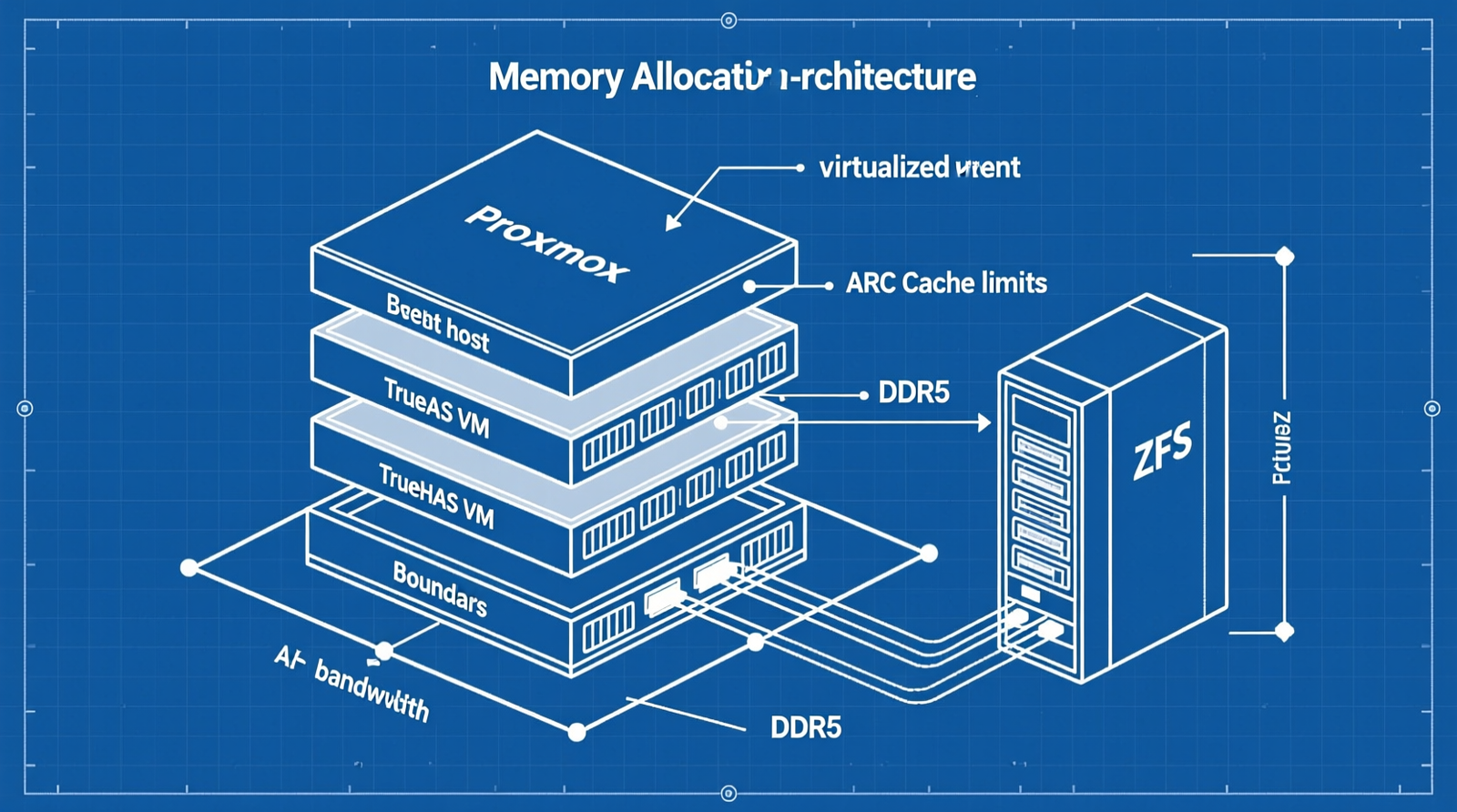
When it comes to allocating DDR5 RAM for TrueNAS ZFS ARC cache on Proxmox, getting the right details matters. GEEKOM A9 Max Mini PC with AMD Ryzen AI 9 HX 370 Processor
Crucial 64GB DDR5-5600 SODIMM Kit (CT2K64G4M16C32)
Kingston Fury Beast 64GB DDR5-6400 SODIMM Kit (KF464C32BB/64)
In virtualized ZFS environments, misconfigured memory allocation leads to cascading infrastructure failures.
Without strict ARC capping, TrueNAS VMs will consume all assigned RAM, starving the Proxmox host and triggering OOM kills across sibling K3s workloads.
This guide delivers the exact hardware and configuration parameters needed to prevent these failures, ensuring stable, high-throughput storage performance.
The Technical Reality: Infrastructure Failure Modes in Virtualized ZFS
ZFS ARC Memory Exhaustion and Host-Level OOM Kills
OpenZFS’ Adaptive Replacement Cache (ARC) scales dynamically to consume all available physical memory.
In a Proxmox VE environment, if a TrueNAS VM is allocated 64 GB without capping vfs.zfs.arc.max, the ARC will balloon to consume all VM RAM.
This leaves insufficient memory for KVM overhead and host-level operations, triggering host-level OOM killer terminations.
This failure directly impacts cluster stability by starving sibling VMs of critical resources.
Without strict memory boundaries, even a single over-provisioned ZFS VM can destabilize an entire compute cluster.
I/O Bottlenecks via Swap Thrashing
When the Proxmox host exhausts physical memory due to unregulated ARC expansion, Linux initiates swapping to the host’s boot drive.
This destroys host-level IOPS, causing latency spikes that timeout K3s control plane APIs and eventually terminate containerized services via OOM killer logic.
For example, a 64 GB TrueNAS VM with no ARC cap will cause the host to swap ~10–20 GB of data per second during peak I/O bursts.
This results in 500ms+ latency increases and API timeouts in K3s pods.
DDR5 Bandwidth Starvation in Single-Channel Configurations
ZFS ARC performance is directly tied to memory bandwidth.
Single-channel DDR5 configurations (e.g., one 64GB SODIMM) halve the memory bus width, reducing effective throughput to ~44.8 GB/s instead of the required 89.6 GB/s for dual-channel setups.
This bottleneck negates PCIe Gen4 x4 NVMe array advantages, forcing the CPU to stall waiting for ARC data, especially during large file reads or scrub operations.
ZFS Pool Corruption from Non-ECC Consumer Memory
High-density DDR5 SODIMMs operating at 5600 MT/s or higher in non-ECC consumer mini PCs are prone to transient bit flips under sustained ARC load.
These uncorrectable memory errors corrupt cached metadata during ARC read/write cycles.
This leads to silent data corruption and failed pool scrubs.
This is particularly critical in environments running continuous ZFS datasets with high I/O throughput.
Even a few corrupted sectors can cascade into full pool failure.
Check out TECH Collection Amazon Products
The Core Gear Architecture: 2026 Validated Hardware Stack
Flagship DevOps Node: GEEKOM A9 Max Mini PC
The GEEKOM A9 Max Mini PC features the AMD Ryzen AI 9 HX 370 (12 cores, 24 threads, 4nm TSMC process), integrating an XDNA 2 NPU delivering 55 TOPS for AI inference and local storage routing.
It supports up to 128 GB dual-channel DDR5-5600/6400 MT/s, essential for maintaining ARC throughput.
With dual M.2 PCIe Gen4 x4 NVMe slots, one drive is dedicated to ZFS SLOG/L2ARC, while the other hosts the OS and VM datastores.
Dual 2.5G RJ45 ports enable strict physical network isolation between management and storage traffic.
Mid-Range Homelab Expansion: GEEKOM A8
The GEEKOM A8 includes the AMD Ryzen 9 8945HS (8 cores, 16 threads), supporting up to 64 GB DDR5 SODIMM.
While suitable for secondary nodes, it lacks dual 2.5G ports.
This limits its use in clustered deployments requiring strict I/O separation.
Overcoming SODIMM Compatibility and XMP/EXPO Failures
Cheap, unbranded DDR5 SODIMMs often fail to stabilize at advertised speeds in compact motherboards, causing boot loops and silent memory errors.
The r/Proxmox and r/TrueNAS communities consistently recommend validated kits such as Crucial or Kingston Fury.
This ensures signal integrity and consistent performance.
Defeating Thermal Throttling Under Sustained I/O
During heavy ZFS operations like scrubbing or large dataset ingestion, compact mini PCs generate significant heat.
The GEEKOM A9 Max‘s vapor-chamber cooling ensures sustained boost clocks.
This prevents IOPS degradation caused by thermal throttling.
The Technical Setup Blueprint: Precision Allocation and Tuning
Proxmox VE Host and TrueNAS VM Resource Allocation
| Component | Allocation |
|---|---|
| Proxmox Base OS | 4 GB RAM / 2 vCPU |
| K3s Control Plane VM | 16 GB RAM / 4 vCPU |
| K3s Worker Nodes | 32 GB RAM / 8 vCPU |
| TrueNAS VM | 32–64 GB DDR5 RAM / 4–8 vCPU |
These allocations balance resource utilization while preserving headroom for ZFS metadata and KVM overhead.
The ZFS ARC Memory Tuning Equation
Manual tuning of vfs.zfs.arc.max is mandatory in virtualized environments to prevent host-level memory exhaustion:
$$
ARC_{max\_bytes} = (RAM_{VM\_Total} \times 0.65) – (RAM_{ZFS\_Overhead} + RAM_{KVM\_Overhead})
$$
For a 64 GB TrueNAS VM, $ARC_{max}$ should be capped at approximately 41.6 GB, leaving room for ZFS metadata (~2–3 GB) and KVM overhead (~2–3 GB).
This prevents host-level swapping.
DDR5 Bandwidth Calculation for ARC Cache Hits
Dual-channel DDR5-5600 provides theoretical maximum bandwidth:
$$
Bandwidth = \frac{5600 \times 64 \times 2}{8} = 89,600 \text{ MB/s (89.6 GB/s)}
$$
This throughput prevents CPU stalls during ARC cache hit scenarios.
This ensures optimal ZFS performance with PCIe Gen4 x4 NVMe arrays.
Storage Presentation: PCIe Passthrough vs. VirtIO SCSI Overhead
PCIe passthrough offers bare-metal ZFS performance but reduces VM portability and snapshot capabilities.
For maximum performance, use IOMMU group assignment for NVMe drives.
Alternatively, VirtIO SCSI introduces CPU overhead but allows easier migration.
Enable iothread=1 to offload I/O processing, and allocate additional vCPUs (at least 2 extra).
This handles virtualized storage stack latency.
Check out TECH Collection Amazon Products
Strict Physical Network Segmentation
vmbr0 (Port 1 – 2.5G): Management, K3s API, and general container egress.
vmbr1 (Port 2 – 2.5G): Exclusive to TrueNAS VM for iSCSI/NFS storage traffic.
This physical separation isolates storage I/O from control plane chatter.
This reduces contention and improves reliability.
ZFS Recordsize and Dataset Tuning
etcd & Container Overlays: Set recordsize=16K or 8K to align with database page sizes.
This avoids read-modify-write penalties.
Media/Backup Storage: Maintain recordsize=128K.
Sync Settings: Enforce sync=standard to leverage high-speed NVMe SLOG.
This provides write latency mitigation.
Field Verdict & Operational ROI
Preventing Catastrophic Cluster Failures
Combining the GEEKOM A9 Max, validated dual-channel DDR5, and strict mathematical ARC capping (vfs.zfs.arc.max) eliminates OOM kills, swap thrashing, and K3s API timeouts.
This configuration ensures predictable, scalable ZFS performance in virtualized environments.
The ROI of Premium Mini PC Infrastructure
Investing in vapor-chamber cooled, dual-2.5G LAN mini PCs like the GEEKOM A9 Max yields measurable returns in uptime, IOPS consistency, and operational resilience.
Community Reference & Authority Resources:
For DevOps engineers building modern homelabs, this hardware stack is not optional—it’s mandatory for sustainable ZFS deployments.
Implementing these guidelines guarantees that your TrueNAS ZFS environment operates reliably under virtualization, delivering enterprise-grade performance without compromising system stability.
🔍 Explore More: See all tech guides and tutorials for allocating DDR5 RAM for TrueNAS ZFS ARC cache on Proxmox.
Check out TECH Collection Amazon Products