
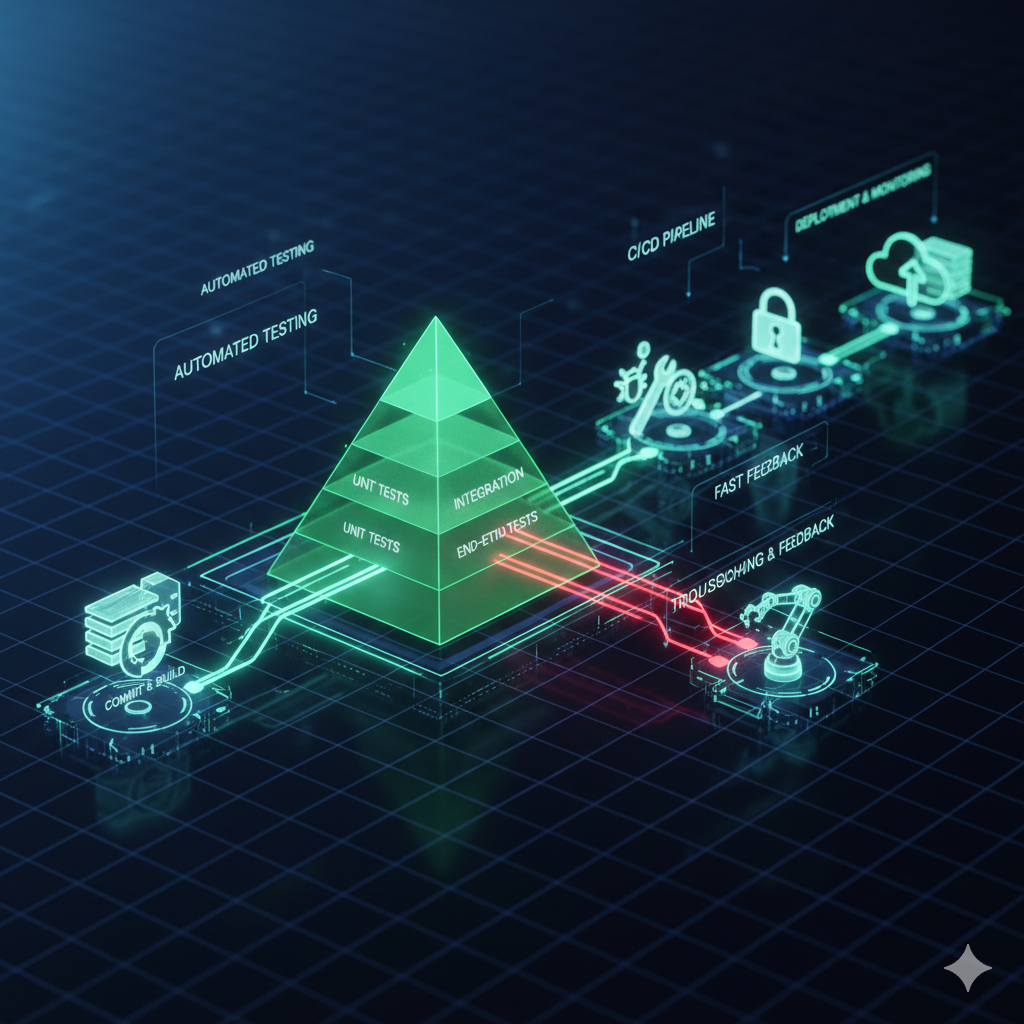
Automated Testing and Troubleshooting with CI/CD Pipelines 🚀
Continuous Integration/Continuous Delivery pipelines are the lifeblood of modern software development. 🔄
They promise rapid, reliable, and repeatable software releases transforming deployment cycles.
However, CI/CD speed depends entirely on the quality of built-in automated testing checks.
Automated testing serves as the primary quality gate providing immediate feedback for developers.
Effective troubleshooting maintains pipeline health when inevitable failures occur.
Mastering both disciplines is essential for modern DevOps teams and their delivery processes.
The Role of Automated Testing in CI/CD 🛡️
Automated testing’s primary goal is catching defects as early as possible in development cycles.
This “shifting left” approach moves quality assurance from cycle ends to beginnings.
It provides safety nets that enable confident code integration and continuous deployment.
The Testing Pyramid Structure 🏔️
The Testing Pyramid visualizes ideal test type distribution within projects.
This model prioritizes speed and cost-effectiveness across different testing levels.
| Test Type | Focus | Speed & Cost | CI/CD Stage |
|---|---|---|---|
| Unit Tests | Individual functions and components | Fastest, cheapest, most numerous | Commit/Build: First stage |
| Integration Tests | Component interactions | Medium speed, moderate cost | Integration: After successful build |
| End-to-End Tests | Full user flow simulation | Slowest, most expensive, least numerous | Staging/Deployment: Against deployed environment |
The pyramid emphasizes fast, reliable Unit Tests for immediate developer feedback.
Integration tests verify component connections while E2E tests validate final user flows.
Specialized Pipeline Tests 🎯
Robust CI/CD pipelines incorporate specialized quality checks beyond core testing.
- Static Analysis (Linting/SAST): Checks code style and security vulnerabilities without execution. 🔍
- Security Testing (DAST): Scans running applications for dynamic security vulnerabilities. 🛡️
- Performance Testing: Ensures applications handle expected traffic volumes before production. 📊
Learn about implementing comprehensive CI/CD practices for your development workflow.
https://youtu.be/9IYcG8zLtN0?si=Kj8m7nLpQwTzX9vR
Designing Resilient Testing Pipelines 💪
Resilient pipelines fail fast, provide clear diagnostics, and recover quickly from issues.
Proper design prevents wasted resources and maintains development team productivity.
Shift-Left and Fast Feedback 🔄
Shift-Left Testing finds bugs early when they are cheapest and easiest to fix.
Unit tests and linting should execute immediately upon code commit.
Fast checks taking seconds prevent wasted resources on subsequent slower stages.
Pipeline stops immediately when early checks fail maintaining efficiency.
Parallelization and Efficiency ⚡
Pipeline duration critically impacts developer integration frequency.
Long-running pipelines discourage frequent integration defeating CI purposes.
Test parallelization across multiple workers reduces overall execution time dramatically.
Modern CI platforms enable concurrent Unit and Integration test execution.
Environment Management and Isolation 🏗️
Environment inconsistency represents a common pipeline failure cause.
Test environments must be exact, reproducible replicas of production environments.
Immutable Infrastructure via Docker containers ensures environment consistency.
Every pipeline stage executes in clean, ephemeral containers defined by versioned Dockerfiles.
This prevents environment drift and ensures isolated, reproducible testing conditions.
Troubleshooting Common CI/CD Failures 🚨
Even well-designed pipelines fail requiring quick diagnosis and resolution.
Efficient troubleshooting separates high-performing teams from struggling ones.
The Build Failure 🔨
Build failures often involve hard stops from syntax errors or dependency issues.
These are typically easiest to diagnose with proper logging and error reporting.
- Dependency Issues: Check pipeline logs for failed commands and verify dependency files. 📦
- Troubleshooting Strategy: Identify first errors in logs since subsequent issues often cascade. 🔍
The Flaky Test Nightmare 😨
Flaky tests yield different results for identical code without changes.
They erode developer trust leading to dangerous re-run-until-pass practices.
| Flaky Test Cause | Description | Troubleshooting/Fix |
|---|---|---|
| Race Conditions | Asynchronous operation timing issues | Explicit synchronization or service mocking |
| External Dependencies | Third-party service state reliance | Test doubles or database reset procedures |
| Timing Issues (E2E) | UI element loading delays | Explicit waits instead of hard-coded sleeps |
Best practice mandates immediate flaky test isolation and quarantine.
Never ignore flaky tests as they undermine entire pipeline credibility.
Environment Drift Issues 🌪️
Environment drift occurs when deployed configurations diverge from pipeline definitions.
This causes “works on my machine, fails in production” frustrating scenarios.
- Prevention: Enforce Infrastructure as Code using Terraform or CloudFormation tools. 📝
- Troubleshooting: Compare environment state with IaC definitions for configuration errors. 🔄
https://youtu.be/nC3kL3l5pOI?si=Wp3qLrTk8MzNvJ2f
Deployment Failures and Rollbacks 🚧
Deployment failures critically impact end-users requiring immediate resolution.
Common causes include incorrect secrets, insufficient permissions, or tool failures.
- Secrets Management: Inject runtime secrets from secure vaults rather than repository storage. 🔐
- Rollback Strategy: Implement automated deployment of last known good versions. ⏪
Explore our Infrastructure as Code guide for environment consistency.
Best Practices for Pipeline Observability 👀
Effective troubleshooting requires comprehensive pipeline observability and instrumentation.
Proper debugging tools transform frustrating failures into learning opportunities.
Verbose and Structured Logging 📝
Default logging levels often prove insufficient for detailed failure analysis.
Verbose logging temporarily enabled provides necessary debugging context.
Structured JSON format logs enable powerful querying and filtering capabilities.
Centralized log management systems facilitate specific commit or test run analysis.
Artifact Management 🗃️
Pipelines generate valuable artifacts requiring retention for post-mortem analysis.
Compiled binaries, test reports, and coverage data help reproduce failures locally.
Developers should access exact test reports and log files for failed executions.
Immediate Targeted Notifications 🔔
Failed pipelines should trigger immediate, targeted notifications with critical information.
- Commit/Author: Identify who made the breaking changes. 👤
- Failure Stage: Specify where the pipeline broke. 📍
- Direct Log Links: Provide one-click access to failed job outputs. 🔗
Custom Dashboards and Metrics 📊
DevOps metrics track delivery process health and identify long-term trends.
| Metric | Importance | Impact |
|---|---|---|
| Pipeline Success Rate | Percentage of successful completions | Overall pipeline reliability indicator |
| Pipeline Duration | End-to-end execution time | Developer integration frequency driver |
| Mean Time to Recovery | Average broken pipeline fix time | Team troubleshooting efficiency measure |
Conclusion: Mastering Pipeline Resilience 🏆
CI/CD pipelines represent critical business assets impacting software delivery speed and quality.
Automated testing provides the non-negotiable foundation for continuous integration confidence.
True mastery lies in troubleshooting ability when inevitable pipeline failures occur.
Adopt the Testing Pyramid, enforce environment consistency, and eliminate flaky tests.
Instrument pipelines with verbose, structured logging for efficient problem resolution.
Well-tested, well-troubleshot pipelines become competitive advantages in modern software landscapes.
Transform CI/CD processes from anxiety sources into resilient, self-healing innovation engines.
For more DevOps insights, explore our DevOps metrics guide and software testing types.