

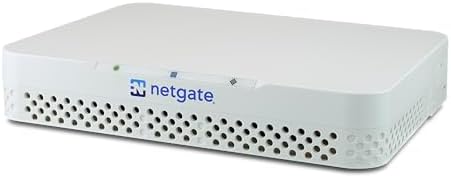

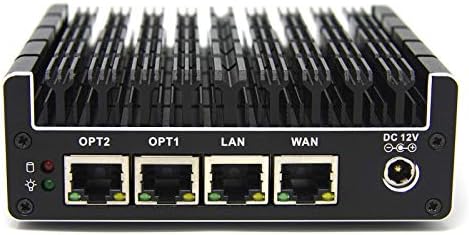


When it comes to how to isolate cui network traffic using pfSense vlan segmentation, getting the right details matters. Netgate 1100 pfSense Plus Security Gateway
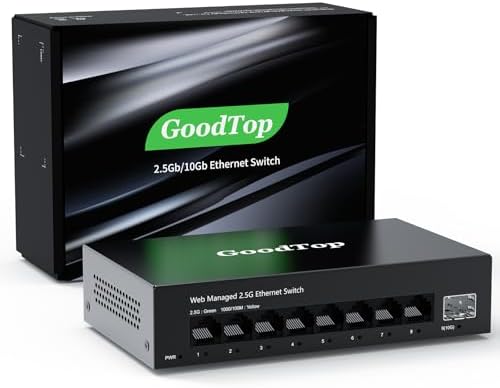
TP-Link Omada 8-Port 2.5G Managed Switch
Fortinet FortiGate 60F Next-Generation Firewall
Architecting the Unbreakable CUI Enclave
If you are trying to isolate Controlled Unclassified Information (CUI) network traffic using pfSense VLAN segmentation, you are probably one audit finding away from a failed CMMC assessment.
VLANs alone will not save you. pfSense alone will not save you.
The difference between a passing architecture and a five-figure remediation bill comes down to three things: keeping CUI encrypted before it reaches pfSense, locking down inter-VLAN routing with deny-by-default rules, and shipping every relevant log to a SIEM.
This guide shows you exactly how to build a CMMC-ready CUI enclave with pfSense and 802.1Q VLANs. You will learn why pfSense falls out of cryptographic scope only when CUI is encrypted at the endpoint, which hardware specs actually matter, and how to configure interfaces, firewall rules, DHCP/DNS, and Syslog export to Wazuh so your assessor sees evidence instead of excuses.
The Technical Reality / The Failure Point
Most CMMC failures around pfSense VLANs are not caused by missing features. They are caused by misunderstanding what the firewall is actually doing. Three audit-failure axes show up again and again.
Cryptographic Scope Failure: Why pfSense Fails CMMC SC.L2-3.13.11 When It Touches CUI
Netgate 1100 hardware and pfSense Plus software hold no active CMVP FIPS 140-2 or FIPS 140-3 validation certificates.
CMMC Level 2 control SC.L2-3.13.11 and DFARS 252.204-7012 require FIPS-validated cryptography for VPN and boundary protection.
The moment your pfSense appliance encrypts, decrypts, or terminates a tunnel that carries CUI, the assessor has a finding.
That means IPsec tunnels terminated on pfSense, OpenVPN server roles on pfSense, or any scenario where pfSense is the cryptographic boundary for CUI will fail validation. The appliance is a capable router and firewall, but it is not a validated cryptographic module.
Segmentation-Only Misconception: When 802.1Q VLANs Become Lateral Movement Highways
IEEE 802.1Q VLAN tagging gives you logical Layer 2 separation. It does not give you automatic security.
Default pfSense configurations often leave inter-VLAN routing enabled. Trunk ports can be misconfigured. The default VLAN, VID 1, frequently carries untagged management traffic.
When any of those conditions exist, traffic from your CUI VLAN can route directly into your corporate VLAN. An attacker who compromises a general user workstation can pivot straight into the enclave you thought was isolated. VLANs are a traffic-segmentation tool, not a security boundary.
Audit Trail Gap: Why Local pfSense Logs Won’t Survive a CMMC Assessment
CMMC and NIST SP 800-171 require continuous monitoring and centralized logging under SC.L1-3.13.1. pfSense local logs rotate quickly and live on the appliance itself.
If the appliance is compromised, rebuilt, or simply aged out, your evidence disappears.
Without Syslog export to a SIEM such as Wazuh, you cannot produce the correlated, tamper-resistant audit trail a CMMC assessor expects. Local logs are useful for troubleshooting. They are not compliance evidence.
The Precise Technical Cause: Unencrypted CUI Crossing a Non-FIPS Boundary
The root cause is straightforward. CUI leaves endpoints unencrypted, or pfSense itself performs the encryption.
Because pfSense lacks a validated cryptographic module, the boundary device falls inside the CMMC cryptographic scope and fails validation. Fix the encryption point, and you remove pfSense from scope. Keep it wrong, and no amount of VLAN tagging will help you pass.
The Core Gear Architecture
Choose hardware based on what it must prove. The budget pfSense stack works only under an endpoint-encryption bypass architecture. If you cannot guarantee endpoint encryption, you need a FIPS-validated boundary instead.
Netgate 1100 (pfSense Plus): TAA/NDAA Budget Router Specs and Compliance Limits
The Netgate 1100 is a compact ARM64 appliance running pfSense Plus.
| Feature | Specification |
|---|---|
| Ports | 3x 1 Gbps switched RJ45 |
| CPU | Dual-Core ARM64 Cortex-A53 |
| RAM/Storage | Onboard soldered RAM and eMMC storage |
| Compliance | TAA compliant, NDAA compliant |
| FIPS Status | No active CMVP FIPS 140-2/140-3 validation |
| Role | Routing, firewall rules, VLAN interfaces, DHCP/DNS per VLAN, Syslog forwarding |
Check out TECH Collection Amazon Products
The 3x 1 Gbps switched RJ45 ports are enough for a small enclave with WAN, LAN trunk, and a dedicated management or DMZ link.
The Dual-Core ARM64 Cortex-A53 handles routing and firewall rules at small-business throughput, but it is not a high-performance NGFW.
The onboard soldered RAM and eMMC storage mean no upgrades and limited local log retention, which reinforces why you must forward logs to Wazuh.
Managed 802.1Q VLAN Switch: Minimum 8-Port Trunking Requirements and Baseline
Your switch must speak real 802.1Q, not just a web interface with VLAN labels.
| Requirement | Specification |
|---|---|
| Minimum Ports | 8x 1 Gbps RJ45 with VLAN tagging, trunking, and per-port assignment |
| Uplink Standard | 2.5G uplink ports preferred |
| Wireless | Wi-Fi 7 access points for wireless VLAN mapping |
| Examples | TP-Link Omada 8-Port 2.5G Managed Switch, Ubiquiti UniFi, Netgear Smart Managed |
An 8-port managed switch gives you room for WAN, trunk to pfSense, CUI access ports, corporate access ports, and management.
2.5G uplinks are the practical baseline for any new deployment because 1G trunking becomes a bottleneck once you add cameras, backups, and SIEM ingestion.
Wi-Fi 7 access points let you map SSIDs to VLANs so wireless CUI endpoints land in the correct enclave without manual tagging.
FIPS-Validated Turnkey Alternative: Fortinet FortiGate 40F/60F with FIPS-SEAL-RED
If you cannot guarantee that every CUI packet is encrypted before it reaches the firewall, buy a validated boundary.
| Model | Ports | Firewall Throughput | NGFW Throughput | FIPS Status |
|---|---|---|---|---|
| FortiGate 40F | 5x GE RJ45 | 5 Gbps | 800 Mbps | FIPS 140-2 Level 2 Validated (requires FIPS-SEAL-RED) |
| Fortinet FortiGate 60F Next-Generation Firewall | 10x GE RJ45 | 10 Gbps | 1 Gbps | FIPS 140-2 Level 2 Validated (requires FIPS-SEAL-RED) |
The 5 Gbps and 10 Gbps firewall throughput figures are raw packet-processing numbers.
The 800 Mbps and 1 Gbps NGFW throughput figures matter more in real deployments because they reflect inspected traffic with threat protection enabled.
The FIPS-SEAL-RED kit provides the tamper-evident seals required for FIPS 140-2 Level 2 physical security.
September 21, 2026 is the CMVP transition date. After that, remaining active FIPS 140-2 certificates move to Historical status. New procurements should target FIPS 140-3 validated modules whenever possible.
Wazuh Open-Source SIEM: Centralized Logging and FIM Layer
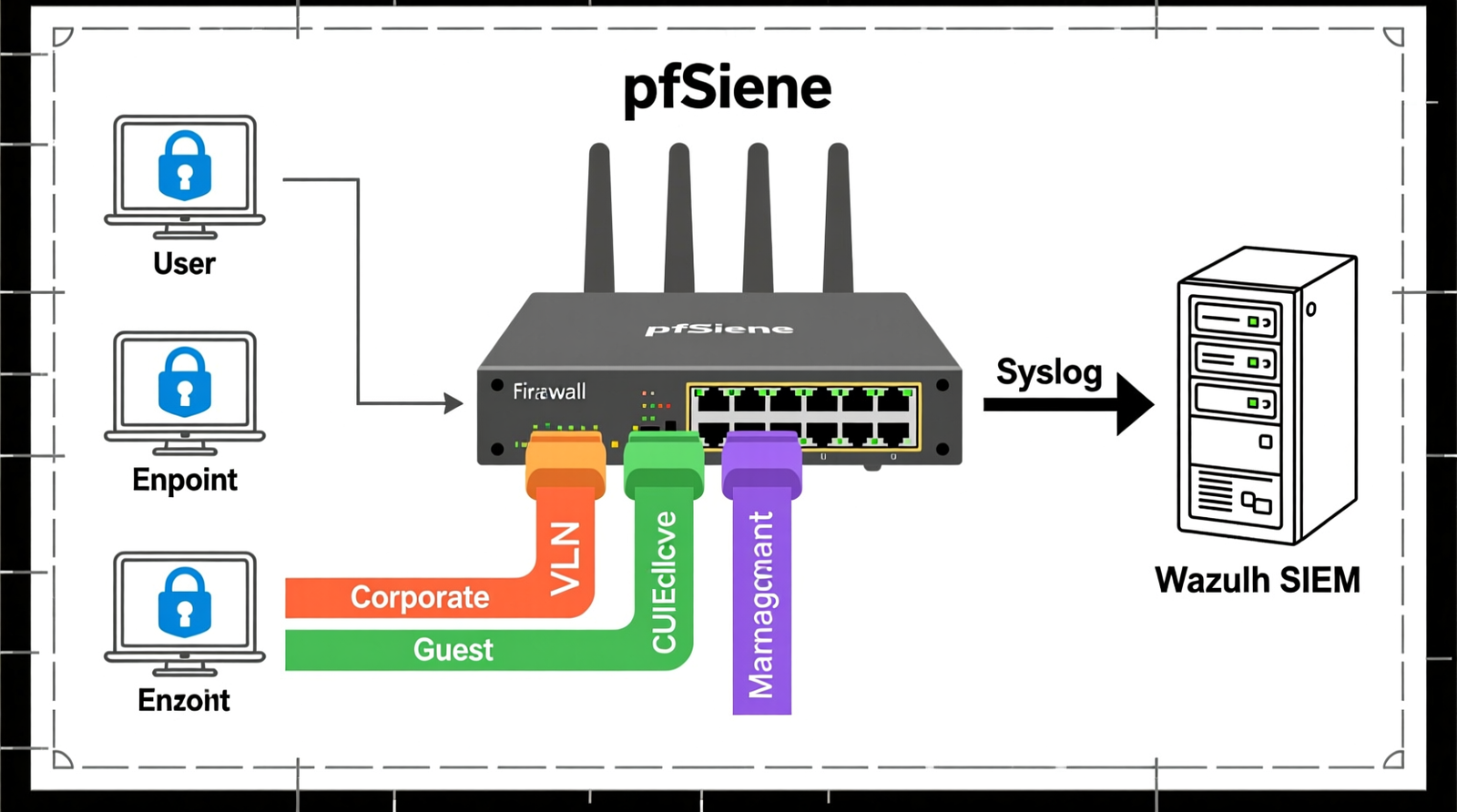
Wazuh receives pfSense Syslog and filterlog events, correlates them with endpoint File Integrity Monitoring, and generates audit-ready compliance reports.
It turns your firewall logs from transient appliance state into persistent, queryable evidence.
The Technical Setup Blueprint
This section maps the exact VLAN layout, interface assignment, firewall rules, DHCP/DNS, logging, and the endpoint encryption bypass path.
VLAN Layout and Subnet Zoning
Use IEEE 802.1Q tagging across the board.
Recommended Insights From Our Guide Library:
| VLAN ID | Zone Name | Description |
|---|---|---|
| VLAN 10 | Corporate / General User Network | Standard user traffic |
| VLAN 20 | CUI Enclave | Restricted, endpoint-encrypted traffic only |
| VLAN 30 | Server / Infrastructure Management | Admin access and services |
| VLAN 40 | Guest / Untrusted IoT | Isolated untrusted devices |
Subnet example: assign 10.20.0.0/24 to the CUI VLAN. Keep the CUI subnet small and tightly controlled. The smaller the subnet, the smaller the blast radius if a device is compromised.
pfSense Interface Assignment and Trunk Configuration
Configure the physical LAN port on the Netgate 1100 as a trunk carrying tagged VLANs 10, 20, 30, and 40.
Create VLAN interfaces on the parent interface, for example igb1.20 for the CUI VLAN. Assign a separate subnet to each VLAN interface.
On the managed switch, set the port connected to pfSense as a trunk port with the required VLANs tagged. Set access ports to a single VLAN with untagged membership.
Never leave the default VLAN 1 carrying management traffic across the same trunk as CUI traffic.
Firewall Rules: Deny-by-Default Inter-VLAN Lockdown
Start with a default deny all rule on the CUI VLAN interface for both inbound and outbound traffic.
Allow only required outbound ports, such as HTTPS/443 to approved destinations, and RDP or SSH through a hardened jump host.
Block the CUI VLAN from reaching the Corporate VLAN and vice versa, except for explicitly allowed paths.
Disable the default allow rules on the CUI interface. pfSense ships with permissive defaults on internal interfaces. Those defaults will fail an assessment because they assume internal networks are trusted.
DHCP/DNS Segmentation per VLAN
Create separate DHCP pools per VLAN interface. Bind the pfSense DNS Resolver only to the interfaces that need it.
Enable DNS redirection and logging so you can show assessors which domains CUI endpoints queried and when.
This prevents a CUI host from using an untrusted DNS server and prevents guest or IoT devices from resolving internal CUI hostnames.
Syslog Export to Wazuh for Audit-Ready Evidence
Go to Status > System Logs > Settings in pfSense. Enable Syslog export and forward filterlog, DHCP, and authentication events to your Wazuh manager.
Use the Wazuh manager IP with port 514/UDP or 514/TCP.
Retain local logs only as long as needed for troubleshooting. Long-term retention and compliance evidence live in Wazuh.
Configure Wazuh decoders for pfSense filterlog so firewall events parse correctly into dashboards and alerts.
Endpoint Encryption Bypass Path: Removing pfSense from CMMC Cryptographic Scope
CUI must be encrypted at the endpoint before it traverses the pfSense VLAN.
Acceptable methods include FIPS-validated TLS 1.3, application-level encryption, or a compliant Secure Web Gateway.
When CUI is encrypted before it reaches pfSense, the firewall only routes encrypted packets. It does not perform cryptographic operations on CUI.
Therefore, FIPS validation of the firewall appliance is not required under this architecture. That is the entire reason the budget pfSense stack can pass a CMMC audit.
If you cannot enforce endpoint encryption consistently, do not use pfSense as your CUI boundary. Use a FIPS-validated Fortinet FortiGate 60F Next-Generation Firewall instead.
Field Verdict & Operational ROI
Check out TECH Collection Amazon Products
When pfSense VLAN Segmentation Passes vs. Fails a CMMC Audit
It passes when CUI is encrypted before reaching pfSense and Wazuh logging is active.
It fails when pfSense terminates or encrypts CUI traffic, inter-VLAN routing is loose, or logs are local-only.
There is no middle ground. Either pfSense is out of cryptographic scope, or it is a finding.
Total Cost of Ownership: Budget pfSense Stack vs. FortiGate Turnkey
| Factor | Budget pfSense Stack | FortiGate Turnkey |
|---|---|---|
| Hardware | Netgate 1100 + TP-Link Omada 8-Port 2.5G Managed Switch + Wazuh | Fortinet FortiGate 60F Next-Generation Firewall + FIPS-SEAL-RED |
| Capital Expense | Lower | Higher |
| Encryption Requirement | Endpoint encryption mandatory | Turnkey compliance, no endpoint encryption dependency |
| Operational Risk | High discipline required for rules, trunks, and logs | Validated boundary reduces configuration risk |
The Netgate 1100 plus a managed 8-port switch plus Wazuh is the lower capital expense. It is acceptable only under the endpoint-encryption bypass architecture.
The hidden cost is operational discipline: every endpoint must encrypt CUI, every trunk must be correct, every firewall rule must be explicit, and every log must leave the box.
The Fortinet FortiGate 60F Next-Generation Firewall plus FIPS-SEAL-RED is higher upfront cost but turnkey compliance for organizations that cannot guarantee endpoint encryption.
You are paying for a validated cryptographic boundary and physical tamper evidence.
Procurement Freshness: FIPS 140-3 Transition, 2.5G Baseline, Wi-Fi 7, DDR5
September 21, 2026 moves remaining active FIPS 140-2 certificates to Historical status. Target FIPS 140-3 validated modules for new procurements.
For network infrastructure, 2.5G RJ45 is the minimum for new managed switches, with 10G uplinks for CUI enclave backbones.
Wi-Fi 7 is the current baseline for wireless VLAN segmentation.
Any SIEM or log aggregation server should run on DDR5 memory to handle high ingestion and correlation workloads without paging.
Conclusion
Isolating CUI network traffic with pfSense VLAN segmentation is possible, but only if you respect what pfSense is and is not.
It is a solid router, firewall, and VLAN endpoint. It is not a FIPS-validated cryptographic module. That single fact drives every decision in this blueprint.
Encrypt CUI at the endpoint so pfSense routes only encrypted packets. Lock down inter-VLAN routing with explicit deny-by-default rules. Forward every filterlog, DHCP, and authentication event to Wazuh.
Community Reference & Authority Resources:
Use a real 802.1Q managed switch with 2.5G uplinks and Wi-Fi 7 for wireless mapping. If you cannot guarantee endpoint encryption, replace the pfSense boundary with a FIPS-validated Fortinet FortiGate 60F Next-Generation Firewall and the required FIPS-SEAL-RED kit.
Get these pieces right and you have a defensible, audit-ready CUI enclave. Get them wrong and your VLANs become decoration on an otherwise failed assessment. The hardware and configuration choices above give you the exact path to pass.
🔍 Explore More: See all tech guides and tutorials for how to isolate cui network traffic using pfSense vlan segmentation.
Check out TECH Collection Amazon Products